Portable system tools help inspect, configure, maintain, and troubleshoot Windows PCs. This category combines utilities for cleanup, hardware monitoring, system settings, application removal, and other maintenance tasks. The impact of these tools varies, and older utilities may not work as expected on current Windows versions. Review each entry before making changes to system settings or deleting files.
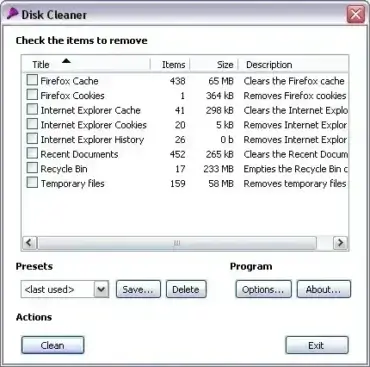
Clean Up Temporary Files and Reclaim Space:Drive Tidy, JFRemover, and Disk Cleaner are listed for finding and removing certain types of unwanted files. Remove Empty Directories (RED) helps locate empty folders. Review selections before deleting anything, especially on shared or work systems.
Monitor Hardware and Storage: Check processor temperatures with Core Temp, test drive performance with Parkdale, or view folder sizes using TreeSize and FolderSize. Benchmark results and sensor readings depend on hardware, permissions, and system support.
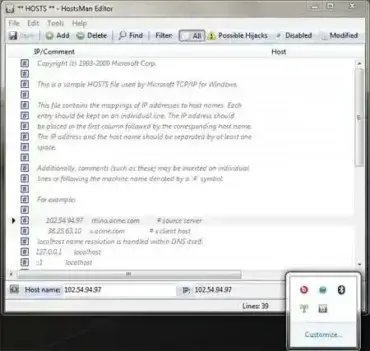
Manage Windows Settings and Troubleshoot Problems:HostsMan helps manage the Windows hosts file, while WinCrashReport displays information about application crashes. NumCapsScroll Indicator shows keyboard lock status, and Auto Hide Desktop Icons changes desktop visibility behavior.
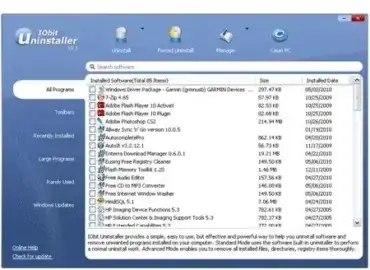
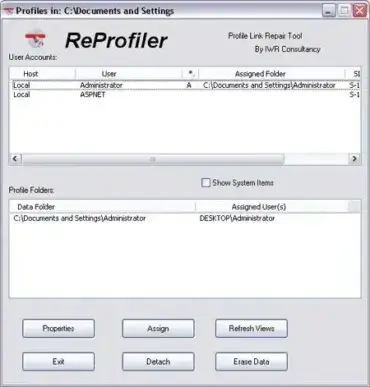
Uninstall Programs and Manage Profiles:IObit Uninstaller is listed for removing applications and related components. Reprofiler handles specialized Windows user-profile association tasks. These operations can affect system configuration or user data, so read the tool instructions and create a suitable backup or restore point before making significant changes.
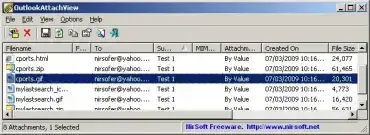
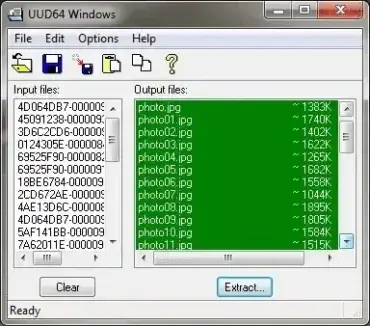
Other Specialized Utilities:OutlookAttachView and UUDWin help extract attachments from supported email files, while BOOTICE handles advanced USB partition and boot-sector operations. Verify compatibility and understand the risks before changing boot records, partitions, or archived mail data.
Using System Tools from USB: Portable tools may still need administrator rights, drivers, or access to protected Windows areas. Do not assume that a tool will be harmless simply because it runs without a traditional installer. Check its supported Windows versions and test non-destructive functions before applying changes.
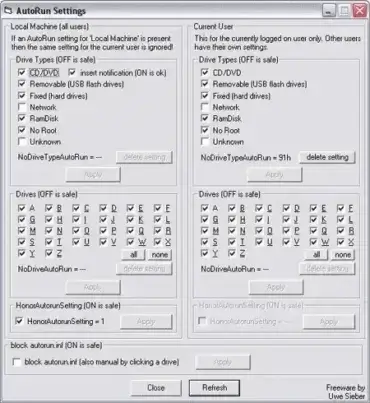
AutoRun Settings is a Free and Portable tool created by Uwe Sieber that allows a user to enable autorun and disable autoruns on the fly. The tool effectively allows you to enable or disable autorun notifications when a drive is attached. Options include selection for all users or current user, drive type selection, individual drive letter selection, and the ability to disable autorun.inf.
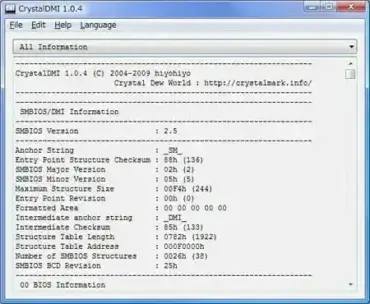
CrystalDMI is a Free Portable Utility that can be used to display SMBIOS (System Management BIOS) BIOS information via a DMI (Desktop Management Interface). BIOS, System, Motherboard, Processor, Memory, Cache information, System Slots, System Boot information and much can be retrieved and displayed right on your desktop.
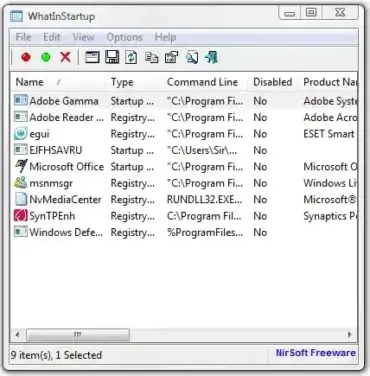
WhatInStartup is a Free Startup Manager that can be used to Manage, Disable or Remove Startup Programs that Start with Windows. The utility displays any applications that are loaded automatically when Windows starts up. A user can then delete or disable any of these programs from running at Windows startup. The Startup Manager also features a permanent disable option to keep any program from ever loading at startup again.
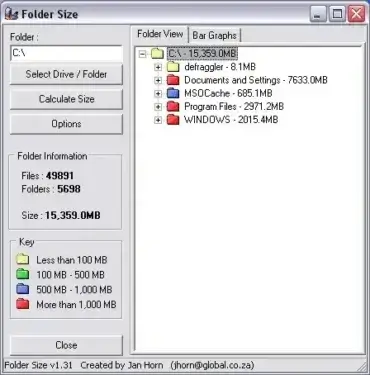
FolderSize is a Free Folder Size Calculating Tool created by Jan Horn. It can check the size of all folders on a select drive, making it easy to Find the largest files or folders and figure out which are consuming the most space. Options include; ability to select a drive or folder hierarchy to scan, set size to appear to left or right, set size parameters to use for colored folder icons.
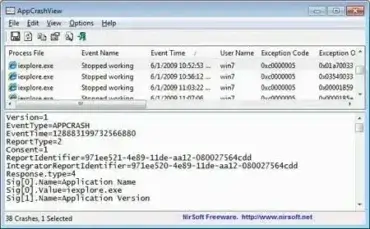
AppCrashView is a Freeware Portable Utility created by NirSoft that can be used to view the crash details of all applications that have crashed on your Windows PC. The crash information is pulled from Windows Error Reporting. A must have Portable Freeware for troubleshooting Computer system crashes.
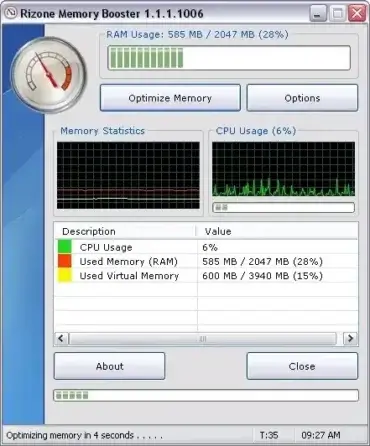
Rizone Memory Booster is a Portable and Free System Memory Optimization Tool created by Rizone. It works by safely asking Windows to clean up process workspace (through a Windows API call) and free up memory processes no longer need. The end result should be improved system speed and stability, and reduced memory leaks.
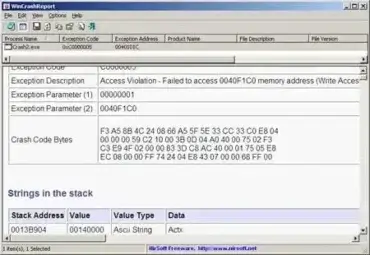
WinCrashReport is a Free Tool created by NirSoft that offers an alternative to the default Windows crash reporting program. WinCrashReport provides a detailed Windows Crash Report or Log of crashed applications from the crash dump, in an attempt to help you further troubleshoot and fix the problem.
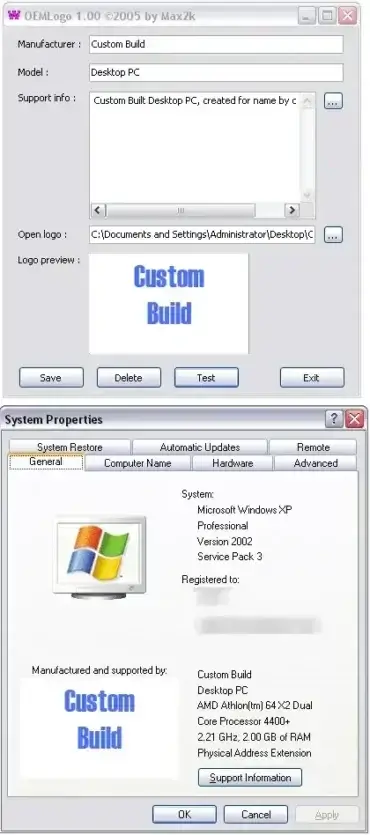
OEMLogo is a Freeware OEM information and OEM Logo editing tool created by Octavian Merches. It can be used to View, modify, or delete the OEM information of Windows 98, ME, NT, 2000, XP Operating Systems. Key features include the ability to change OEM Logo, Manufacturer information, Model, and Support Information.
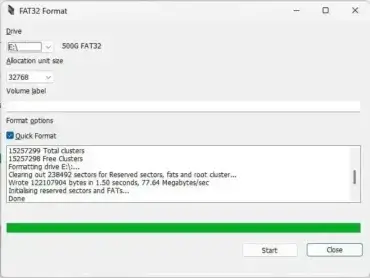
FAT32Format (GUIFormat) is a small, portable Windows utility that can format USB drives, SD cards, and other recognized storage volumes larger than 32GB as FAT32. Windows' built-in formatting tools generally do not offer FAT32 for volumes above 32GB, even though FAT32 can be used on larger volumes. Formatting erases the selected volume's existing file system and can make its data inaccessible, so back up important files and double-check the drive before starting.
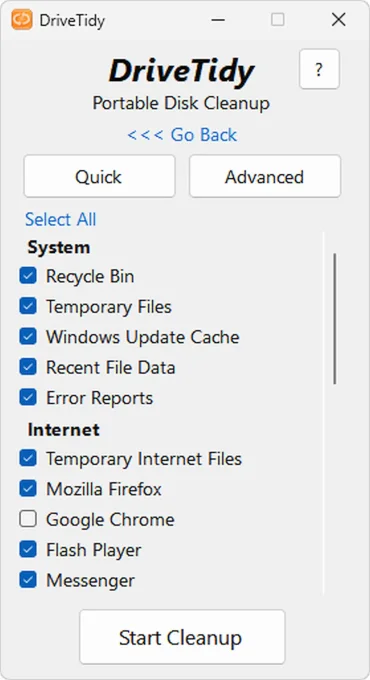
Drive Tidy is a freeware portable disk cleaner for Windows that helps remove junk files, temporary data, and unnecessary clutter to free up disk space. This lightweight cleanup utility runs directly from a USB flash drive without installation, making it a convenient tool for maintaining multiple PCs.
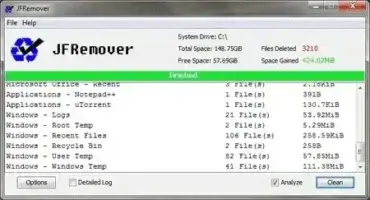
JFRemover is a Free and Portable Temp and Junk File Cleaner created by UtilityNerd. This lightweight utility allows you to quickly locate and remove unnecessary Temporary Files, Cache, Log Files, and other forms of digital clutter from your Windows system. By cleaning out these unwanted files, JFRemover can help improve overall system performance, free up valuable disk space, and reduce load times.
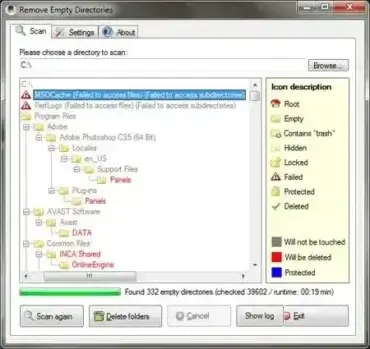
RED (Remove Empty Directories) is a lightweight, portable, and open-source tool designed for Windows. It helps streamline your file system by locating and erasing unused and vacant folders in bulk. Whether you're organizing your PC, optimizing drive space, or cleaning up after uninstalling software, this utility simplifies the process of getting rid of empty directories with just a few clicks.
In a single view, you can sort and filter by filename, type, sender, subject, size, or date, then extract selected or all attachments to a destination folder. You can also remove attachments while keeping the email body intact to reduce PST/OST size. Attachment lists can be exported to XML, HTML, TXT, or CSV for auditing and reporting.
UUDWin is a free email attachment extractor that can be used to batch extract files from email messages stored in .eml, .pst, and .msg formats. It is an ideal utility for quickly pulling attachments from large collections of Windows Live Mail, Outlook Express, or archived Outlook messages without opening each email individually.
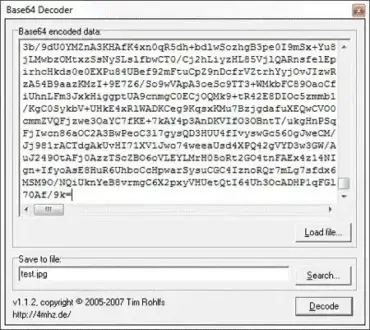
Base64 Decoder is a Free and portable decoder tool. It can be used to convert base64 data back to its original source code. This software might also be used to decode attachments found in email files.
HostsMan is a Portable Freeware Windows Hosts File Manager or Host File Editor created by abelhadigital. It can be used to quickly and easily manage your Windows Hosts File. Once launched, Hosts File Manager resides in the Taskbar. Features include the ability to enable or disable individual entries in hosts file, scan hosts for errors, duplicates and hijacks, a hosts name resolver, backup a hosts file and much more.
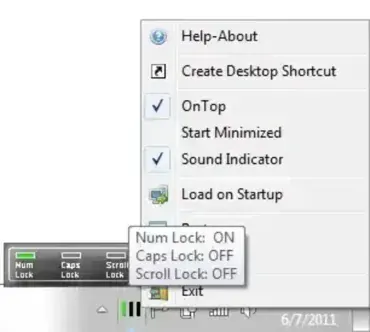
NumCapsScroll Indicator, created by Vasilios Freeware, can be used to indicate and manage keyboard Num Lock, Caps Lock, and Scroll Lock status. Very useful if a keyboard is missing any of these buttons (for example; my Envy HP laptop keyboard does not have a Num Lock key).
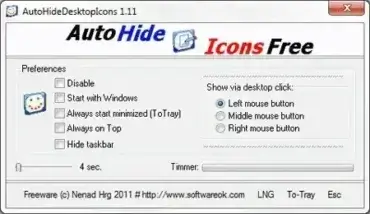
Auto Hide Desktop Icons is a free portable program. As the name suggests, it can be used to automatically hide desktop icons and even choose to hide the taskbar in Windows as well. I have tested this to hide taskbar on Windows 11.
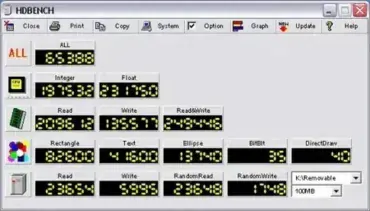
Another nice little Portable and Free Benchmarking Software Tool is HDBench. It can be used to quickly test and benchmark CPU, memory, video, and disk drive performance. Also, it works great for benchmarking USB flash drives. Although English language support is minimal, the Benchmarking Tool appears to work well and provides valuable insights into a system's overall performance.
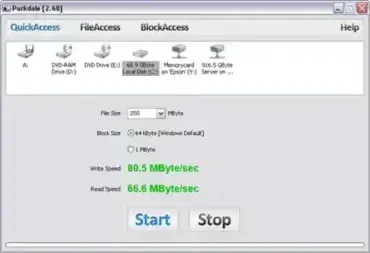
Parkdale is a neat Drive Speed Testing Tool created by run.to/sz. This Free and Portable Utility can be used to quickly measure or test the Read and Write Speed of various storage devices, including Hard Disks, CD Drives, and Network Drives. Its flexibility and ease of use make it a must-have for both casual users and IT professionals. Whether you are troubleshooting performance issues or comparing storage devices, it provides reliable results with minimal setup.
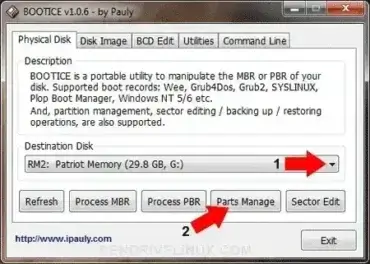
BOOTICE is a Flash Drive Partitioning and Boot Sector Manipulation tool. Users might use it to quickly partition and format a USB flash drive from Windows. It also supports the ability to mark a partition active and make it bootable. USB-FDD, USB-ZIP, and USB-HDD format options are available. Additionally, it can be used to backup, restore, or modify an MBR or PBR and much more.
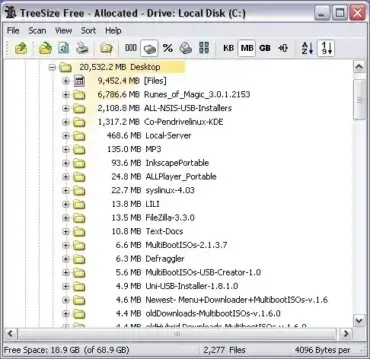
TreeSize is a Free tool that can be used to get folder size or list directories by size in Windows. This organized directory tree tool can be used to easily figure out which folders and sub-folders are using the most space. Find out what is taking up disk space (space hogging), helping you reduce clutter on a drive.
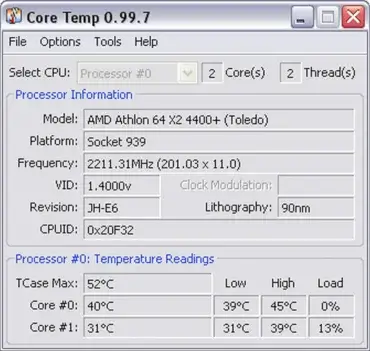
Core Temp is a lightweight, portable application designed to monitor the internal temperature of your computer's CPU cores with precision. Unlike many hardware monitoring tools, it focuses specifically on real-time processor temperature readings, making it ideal for users who want quick, detailed insights into CPU thermal performance. The software utilizes the built-in Digital Thermal Sensor (DTS) present in most modern processors to provide accurate and consistent temperature data.
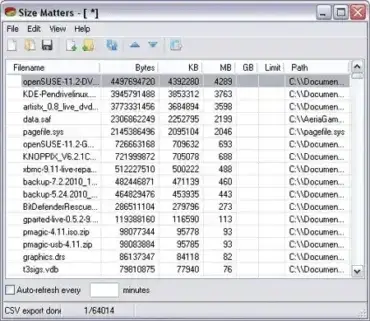
Size Matters is a free file size checking tool. It can be used to track a list of files and check their file sizes. Usage is easy and simple: just drag and drop a directory or file onto the portable file size checker, and the tool will proceed to calculate each file size. Information can also be exported to a CSV file for further analysis and external use.
IObit Uninstaller is a free software uninstaller for Windows, created by IObit. It provides a faster, more reliable alternative to the built in Windows Add or Remove Programs tool, allowing you to uninstall unwanted programs, browser toolbars, and plug-ins quickly. Its portable design means you can run it directly from a USB drive, making it ideal for technicians, IT professionals, or users who want to maintain a clean, optimized PC without installing extra software.
Reprofiler is a powerful Profile Link Repair Tool developed by IWR Consultancy. It allows users to efficiently view, manage, set, and repair user profile associations and properties on Windows systems. With it, you can quickly assign folders, erase data, detach profiles, or inspect detailed User Profile Information (Properties) with just a few clicks. Its portability makes it convenient to carry and run directly from a USB flash drive without installation.
Disk Cleaner is a free, open source, and portable disk cleanup utility for Windows. It helps reclaim disk space by removing temporary files, browser cache, cookies, and other unnecessary clutter so your PC stays clean and responsive.
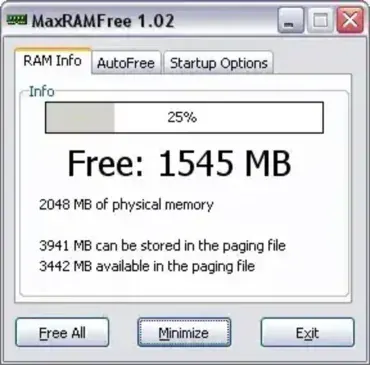
MaxRAMFree is a free and portable memory defragmenting or memory optimization tool designed to help manage and free up system RAM. Often referred to as a RAM defragmenter, this lightweight utility allows users to reclaim unused memory and improve overall system responsiveness.
With both manual and automatic memory cleaning options, it provides a simple way to free RAM resources on demand or at scheduled intervals. Its portable design also makes it ideal for use from a USB flash drive on multiple systems.
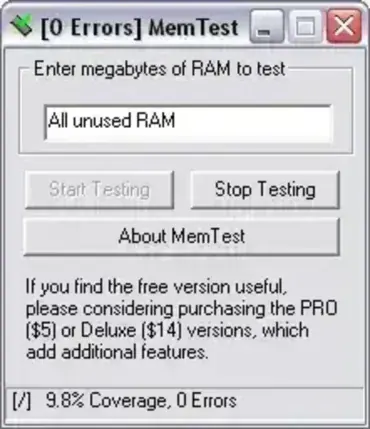
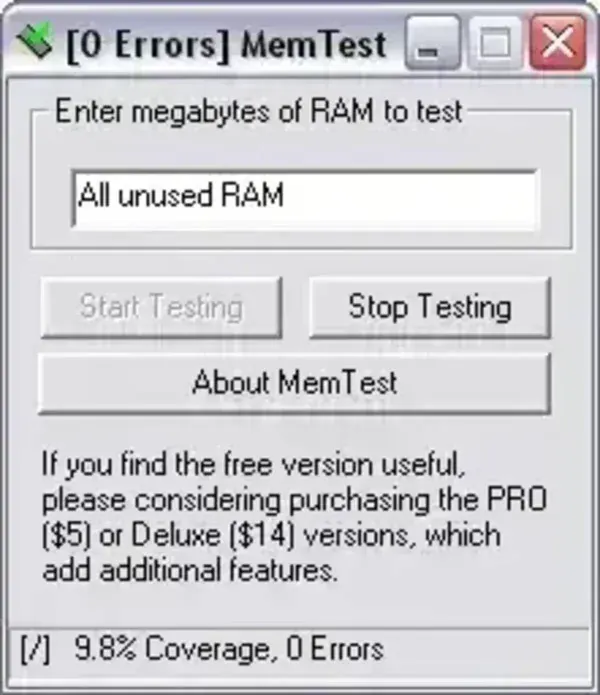
MemTest is a Free Memory Tester that runs in Windows. It was originally created by HCI Design. The software can be used as a RAM reliability tester to ensure your system memory is working properly and reliably without errors. This super tiny memory testing tool works by running tests to see if your computer is able to accurately store and retrieve data from memory without error. If the test shows any errors, there is a good chance that you might have defective RAM Memory.
One unique feature of this software is that it runs from within Windows, instead of requiring its user to reboot to run a test.
emory Tester Testing in Windows | MemTest
The tool is shown here while performing a quick RAM test.
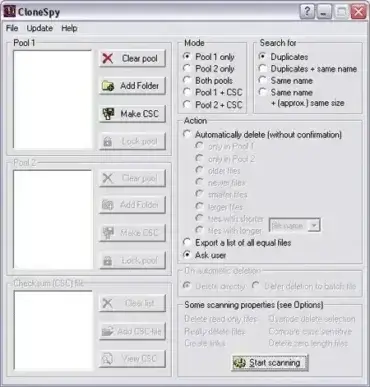
CloneSpy is a freeware duplicate file removing tool that can be used to find and remove duplicate files, clean your computer of unnecessary clutter, and free up drive space. This tool can detect and list files that are either exact duplicates, have same file name, have same size, or are zero bytes long.
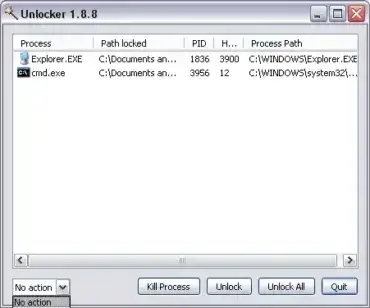
Unlocker is a free and portable file and folder unlocking utility. It can be used to unlock files and folders that are in use by a process. It works by allowing you to stop or kill the running processes that may be preventing you from copying, moving, deleting, renaming, or otherwise modifying a file or folder.
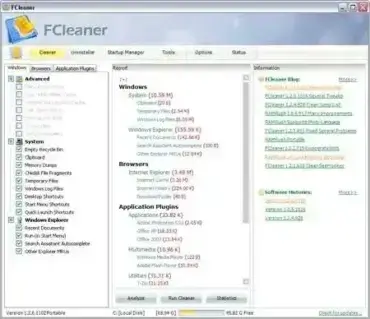
FCleaner is a Free and Portable Windows Cleaner and registry optimization tool. It can help keep your computer system running smooth, fast and at peak potential. Use it to remove unused files and remove invalid registry entries that clutter up hard drive and slow your system down.
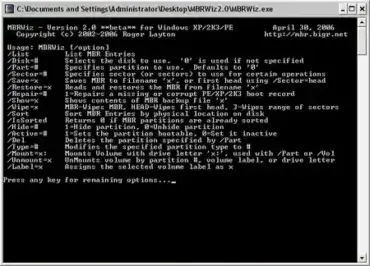
MBRWizard is a free, portable command line utility designed to manage, repair, and manipulate the Master Boot Record (MBR) on Windows systems. It provides a comprehensive set of tools for diagnosing and fixing boot related problems, managing partitions, and safeguarding critical boot data through backup and restore operations. Because it runs without installation, the MBR Wizard is especially valuable as a USB based recovery and troubleshooting tool.
This lightweight utility is aimed at system administrators, technicians, and advanced users who need precise control over disk boot structures. Whether you are repairing a damaged MBR, setting the correct active partition, or preparing a bootable USB flash drive, it offers direct and efficient access to low level disk operations.
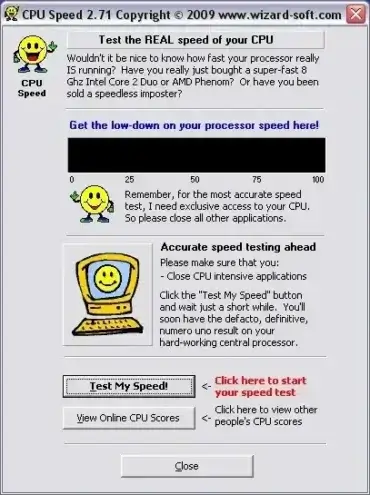
CPU Speed is a Free and Portable Processor Speed Testing tool that can be used to calculate the true speed of your processor. The tiny utility reports your REAL CPU Speed in Mhz. A great tool to have handy for system builders and overclockers alike. Determine and diagnose CPU processing speed quickly with a simple click. CPU Speed also allows you to upload your CPU Speed Test results to view and compare them against other users results.
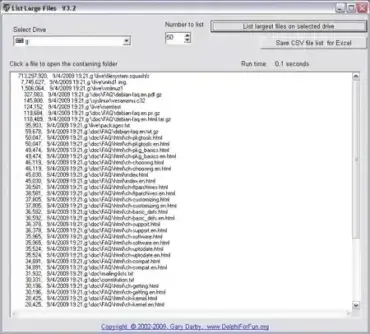
List Large Files is a Free Portable USB Application that can be used to find the Largest Files in Windows. The tool works by using a GetFiles method to recursively search directories on a drive. It then compiles a string list of these files and sorts the resulting list by size.
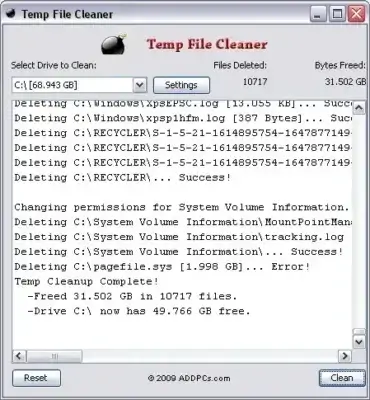
Temp File Cleaner (TFC) is a free portable utility designed to delete temporary files and other unnecessary system data from Windows computers. By removing accumulated temporary files, browser caches, update caches, log files, and other junk, it can help reclaim valuable disk space and improve overall system maintenance. Because it runs as a standalone application, you can launch it directly from a USB flash drive without installing anything on the host computer.
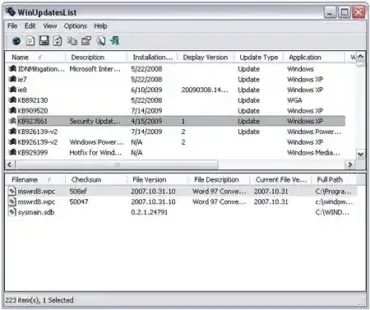
WinUpdatesList, is a free tool that can be used to view installed Windows updates, Service Packs and Hotfixes that are currently installed on your PC. It also enables you to uninstall or remove an update, copy information to the clipboard, or export the information. A clickable link to the corresponding Microsoft Update or Hotfix support page is available providing more information about each update.
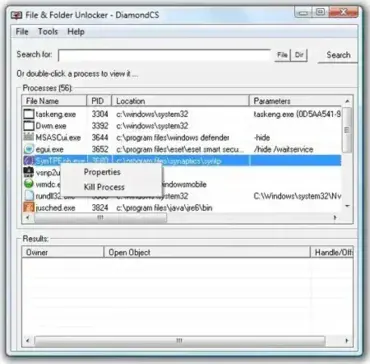
File and Folder Unlocker by DiamondCS is a free tool that allows you to unlock files and folders currently in use. This utility provides complete control over locked files and folders on your computer. It enables you to kill running processes and delete files in use without needing to reboot your system.
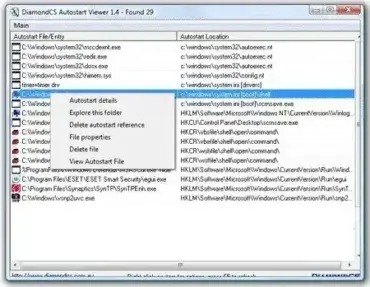
Autostart Viewer by DiamondCS is a Free Software that enables you to Disable or Edit Startup Programs or Autoruns (applications that are started when Windows starts). By running the tool, you can view the details of all running autostarts on your system and then choose to modify, edit, disable, or delete the programs from starting with Windows. It is completely stand-alone or portable, requiring no installation to the PC.
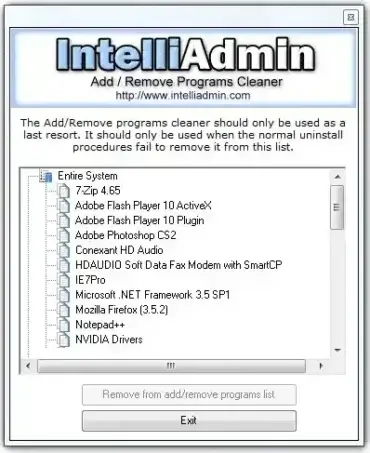
Add Remove Program Cleaner is a free tool that can be used to clean up, uninstall or remove program entries uninstall broken software from the Add/Remove programs list in Windows. The utility enables you to remove any program entries that are broken or cannot be removed by running the Windows uninstall program or application.
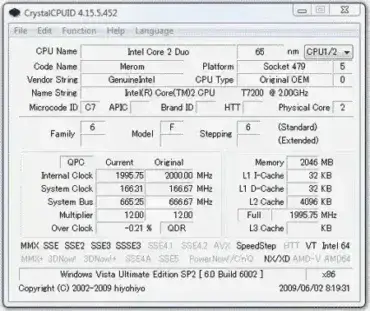
CrystalCPUID is a Free Portable CPU Utility that can be used to display CPU Info. Important processor related information such as CPU Name, Code Name, Vendor Sting, Name String, Microcode ID, Stepping, Clock Speed, System Bus, Multiplier, L1, l2 and l3 cache and more. System BIOS, Version, Chipset and Motherboard information is also available. Moreover, you can manage your multiplier in some cases. This option did not work in Vista for us.
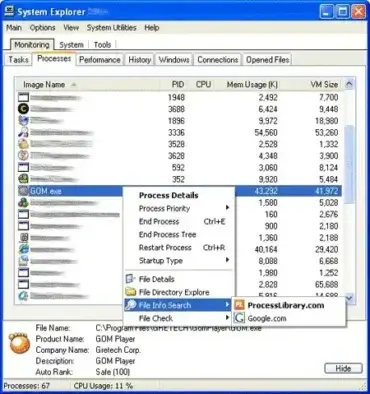
System Explorer is a Free portable tool that can be used to display detailed information about Windows processes, Tasks, Modules, Startup Entries, Drivers, IE Addons, Uninstallers, Services, Connections and Opened Files. The Build System Report feature can be used to create a detailed text report containing all of the essential information about your Computer System. The report can then be saved to a rich text file.
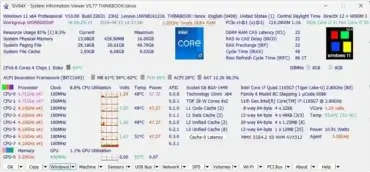
SIV is a Portable System Information Tool that can be used to view hardware and software information related to the system it is being run from. For example, one could use it to display Windows info, Network info, Hardware device info, CPU info, PCMCIA info, PCI info, USB info, Hardware Sensors, Machine Info, Operating System Information and much more. Best of all, this System Info Tool can be carried with you on a portable USB device.
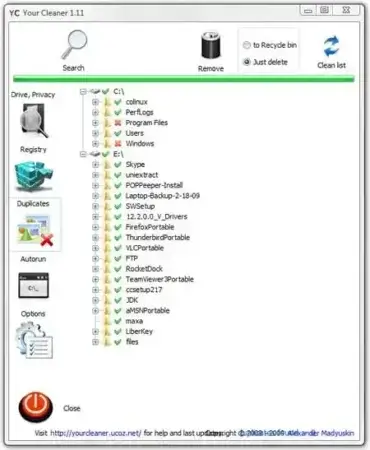
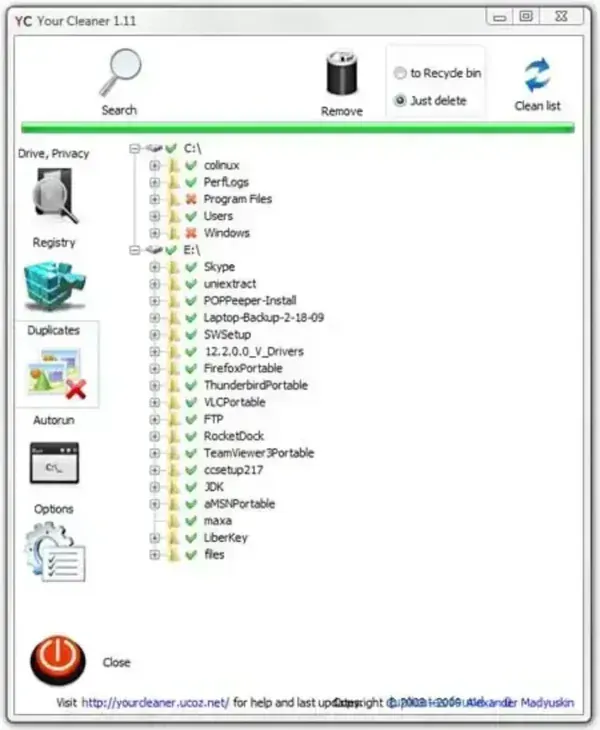
Your Cleaner; a Free Portable PC Cleaner and System Optimization Tool that can be used to help keep your your computer clean and running like new. The tool can remove traces of online activities including Typed URLs, Download History, Cache, Cookies, Auto Completion and Saved Passwords. It can also remove temporary files, clean and optimize your system registry and remove duplicate files. Moreover, an autorun manager is included that enables users to disable or enable programs that run at startup.
ortable PC Cleaner (Your Cleaner)
Authors Website: http://yourcleaner.ucoz.net
License: Freeware
How to make Your Cleaner Portable
Download and proceed to install Your Cleaner on your PC
Copy the C:Program FilesYour CleanerYour Cleaner.exe to your USB device
Click Your Cleaner.exe to run the program
Note: Once you have Your Cleaner.exe on your USB device, you can uninstall the software from your PC.
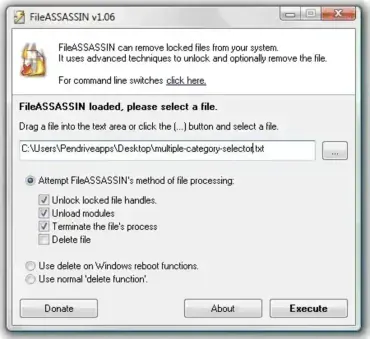
Remove Locked Files: Portable FileASSASSIN is a free, portable application designed to delete locked files from your PC. Sometimes, locked files result from malware infections, which attempt to protect their core files from deletion. However, there are also non-malicious cases, such as system processes or user applications holding onto files, preventing you from modifying or deleting them. The good news is that FileASSASSIN can handle these scenarios with ease.
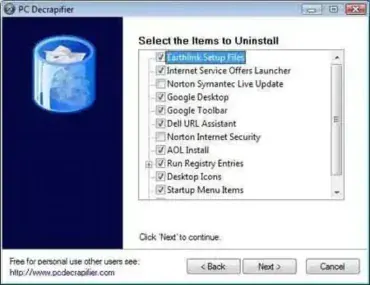
The PC Decrapifier; is an application to uninstall or remove unnecessary software (bloatware) that is included on and ships with OEM Computers. Use it to decrapify and speed up a PC by removing installed trialware and bloatware from computer manufacturers such as Dell, HP, IBM, Gateway, etc.
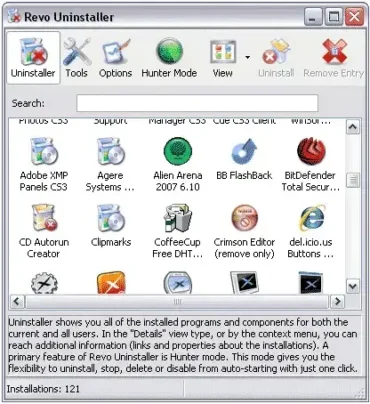
Revo Uninstaller is a powerful portable uninstall tool or utility that can do much more than just add/remove programs. It can be used to remove any unwanted software programs, applications and traces from your computer. Revo Uninstaller has the ability to scan a program's data before uninstalling and can then check for any remnants of the program after it has been uninstalled. In addition, a user can remove unnecessary files, folders and registry keys that may be left over after performing a standard uninstall.
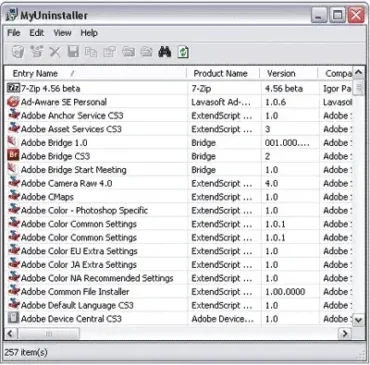
MyUninstaller is a utility that can be used to Add/Remove Programs in place of the Windows application uninstallation software. With it, you can remove or uninstall an application, delete an uninstall entry, and even save a list of all installed applications to a text file.
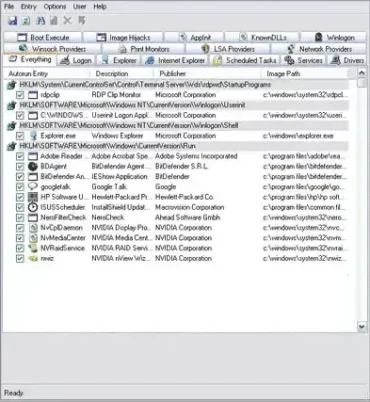
Autoruns: Advanced Startup Monitor Tool for Windows: This powerful and free portable startup monitoring tool displays all programs configured to run automatically during system boot. Unlike the basic MSConfig utility that shipped with Windows XP, it provides comprehensive insight into every auto starting component across numerous system locations; all presented in the order Windows processes them.