
Pendrive Apps personally reviewed free portable software, applications, and games for USB drives. Browse reviewed portable software, utilities, and games, primarily for Windows, along with selected options for other platforms. These are useful tools and utilities that can both be stored and then run directly from a flash drive, thumb drive, SD card, or other removable storage device.
Carry compatible office apps, email clients, browsers, games, media tools, recovery utilities, and more on a USB drive. The applications you can run depend on the host computer, each program's requirements, available storage, and any required permissions.
What is Portable Software?
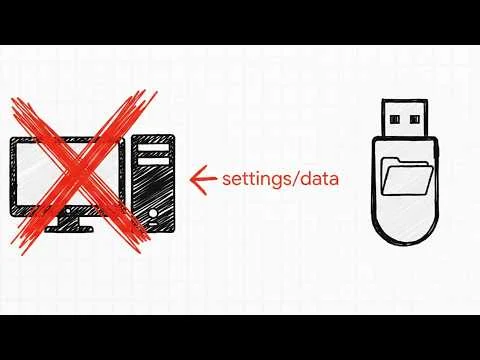
Portable software, or portable applications are computer programs that can be easily moved and used on different computers without installation. A portable application is commonly understood as a program designed to run without a traditional installation, often from a removable storage device such as a USB flash drive, thumb drive, USB stick, external hard drive, or SD card without needing to be installed on the computer's hard drive.
These applications are useful because they let users carry compatible programs and settings between computers, often reducing the need to install software locally. They do not guarantee that the host computer will retain no traces of use. Some portable utilities and tools might also be useful for those who frequently switch computers or lack administrative rights to install applications.
How do Portable Apps work?
In most cases, the portable apps format work by storing configuration settings and changes to a configuration file (such as an ini file) on the USB drive. This config file can usually be found in the directory where the application is stored. Making it easy to keep your preferences the same when running the software or game between multiple computers.
What Makes Software Portable?
Portable software is designed to operate independently of the host system, offering flexibility and convenience for users. One of the defining features of portable applications is their ability to store all configuration and data files locally within their own folder. This often involves the use of a specific data file, such as portable.dat, or configuration files like ini files, to ensure that any changes to settings or preferences remain self contained. Storing settings locally can reduce changes to the host computer, but it does not prevent every app from using system services or writing registry entries, logs, temporary files, or other data elsewhere.
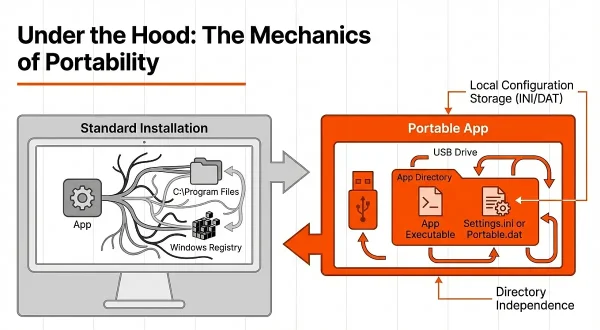
Another important characteristic of portable apps is that they do not require installation. Unlike traditional software, which typically embeds itself into the host system during installation, portable applications can be run directly from a folder or a removable device such as a USB drive or external hard disk. This makes them highly convenient for users who need to work across multiple devices without administrative privileges.
These apps are designed to minimize their interaction with the host system, and many keep their settings and working data in their own folder. However, behavior varies by application: Windows, security software, and other programs may still create logs, temporary files, registry entries, or cached data. Portability can reduce the footprint on a host computer, but it does not guarantee that no traces remain. This feature makes these pendrive apps particularly appealing for scenarios where users prioritize security or need to maintain a clutter free system.
Even when software offers no user-configurable preferences, it may still be considered portable if it runs without a traditional installation and can be moved between compatible systems. Whether it writes data outside its own folder depends on how the program and its dependencies behave. This combination of independence, simplicity, and portability makes portable software a versatile and valuable tool for modern computing needs.
Portable software generally runs without a traditional installation and can often be moved between compatible computers. It may still rely on operating-system components or write some data outside its own folder. Here are five common characteristics of applications described as "portable":
- Self Contained Files:
A portable app often keeps its main program files in its own folder, but it may still rely on operating-system components, shared libraries, runtimes, drivers, or other dependencies available on the host computer. - Local Configuration Storage:
Configuration files, likeinifiles orportable.dat, may be stored in the application's folder so preferences can travel with the app. This does not guarantee that all settings remain there or that the program will avoid modifying the host system's settings or registry. - No Dependency on Installation:
Unlike standard applications, stand-alone software may not require installation. It can often run directly from a removable device (e.g., a USB drive) or folder, although some programs may still write data or change settings on the host system. - Reduced Host Footprint:
Many portable apps keep their primary files and settings in their own folder, which can reduce changes to the host system. They may still leave temporary files, cache entries, logs, or other traces, so portability alone does not guarantee privacy. - Standalone Functionality:
Programs that do not allow user-configurable preferences can still be considered portable if they run without a traditional installation and can be moved between compatible systems. Whether they write to the host PC's storage or settings depends on the program and its dependencies.
When a portable app stores its data in its own directory, users can often carry the application and its settings between compatible computers with fewer changes to the host system. The exact behavior depends on the application and operating system.
About Pendrive Apps
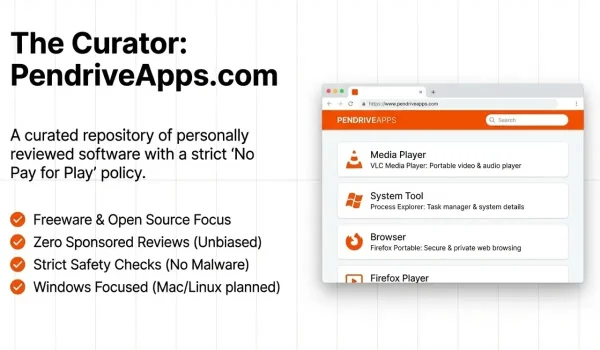
Since 2006 this site has been providing the general public with a neatly organized extensive selection of what we feel are some of the best-portable-apps, USB software, standalone tools, diagnostic utilities, and USB games freely available for anyone to run directly from a removable USB stick. Most programs and games featured here are designed for Windows. The site also covers selected portable or standalone options for macOS and Linux; availability and compatibility vary by application.
The majority of the software reviewed on this site has been created with portability in mind. These programs are generally designed to run from a folder or removable device such as a flash drive, and many allow users to save changes and personalized settings back to that location. Exact behavior varies by application; some still rely on host-system components or store data elsewhere. This makes it easy to carry your favorite apps and preferences wherever you go.
Some of these apps are also available as standalone executables, where everything is self contained in a single file. This eliminates the need to manage multiple folders or files, providing a simple out of the box ready to use software you can take with you.
What are Some Popular Portable Apps?
Here are a few popular recently reviewed or updated freeware or open sourced portable applications and free USB games that can be stored and run from a USB stick. You can browse the free portable software sitemap or portable apps menu to view them all.
UNetbootin Review: Create Linux Live USB Drives
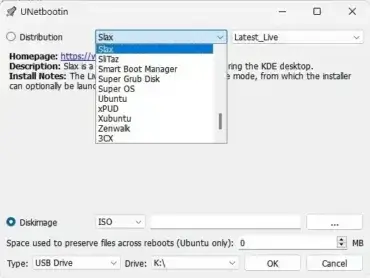 UNetbootin (short for Universal Netboot Installer) is a popular and lightweight bootable USB creation tool that enables users to create Live USB drives for various Linux distributions. Whether you're trying Linux for the first time, installing it on multiple systems, or running a rescue utility, UNetbootin makes the process simple, fast, and portable.
Ventoy Review: Create a Multiboot USB Drive
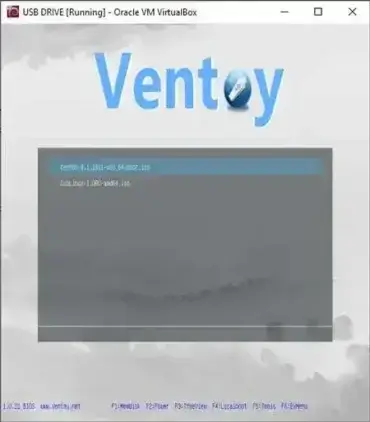 Ventoy is an open-source tool for creating a multiboot USB drive. After installing Ventoy on a USB drive, you can copy multiple supported ISO, WIM, IMG, VHD(x), and EFI files onto it and choose one from Ventoy's boot menu. This avoids reformatting the drive every time you want to add or replace an image, although installing Ventoy initially changes the selected drive's layout and can erase existing data. For a different workflow, compare it with Universal USB Installer (UUI), which provides its own supported-image and multiboot management options.
Portable Password Manager for USB Drives
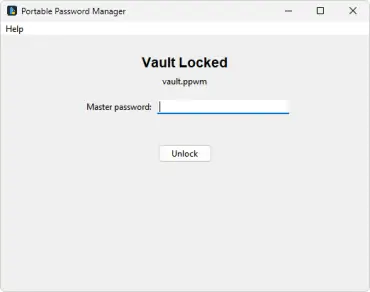 Portable Password Manager is a simple standalone, free password manager created by Pendriveapps.com, that runs entirely from a USB drive. There's nothing to install, no account to create, and no cloud involved - you unlock it with one master password, and all your saved logins are right there in one Password Vault.
HandBrake - Video Transcoder
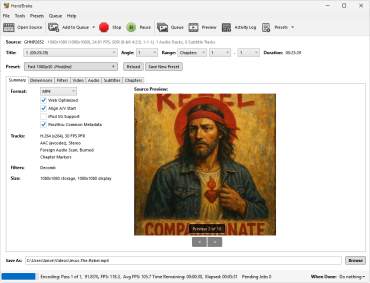 HandBrake is a free, open-source video transcoder for Windows, macOS, and Linux. It converts supported video sources into common formats such as MP4 and MKV, and lets you adjust encoding settings to balance file size, compatibility, and picture quality. Smaller files can involve a quality trade-off, depending on the source and settings. Windows ZIP builds can be extracted and launched without a conventional installer, but that does not guarantee every setting or temporary file stays on the USB drive.
TTCalc Portable - Mathematical Calculator
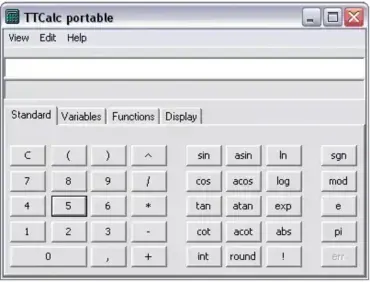 TTCalc Portable is a nice advanced Mathematical calculator. Available in both English and Polish languages TTCalc is so simple to navigate and very easy to use. It contains hyperbolic and trigonometric functions amongst many more. The portable calculator can do conversions as well.
Those are just a handful of the free applications, pendrive games, portable applications for work, and other useful flash drive tools and software that I have personally found, categorized, and reviewed over the years. All shared with the world in hopes that you and others might also find them useful.
Do you know of any missing free software, application, tool, or game that should be listed? Are you an author who would like to have your portable utility or game reviewed? If so, contact me with your submissions and or suggestions.
Please note that no sponsored reviews are posted on this site. Authors of any portable app, utility or portable game listed here do not pay to have their products reviewed and posted, and sponsored submissions are rejected.
To be considered for review, submissions should be available as portable freeware or open-source software. Software is not automatically endorsed by being submitted; we assess its suitability before publication and do not knowingly publish software that contains malware or other harmful components. Readers should still download carefully and use appropriate security tools.
If you find the personally reviewed standalone software, USB applications, tools, utilities and pendrive games provided here fun and helpful, please feel free to share this site with others who might also benefit from their use.
