
HDShredder - Securely Wipe a Drive
HDShredder - Securely Wipe a Drive and Delete Data. This powerful disk wiping and data deletion tool developed by Miray Software, provides a reliable way to securely erase data from an entire drive, storage…

Secure deletion tools are designed to make selected files or entire storage devices harder to recover after deletion. The right method depends on the target: file shredders, free-space wiping tools, and whole-drive erasers do different jobs. Be careful—these operations can permanently destroy data, and traditional overwrite methods do not guarantee the same results on every SSD or flash device.
Shred Individual Files and Folders: Eraser, Blank and Secure, FreeRaser, and DP Shredder are listed for securely deleting selected files or folders. Check the supported wiping options and confirm the exact selection before starting.
Erase or Wipe an Entire Drive: Disk Wipe, WipeDisk, and HDShredder are designed for drive-level data destruction. These tools can erase partitions or entire devices, so double-check the selected drive and disconnect unrelated storage before proceeding.
Remove Locked Files: FileASSASSIN targets files that Windows reports as locked or in use. It is not a substitute for secure erasure and may affect system stability if used on files required by Windows or another running application.
Important Limits and Safety: Make a separate backup of anything you may need before deleting or wiping data. Overwriting individual files may not reliably erase every copy on SSDs, flash storage, wear-levelled devices, backups, or synchronized services. For sensitive data on modern storage, consult the device manufacturer’s secure-erase or sanitize guidance. Use whole-drive tools only on devices you own or are authorized to erase.
11 reviewed, most recently updated first
HDShredder - Securely Wipe a Drive and Delete Data. This powerful disk wiping and data deletion tool developed by Miray Software, provides a reliable way to securely erase data from an entire drive, storage…
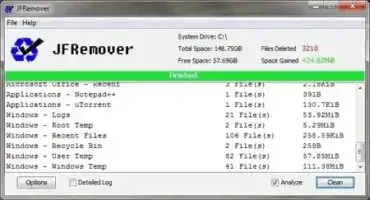
JFRemover is a Free and Portable Temp and Junk File Cleaner created by UtilityNerd. This lightweight utility allows you to quickly locate and remove unnecessary Temporary Files, Cache, Log Files, and other forms of…

Blank and Secure is a freeware tool that can be used to permanently delete files, making them irrecoverable. Simply drag and drop the files you would like to delete Permanently into the window and…

Eraser is a file destruction tool allows you to completely delete or erase sensitive data from your hard drive, flash drive or other attached disk in an attempt to make the file data unrecoverable.…
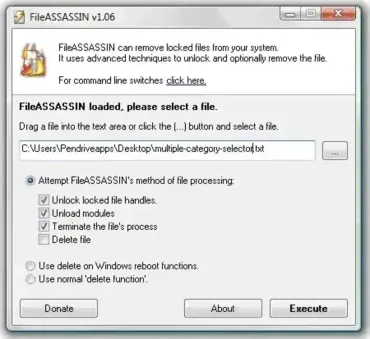
Remove Locked Files: Portable FileASSASSIN is a free, portable application designed to delete locked files from your PC. Sometimes, locked files result from malware infections, which attempt to protect their core files from deletion.…

Disk Wipe is a free portable data destruction tool for Windows that permanently deletes data from storage devices. It is designed to securely erase hard drives, SSDs, USB flash drives, SD cards, memory cards,…

FreeRaser is a free, portable tool that securely and permanently deletes files from your computer. This file shredding software ensures that sensitive information is not recoverable, even with advanced recovery tools. Its simplicity makes…

DP Shredder is a free and portable file shredder. This secure file deletion tool can be used to permanently erase files or complete folders from your USB flash drive or internal hard drive. It's…

WipeDisk is a small portable secure file deletion tool. It can be used to securely wipe both logical and physical hard disks, USB flash memory sticks and micro sd cards. Supporting 14 unique wiping…

DPWiper is a compact, portable file shredder tool that allows you to securely delete files and folders using simple drag and drop file destruction functionality. It supports both standard deletion and advanced wiping methods,…

UltraShredder is a Portable application that allows a user to Securely Delete or Shred files. It does this by overwriting the information with random characters. If an attempt is made to recover the file…