Operating System Emulation
This category brings together tools for emulating older operating systems or environments, running virtual machines, and customizing the Windows desktop shell. These tools have different purposes: an emulator imitates another computing environment, a virtual machine runs a guest operating system, and a shell replacement changes the desktop interface. Check each review for system requirements, current maintenance, and setup details; portability does not guarantee that an environment runs without installation or configuration.
Run Older DOS or Macintosh Software: DOSBox emulates a DOS environment for compatible legacy applications and games. Mac On a Stick is a legacy Macintosh emulation project. Verify compatibility and ensure you have the right to use any operating-system files, firmware, or software images involved.
Test Linux and Virtual Machines: MobaLiveCD is a legacy front end for testing bootable ISO images through QEMU. QEMU Manager provides a graphical interface for configuring emulated or virtualized systems. Check project status and compatibility with current Windows releases before relying on these older tools.
Customize the Windows Desktop: Emerge Desktop and Cameo BlackBox are alternate Windows shell or desktop-environment projects. Shell replacements can change how you access applications and system functions, so read setup and recovery instructions before changing the default shell.
Organize Workspaces: VirtuaWin manages multiple virtual desktops within Windows; it does not emulate another operating system. Check whether it supports your Windows version and preferred workflow.
Use Emulators Carefully: Virtual machines and emulators may need processor virtualization support, additional memory, system permissions, and valid guest operating-system files. Back up important data before experimenting with shell changes or unfamiliar system configurations.

Emerge Desktop is an open source, portable Windows shell replacement that provides a lightweight, highly customizable alternative to the default Windows Explorer shell. Built with a modular architecture and compiled using MinGW, it focuses on performance efficiency, desktop control, and flexibility. It is especially appealing to power users, developers, and system tweakers who want a minimalist or Linux inspired desktop environment on Windows without sacrificing control or portability.
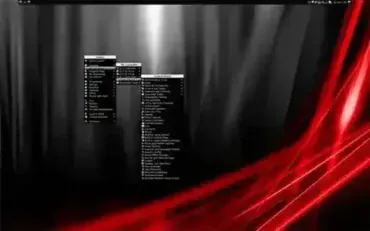
Cameo is a neat BlackBox for Window or (Windows Shell). Basically, it is an open source portable desktop environment that can be used in place of Windows Explorer. But it's more than just that. The full version includes many open source portable applications and tools that can be run from within. It is based on a modified bbLean shell, offering a more Linux like style, look and feel.
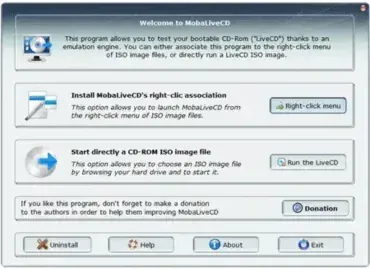
MobaLiveCD is a Free Portable Live CD Emulator that utilizes a software front end for Qemu to enable you to Run Linux on Windows. It allows you to boot and run Linux Live CDs and other bootable ISO files directly from within Windows without rebooting your system. Even better, the entire setup can be stored and launched from a portable USB flash drive, making it ideal for testing, diagnostics, and demonstrations on the go.
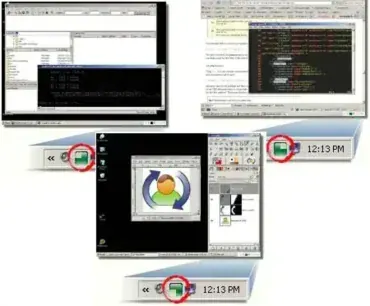
VirtuaWin is a free portable virtual desktop manager for Windows. Much like virtual desktop managers for Linux/Unix, it enables a user to easily organize multiple applications over several virtual desktops or workspaces. This helps eliminate clutter that normally builds up on singular desktops by giving extra workspace in the form of multiple desktops.
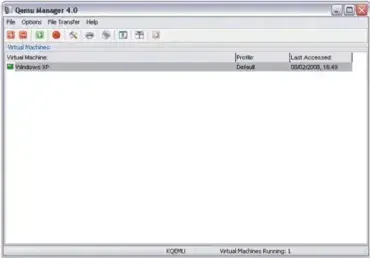
QEMU Manager is a lightweight, portable graphical front end for the QEMU emulator that allows users to create, configure, and run virtual machines without relying on complex command line options. Designed for simplicity and portability, this utility makes working with virtualized operating systems more accessible for developers, IT professionals, and advanced users.
Because it can run directly from a USB flash drive, QEMU Manager is especially useful for creating and managing portable virtual machines that can be carried between systems.
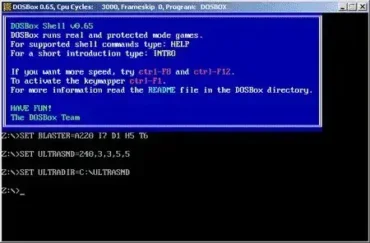
DOSBox is a portable DOS emulator or Portable DOSBox that can be used to run many old DOS games or applications that cannot be run on a modern Windows Operating System. It is great to use for those old DOS software applications or games you may have sitting around collecting dust.
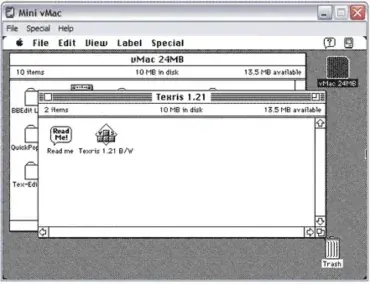
Mac On a Stick aka: Mini vMac, just as the name imposes, is a portable Macintosh emulated operating system that can be booted and run from a USB flash drive. Although for most, it isn't a complete replacement operating system, a MOS installation can include many useful applications running from an emulated Mini vMac (a Macintosh Plus emulator).

