USB Tools

USB flash drive tools that can be used for speed test, benchmarking, PC repair, and diagnostics.

FakeFlashTest - Detect a Fake Flash Drive
Fake Flash Test

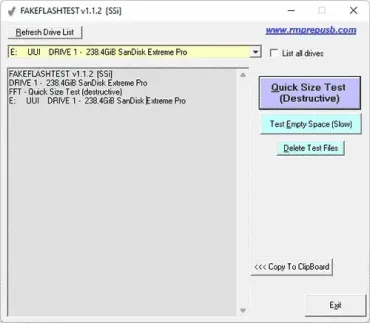
FakeFlashTest is a free portable utility designed to verify the true capacity and reliability of USB flash drives and memory cards. Developed by Steve Si of RMPrepUSB, the tool helps identify counterfeit storage devices that falsely report more storage space than they actually contain. Testing a drive before trusting it with important files can help prevent data corruption, data loss, and other unpleasant surprises.
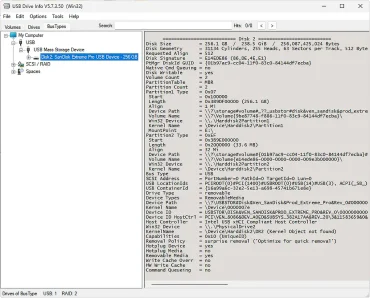
USB Drive Info | Portable USB Analysis Tool

USB Drive Info Portable USB Analysis Tool

USB Drive Info is a free portable USB device information tool that displays detailed technical information about USB flash drives, memory cards, SSDs, and other external storage devices. Developed by Uwe Sieber, this lightweight utility is especially useful for identifying fake USB drives, verifying real storage capacity, and viewing controller, firmware, and hardware details that Windows normally hides.

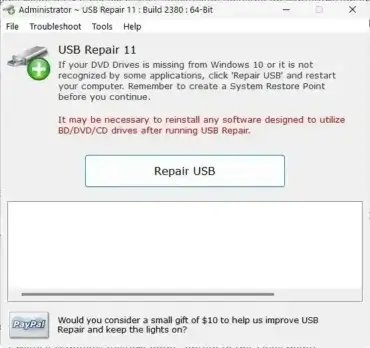
USB Repair Tool | Fix USB Device Not Recognized Error Codes

USB Repair Tool

USB Repair is a free portable tool to help you fix common USB device problems caused by Windows driver, registry and configuration errors. This is a small tool that targets certain error codes in Device Manager and attempts to repair them automatically, rather than reinstalling Windows or performing a full System Restore.

USB Raptor - Use USB to Lock PC

USB Raptor

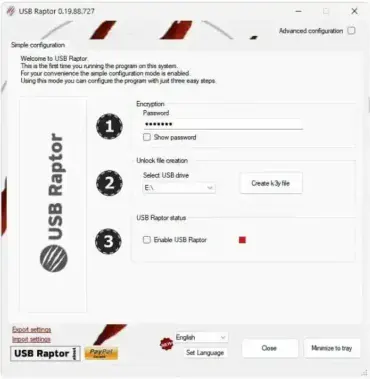
USB Raptor is a powerful and free security application that lets you lock and unlock your Windows computer using a USB flash drive. It transforms your USB drive into a physical authentication device to enhance PC privacy and security. When the USB is removed, the PC locks. When it's plugged back in, access is granted, optionally with a password for added protection.

SpeedOut: USB Speed Test

Speedout USB Speed Test

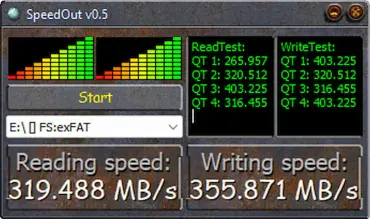
SpeedOut is a small, free program that lets you see how fast your USB flash drives really are. It checks both read and write speeds, so you know exactly what kind of performance you're getting.

If you've used tools like CrystalDiskMark, and the no longer USB Flash Benchmark, this USB speed tester should feel familiar. It's quick, easy to use, and you don't even have to install anything. Just run it, and you get a clear picture of your USB drive's speed without any hassle. It makes for a simple and portable solution for quick USB benchmarking.

Lexar BootIt USB Format Tool: Flip the Removable Bit on USB Drives

Lexar Format and Flip Removable Bit

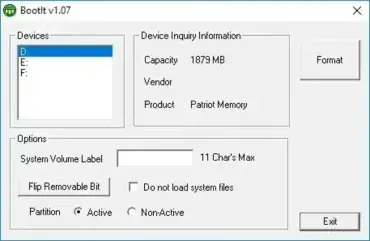
Flip Removable Bit: The Lexar BootIt USB Format Tool, originally developed and released by Janaki from Lexar's support team, is a small but powerful Windows utility designed to format USB flash drives. What makes this tool unique is its ability to flip the removable media bit on certain USB drives, a feature that is rarely available in standard USB formatting tools.

USB Oblivion - Delete USB Registry Keys

USB Oblivion - Delete USB Registry Keys

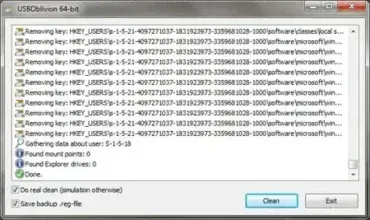
Looking for a simple way to clean USB registry traces and protect your privacy on Windows? USB Oblivion provides a safe, portable solution to remove traces of all connected USB storage devices without installing anything. This freeware portable USB registry cleaner is designed to completely remove traces of USB devices from the Windows registry.

H2testw: Test for Fake Flash Drives

H2testw -Test USB FLash Drive for Errors

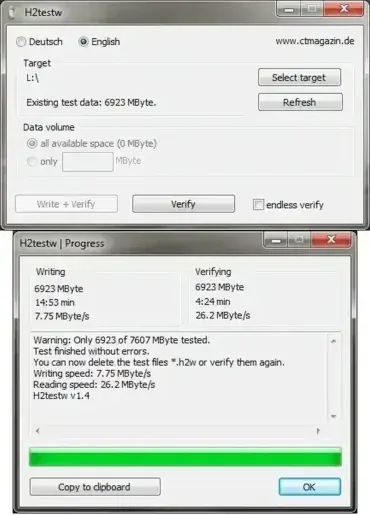
H2testw is a free utility designed to test for fake USB flash drives, counterfeit SD cards, and other external flash memory devices. It verifies the actual storage capacity, ensuring the device hasn't been tampered with to display a false size. Additionally, it can check USB sticks and memory cards for errors, making it a reliable tool for safeguarding your data. This lightweight and portable software supports both English and Deutsch languages.

RUFUS - Create a DOS Bootable USB Flash Drive

Rufus - Create a DOS Bootable USB

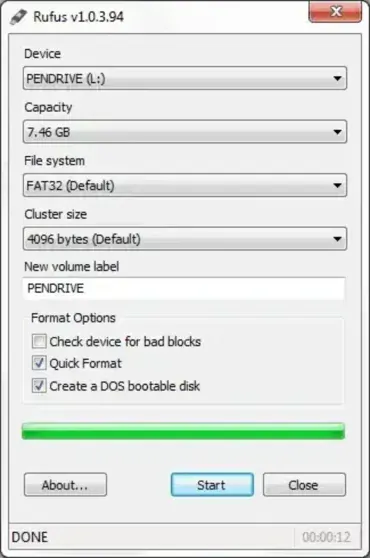
Rufus is a lightweight, open source USB boot creator tool for Windows. Originally known for its ability to create a DOS bootable USB disk, this versatile program has evolved to support creating Linux and Windows bootable USB drives from ISO files. Over the years, it has become one of the most popular alternatives to the Universal USB Installer thanks to its speed, reliability, and wide compatibility.

DriveLetterView | Easily Change Drive Letters

DriveLetterView - Change or Delete Drive Letters

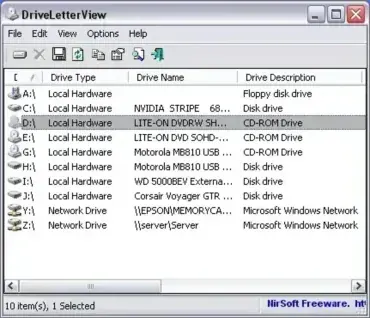
DriveLetterView is a free and portable drive letter editing utility. This tool can be used to view drive letter assignments of all local drives, remote network drives, CD/DVD drives, and USB devices that are or have been attached to a machine. Cool features include the ability to change a drive letter of a USB drive or even a network device as well as delete or remove USB devices that are no longer plugged in.

BOOTICE Partition Flash Drive | Edit Boot Sector

bootice-tool

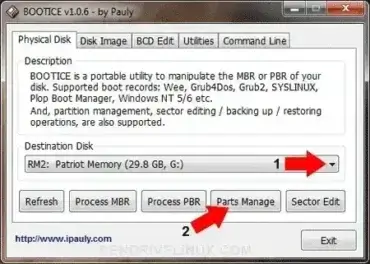
BOOTICE is a Flash Drive Partitioning and Boot Sector Manipulation tool. Users might use it to quickly partition and format a USB flash drive from Windows. It also supports the ability to mark a partition active and make it bootable. USB-FDD, USB-ZIP, and USB-HDD format options are available. Additionally, it can be used to backup, restore, or modify an MBR or PBR and much more.

USB Flash Tools | Format Backup Restore Verify

USB Flash Tools

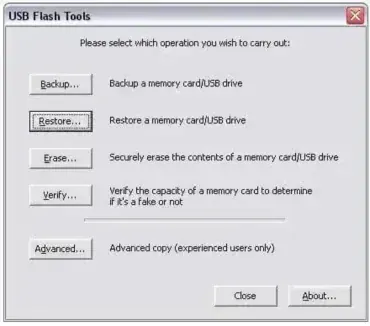
USB Flash Tools is a lightweight yet powerful utility suite designed to manage, maintain, and troubleshoot USB flash drives and flash memory cards. Whether you need to back up your USB contents, restore a drive from an image, securely erase data, or verify the integrity of a device, this toolkit has you covered.

Free Benchmark Software CrystalDiskMark

Free Benchmark Software CrystalDiskMark

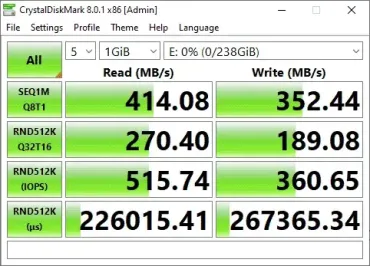
CrystalDiskMark is a popular, free tool for Windows that checks how fast your storage devices are-whether you've got a USB stick, SSD, HDD, NVMe, or even a network drive. Tons of people rely on it, from tech experts to regular folks, because it's fast, straightforward, and pretty much everyone trusts the results.

Quick answer: Here's a quick way to use CrystalDiskMark: Open the program, pick the drive you want to test from the dropdown menu, then hit "All" to start the full benchmark. Pay close attention to the 4K random read and write numbers-those tell you how snappy your system feels with everyday tasks. The sequential read and write numbers matter more if you're moving big files around. Everything shows up in MB/s. Right now, version 9.0.3 is the latest (as of May 2026).

USB Device Information Tool: USBDeview

USBDevView

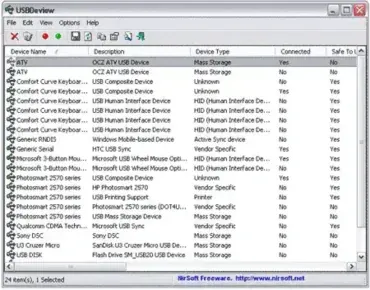
USBDeview is a free, portable USB diagnostics utility from NirSoft that lets you view and manage every USB device that has ever connected to your Windows system - currently connected or not. It displays detailed information including device names, serial numbers, Vendor and Product IDs, device type, drive letter, connection status, and exact timestamps for first and last connection. Whether you are troubleshooting a USB problem, auditing device usage, or cleaning up leftover registry entries, it is one of the most capable free tools available for the job.

Quick answer: Download USBDeview, extract the ZIP, and run USBDeview.exe - no installation required. The tool immediately displays every USB device connected to the system, past and present. Right-click any entry to disable, uninstall, run a speed test, or export device details. The current version is 3.10.