iso to usb

USBImager: Copy a Bootable ISO to USB
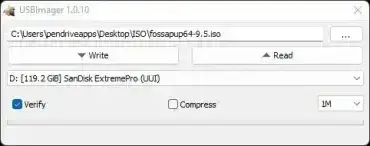
USBImager Copy Bootable ISO to USB

USBImager is a free and open source ISO to USB imaging tool designed for writing disk image files to USB flash drives. This lightweight GUI application can write ISO, IMG, and other raw disk images, including compressed images, directly to removable media. It can also create full backup images of USB drives. The tool is fully portable and available for Windows, macOS, and Linux, requiring no installation.
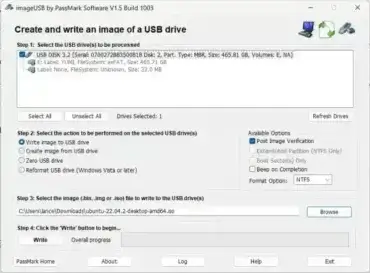
ImageUSB ISO to USB to IMG Tool

ImageUSB

ImageUSB is a free and portable USB imaging utility for Windows that can create exact, bit-level copies of USB flash drives and other removable storage devices. It can create image files from removable media, write those images back to drives, and duplicate USB devices for backup, recovery, testing, or deployment purposes.

Because ImageUSB works at the disk level, it can preserve information that ordinary file-copy utilities do not, including boot information, partitions, unused space, and other low-level data. This makes it particularly useful when working with bootable USB drives, recovery media, forensic images, and removable storage that needs to be duplicated accurately.

Clone USB and ISO to USB Tool - Etcher

Etcher USB Clone ISO to USB

Balena Etcher is a popular software utility that allows you to easily write an ISO to USB or clone USB drives with minimal effort. In addition to USB cloning, this free and intuitive tool can also be used to flash operating system images to USB flash drives or SD cards.

The result is a bootable USB drive that can be run on virtually any computer that supports BIOS or UEFI booting from removable media. This makes it ideal for creating live Linux USBs, OS installers, rescue environments, and diagnostic tools.

Win32 Disk Imager: Write ISO Image to USB

Write Image to USB

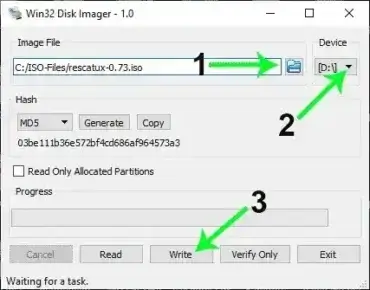
Use Win32 Disk Imager to write images to USB drives. This USB Imaging utility uses low-level raw read and write functions to directly copy data to or from a device. For example, it can be used to copy an ISO or IMG file to a USB flash drive or create a backup image of a device.

UUI: Universal USB Installer | USB Bootable Software

Universal USB Installer (UUI)

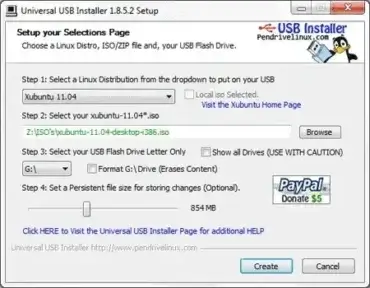
UUI - Universal USB Installer is a free, open source bootable USB creator for Windows that lets you build a Live USB drive from virtually any Linux distribution, Windows installer, antivirus rescue disk, or system utility ISO. With a simple three-step process - select a distro, choose your ISO, pick your USB drive - you can have a bootable flash drive ready in minutes, no technical knowledge required.

Quick answer: Download UUI, run the executable (no installation needed), select your distribution and ISO file, choose your USB drive, and click Create. The tool handles formatting, bootloader setup, and file copying automatically. Optional persistence lets you save files and settings between reboots on supported Linux distributions.

LiLi - Linux Live USB Creator

Live Linux USB Creator

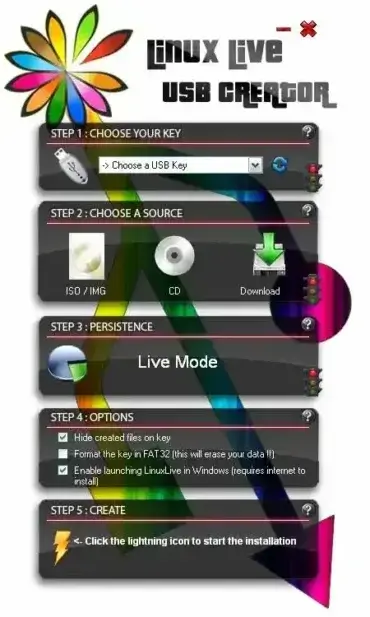
LiLi - Linux Live USB Creator is a free and easy-to-use tool designed to create bootable USB drives from Linux ISO files. Much like the Universal USB Installer (UUI), this software allows you to run a portable Linux operating system directly from a USB flash drive instead of relying on CDs or DVDs.

YUMI MultiBoot Bootable USB Media Creator

YUMI Multiboot USB

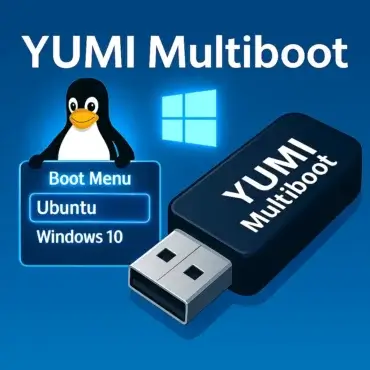
YUMI (Your Universal Multiboot Installer), is a Multiboot Live USB bootable Windows media creation tool or MultiBoot ISOs utility. This software can also be used to create a USB Installer for Windows or Linux. It helps automate the process of building custom Live bootable Linux USB sticks containing multiple ISO files of your choosing.