
VideoCacheView from NirSoft is a simple, free program that helps you pull videos right out of your web browser's cache. So, if you've already watched something online, you don’t need to stream it again ~ you can just copy it from your cache and play it anytime, even without an internet connection. There's no setup or installation fuss, just run the tool and start saving the videos you like.
VideoCacheView: Save Watched Videos from Browser Cache
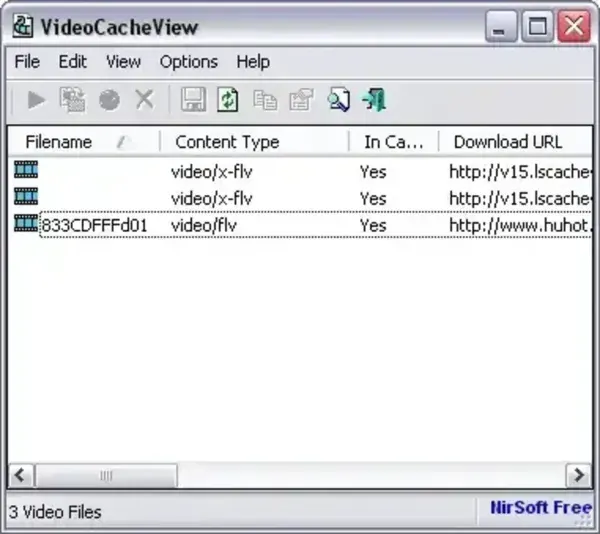
VideoCacheView is a handy, free tool from NirSoft that lets you grab videos you've already watched in your web browser. Instead of having to stream a video again, you can pull it straight from your cache and save it for offline viewing with no internet needed.
This comes in really handy if you are using browsers like Chrome, Edge, or Firefox, since they often store parts of videos on your computer as you watch. With VideoCacheView, you can scoop up those cached clips before they disappear. It is a smart way to back up tutorials, save your favorite videos for later, or just avoid using extra data. Plus, since it's portable and lightweight, you don't have to install anything; just run it and you're set.
Key Features
- Browser Cache Scan: Automatically scans caches of Internet Explorer, Firefox, Chrome, and Edge for playable video files.
- Video Extraction: Quickly extract and save cached video files that you’ve already viewed.
- Play Directly: Watch videos directly from cache without needing to re-download them.
- Copy & Save: Export selected files to another folder for offline use or archival.
- Supports Multiple Formats: Works with MP4, FLV, WebM, and other common streaming formats.
- Portable Utility: 100% portable—run from a USB drive without installation or registry changes.
- Lightweight: Only about 100 KB before downloads—minimal system impact.
How to Use VideoCacheView
- Download and extract the ZIP file from the official website.
- Launch the program (no installation required).
- Scan your browser cache automatically or manually.
- Browse through detected cached video files with details like name, size, and URL.
- Copy or Save any video you want for offline playback.
- Play videos directly in your preferred media player.
Advanced Tips
- Recover deleted cache: If a video is no longer in your cache, try using a file recovery tool first, then rescan with VideoCacheView.
- Chrome and Edge users: Ensure your browser is closed while scanning to prevent cache lock issues.
- Organize downloads: Use it to batch copy multiple cached videos to a separate folder for easy viewing.
- Offline learning: Great for saving educational videos, lectures, and tutorials for later viewing without internet.
Specifications
- Developer: NirSoft
- Extracted Size: ~100 KB (before downloads)
- License: Freeware
- Supported Platform: Windows 11, 10, 8, 7, XP
- Rating: ★★★★☆
- Official Website: Project Page
- Free Direct Download: VideoCacheView Download
Alternative Tools
If you need similar functionality or broader browser compatibility, consider these tools:
- BrowserCacheView - Lists and extracts cached files (not just videos) from multiple browsers.
- Web Video Downloader Portable - Download streaming videos directly from popular websites.
- URL Snooper - Detect and capture streaming URLs in real time for advanced users.
Final Thoughts
VideoCacheView is one of the simplest ways to recover and save cached videos from your browser. Whether you use it to back up video lectures, extract streaming clips, or just rewatch something offline, this lightweight video cache viewer does the job without unnecessary complexity or ads. Perfect for users who want a reliable, free, and portable video cache recovery tool for Windows.
