RustDesk Portable: Open-Source Remote Desktop for Windows
Use RustDesk for open-source remote desktop access on Windows, macOS, Linux, and mobile. Learn about temporary portable mode, AppData storage, self-hosting, RDP tunneling, and security.

Remote desktop software lets an authorized user connect to, view, or control another computer. The tools in this category serve different purposes: some organize Microsoft’s Remote Desktop Protocol (RDP) connections, while others provide their own remote-control clients, servers, or VNC connections. Check each review for portability, supported systems, licensing, and security requirements.
Manage Windows RDP Connections: Meld RDP organizes saved Windows Remote Desktop connections and keeps its RDP files beside the portable application. It requires a compatible, configured RDP host.
Cross-Platform Remote Access: RustDesk provides its own remote desktop connection system, with public infrastructure and a self-hosted server option. Its Windows temporary executable still stores settings in the user profile.
VNC and Legacy Remote Tools: MultiVNC is a portable VNC viewer, while ChrisControl is a legacy RDP/VNC utility. TeamViewer Portable is another remote-support option with licence restrictions.
Remote Access Safety: Only connect to systems you own or are authorized to manage. Keep software updated, use strong authentication, verify the identity of remote systems, and avoid exposing RDP or VNC services directly to the public internet. A portable client does not automatically make a remote session secure.
2 reviewed, most recently updated first
Use RustDesk for open-source remote desktop access on Windows, macOS, Linux, and mobile. Learn about temporary portable mode, AppData storage, self-hosting, RDP tunneling, and security.
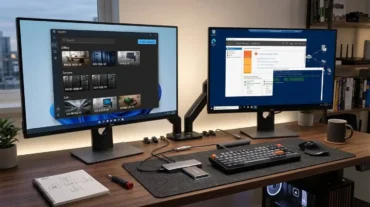
Organize Windows Remote Desktop connections with Meld RDP, a lightweight portable manager. Review connection groups, RDP-file imports, USB storage, licensing, and security.