
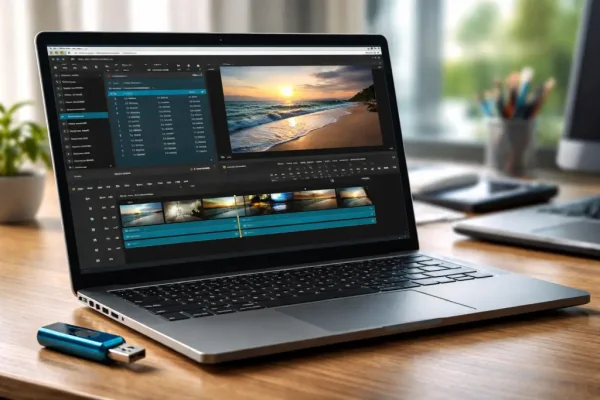
Shotcut is a free, open source, cross-platform video editor that provides a surprisingly complete set of editing tools without requiring a subscription or paid license. The Windows version can also be used in a portable configuration, allowing you to extract the application to a USB flash drive or external storage and launch it without a traditional installation.
Built around the FFmpeg multimedia framework, Shotcut supports a wide variety of video, audio, and image formats. It provides a multi-track timeline, filters, transitions, audio controls, color correction, chroma key, and support for modern video resolutions. This makes it suitable for everything from quick video fixes and format conversions to more involved editing projects.
Shotcut Portable | Free Open Source Video Editor
What Is Shotcut?
Shotcut is a non-linear video editing application developed as a free and open source project. It is available for Windows, Linux, and macOS and is designed to handle a broad range of video editing and processing tasks.
Rather than requiring users to convert media before importing it, Shotcut uses FFmpeg to provide extensive support for common and less common audio and video formats. This makes it useful when working with footage from smartphones, cameras, screen recording applications, and other sources.
The editor provides a traditional timeline-based workflow while also including advanced tools for users who need more control over their projects. Beginners can start with basic cutting and trimming, while more experienced users can take advantage of filters, keyframes, compositing, color tools, and multi-track editing.
Key Features
- Multi-Track Timeline: Edit multiple video and audio tracks within the same project.
- Wide Format Support: Uses FFmpeg to support a large variety of video, audio, and image formats.
- 4K Video Support: Work with high-resolution footage and modern video formats.
- Video Filters: Apply effects for color correction, sharpening, blur, brightness, contrast, and other adjustments.
- Rotation and Flip: Rotate or mirror footage using video filters.
- Chroma Key: Remove green-screen backgrounds and composite video elements.
- Transitions: Add transitions between clips on the timeline.
- Audio Editing: Adjust volume and apply audio filters while working with multiple audio tracks.
- Keyframe Animation: Animate supported properties over time for more precise effects and adjustments.
- Video Capture: Capture video from supported devices and sources.
- Webcam Support: Record video from compatible cameras and webcams.
- Screen Capture: Capture desktop video on supported systems.
- Export Presets: Export finished projects using a range of formats and encoding options.
- No Watermark: Finished videos are not branded with a Shotcut watermark.
- Open Source: The source code is publicly available under the GNU GPL license.
Why Use Shotcut?
One of Shotcut's biggest advantages is that it sits somewhere between basic video utilities and expensive professional editing suites.
Simple programs can be useful when you only need to rotate a video, trim a clip, or convert a file. More advanced editors provide considerably more control, but they can also require subscriptions, activation, or a substantial learning curve.
Shotcut provides a middle ground. It offers a full timeline editor and a large selection of effects while remaining free to use.
This makes it suitable for:
- Editing YouTube videos.
- Creating tutorials and screencasts.
- Editing smartphone and camera footage.
- Trimming and joining video clips.
- Rotating or flipping incorrectly oriented videos.
- Adding transitions and visual effects.
- Adjusting video color and brightness.
- Removing green-screen backgrounds.
- Editing audio and video together.
- Converting video between supported formats.
Using Shotcut from a USB Drive
The Windows release provides a portable ZIP package that can be extracted rather than installed. This makes it possible to keep the application on a USB flash drive, external SSD, or another removable storage device.
A portable copy can be useful when you work on multiple Windows computers and want to carry the same editing application with you.
However, video editing is considerably more demanding than running a small portable utility. For larger projects, an external SSD will generally provide a better experience than a slower USB flash drive, particularly when the project contains high-resolution footage.
The performance you get will also depend heavily on the computer's processor, graphics hardware, available memory, and the speed of the storage device.
How to Run Shotcut Portably
Using the portable Windows version is straightforward:
- Visit the official Shotcut download page.
- Download the Windows portable ZIP package.
- Extract the archive to your USB flash drive or external storage.
- Open the extracted Shotcut folder.
- Launch the Shotcut executable.
- Import your video, audio, and image files.
- Edit your project using the timeline and available filters.
- Export the finished video using the appropriate format and preset.
For the best results, keep your project files and source media organized on fast storage. Video projects can contain very large files, and using a slow flash drive can make importing, previewing, and saving considerably slower.
Video Editing Tools
Shotcut includes considerably more than basic cutting and trimming tools. Its filters can be applied to individual clips or tracks and can be adjusted to achieve different visual effects.
Common editing tasks include:
- Trim Clips: Remove unwanted portions of footage.
- Split Video: Divide a clip into separate sections for editing.
- Crop Video: Remove unwanted portions around the edges of footage.
- Rotate Video: Correct footage recorded in the wrong orientation.
- Flip Video: Mirror footage horizontally or vertically.
- Adjust Color: Correct brightness, contrast, saturation, and other visual properties.
- Add Text: Add titles and other text elements to video projects.
- Apply Transitions: Create smooth transitions between clips.
- Use Green Screen: Remove a colored background using chroma key filtering.
- Edit Audio: Adjust levels and apply supported audio filters.
Shotcut and FFmpeg
Shotcut is built around FFmpeg, a widely used multimedia framework that provides support for processing a large range of audio and video formats.
This is one reason the application can work with media from many different sources without requiring users to first convert everything into a proprietary format.
For example, footage may come from:
- Digital cameras.
- Smartphones.
- Action cameras.
- Screen recording software.
- Downloaded media.
- Other video editing applications.
The exact formats, codecs, hardware acceleration options, and export capabilities depend on the current Shotcut release and the operating system being used.
Shotcut for Simple Video Tasks
You do not need to use all of Shotcut's advanced features to benefit from it. It is also useful as a general-purpose video utility.
For example, someone may only need to rotate a smartphone video, remove the beginning and end of a recording, combine several clips, or export a video in a different format.
In these situations, the full timeline and filter system provide considerably more flexibility than a dedicated single-purpose utility.
For users who only need to rotate or flip a video, X2X Free Video Flip and Rotate is a much smaller and simpler alternative. Shotcut becomes more useful when you need additional editing capabilities beyond basic orientation changes.
Shotcut vs. Basic Video Utilities
Shotcut is considerably more capable than small utilities designed around a single video operation.
| Feature | Shotcut | Basic Video Utility |
|---|---|---|
| Video Trimming | Yes | Usually |
| Multi-Track Editing | Yes | Usually no |
| Video Rotation | Yes | Often |
| Video Flipping | Yes | Often |
| Video Filters | Extensive | Limited |
| Audio Editing | Yes | Limited |
| Chroma Key | Yes | Usually no |
| Transitions | Yes | Limited or no |
| Portable Version | Yes | Often |
| Open Source | Yes | Varies |
Shotcut Specifications | Official Site | Download
- Developer: Shotcut development team
- License: GNU GPL open source
- Supported Operating Systems: Windows, Linux, and macOS
- Portable Support: Yes, Windows portable package available
- Video Editing: Non-linear, multi-track editing
- Framework: FFmpeg
- Official Website: Shotcut Project Page
- Download: Shotcut Download
Frequently Asked Questions
Is Shotcut free?
Yes. Shotcut is free and open source software distributed under the GNU GPL license. There is no subscription required to use the editor.
Can Shotcut be run from a USB drive?
Yes. A portable Windows package is available that can be extracted to removable storage and launched without a conventional installation.
Does Shotcut add a watermark?
No. Shotcut does not add a watermark to exported videos simply because you are using the free version.
Can Shotcut edit 4K video?
Yes. Shotcut supports high-resolution video, including 4K projects. Actual editing and playback performance will depend on the computer's hardware and the complexity of the project.
Can Shotcut rotate and flip videos?
Yes. Rotation and flip effects are available through the application's video filters.
Is Shotcut good for beginners?
Yes, although it has considerably more features than a basic video utility. Beginners can start with simple trimming, cutting, rotation, and exporting before moving on to more advanced tools.
Does Shotcut work without an Internet connection?
Yes. Once the application and any required media are available locally, normal video editing does not require an Internet connection.
Does Shotcut work on Windows?
Yes. Shotcut provides Windows builds as well as versions for Linux and macOS.
Final Thoughts
Shotcut is an excellent choice for users who want a capable video editor without paying for a subscription or being restricted to a simplified editing application. It combines a multi-track timeline with a broad selection of filters, transitions, audio tools, format support, and export options.
Its portable Windows package makes it particularly interesting for anyone who wants to carry a video editing environment on a USB flash drive or external SSD. This can be useful for students, technicians, content creators, and anyone who regularly works on more than one computer.
It is important to remember that portable does not necessarily mean lightweight. Shotcut is a full video editor, and editing high-resolution footage can require substantial processing power and fast storage. A USB flash drive may be convenient for carrying the application, while an external SSD is generally a better choice for large video projects.
For quick tasks such as rotating a single clip, a smaller utility may be easier. But when you need a free, open source editor capable of handling multi-track projects and a wide range of modern media, Shotcut is a much more complete solution.
