Wega2: Legacy Portable Image Viewer and Photo Manager
Wega2 is a freeware image viewer and photo file manager for Windows. In addition to browsing pictures and running slideshows, it includes tools for comparing images, inspecting EXIF metadata, organizing selected photos, and resizing or compressing JPEG files. Its portable edition was designed to run from an extracted folder, making it a useful all-in-one option for managing a collection of digital photos without installing a large image-editing suite.
Wega2 Image Viewer and Photo Tools
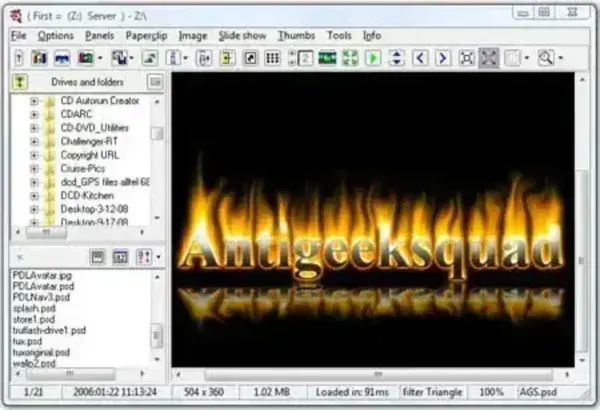
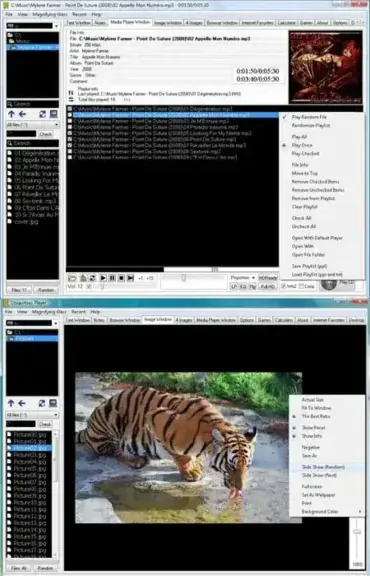
Wega2 combines a traditional image browser with several photo-management utilities. The file browser and thumbnail view help you navigate folders, while the slideshow and image comparison features make it easier to review a group of photographs. The program was also reported to open a range of image formats, including Photoshop PSD files, although format support can depend on the particular release and file characteristics.
EXIF Information and ExposurePlot
One of Wega2's more distinctive features is its handling of EXIF metadata. You can inspect information recorded by a digital camera, such as the date taken, camera model, focal length, ISO, shutter speed, and aperture when those values are present in the image.
The program also includes ExposurePlot, a tool for analyzing photographic exposure data from JPEG files. This can help photographers review patterns in focal length, shutter speed, aperture, and other camera settings across a collection. Metadata is only as complete as the information embedded in the original image, and some editing or sharing services may remove EXIF fields.
Organizing, Comparing, and Preparing Photos
Wega2 includes several features beyond basic viewing:
- Image comparison: Review two pictures side by side when choosing between similar shots.
- Thumbnail browser: Browse image folders using previews rather than opening files one at a time.
- Favorites and paperclip: Keep shortcuts or a temporary selection of pictures together for later review.
- Slideshow: Present a folder or selected group of images.
- JPEG resizing and compression: Prepare one or more images for sharing, email, or digital photo frames.
- EXIF sorting: Organize photos using available camera and capture information.
These tools make Wega2 more than a simple viewer, although it should not be confused with a modern RAW development or full-featured photo-editing application.
Portable Version and Compatibility
The portable edition is distributed as a ZIP archive that can be extracted to a folder and launched from there. This makes it possible to keep the program alongside a photo collection on removable storage. It does not mean every Windows computer will run it identically, and we have not verified compatibility with current Windows releases.
Archived software listings identify Wega2 1.1.6 as a later release, dated July 2018. The original developer website referenced in older listings is no longer a dependable source for current support or downloads. Treat third-party copies as archival software and scan files before running them.
Specifications and Download Information
- Developer: Paul van Andel
- Last known version: 1.1.6
- Release date: July 2018
- License: Freeware
- Platform: Windows; current compatibility is unverified
- Format: Portable ZIP package
- Archived release information: Wega2 1.1.6 at FileEagle
- Editor's Rating: ★★★☆☆ (3/5)
Is Wega2 Still Worth Using?
Wega2 offered a useful collection of photo-browsing, comparison, and EXIF tools in a small portable package. Its integrated ExposurePlot analysis and JPEG preparation features gave it more depth than a basic image viewer. However, the last known release is several years old, and current support and compatibility are not established. It is best considered a legacy photo utility rather than a first choice for managing a modern photography workflow.