
UltraVNC Viewer is a free and open source portable VNC viewer that provides secure remote access to computers without requiring installation. Designed for Windows, this lightweight remote desktop utility allows you to connect to and control remote systems using your local mouse and keyboard, making it a popular choice for IT support, system administration, and troubleshooting directly from a USB flash drive.
UltraVNC Viewer | Free Portable VNC Viewer for Windows
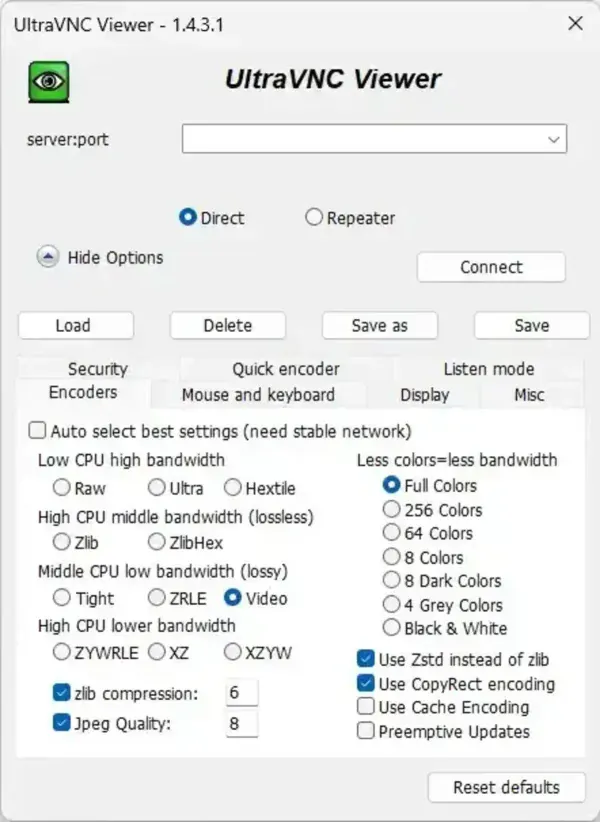
UltraVNC Viewer enables users to display and control another computer over a local network or the internet. Once connected, you can interact with the remote desktop as though you were physically sitting at the machine.
Because it runs from a self contained folder, the viewer can be launched directly from a USB flash drive, external hard drive, or technician toolkit without requiring installation on the host computer.
Many users compare it with TightVNC Viewer and RealVNC Viewer when choosing a free remote desktop solution. UltraVNC is often preferred by technicians and advanced users because it includes features such as file transfer, extensive connection options, and flexible configuration settings while remaining completely free and open source.
Key Features
- Remote Desktop Control: View and control another computer in real time.
- Portable Operation: Run directly from a USB drive without installation.
- File Transfer: Transfer files between local and remote systems during an active session.
- Encrypted Connections: Supports secure connections through available encryption plugins and security options.
- Password Authentication: Protect remote sessions with access controls and authentication settings.
- Integrated Chat: Communicate with the remote user while connected.
- Screen Sharing: Useful for demonstrations, training, and collaborative support sessions.
- Performance Optimization: Adjust color depth, compression, and display settings to improve performance on slower connections.
Common Uses
- Remote IT support and troubleshooting
- Managing computers across a local network
- Accessing home or office PCs while traveling
- Providing technical assistance to clients, coworkers, or family members
- Maintaining portable technician toolkits
- Training and screen sharing sessions
UltraVNC Viewer vs TightVNC Viewer vs RealVNC Viewer
| Feature | UltraVNC Viewer | TightVNC Viewer | RealVNC Viewer |
|---|---|---|---|
| Portability | Fully portable ZIP version available | Portable versions available | Typically requires installation |
| File Transfer | Yes | Basic support | Available on supported plans |
| Encryption | Security plugins available | Optional encryption methods | Built in encryption |
| Chat Function | Built in | Limited | Available |
| Ease of Use | Advanced features | Simple and lightweight | Very user friendly |
| Open Source | Yes | Yes | No |
| Cost | Free | Free | Free and paid plans |
| Best For | IT support and administration | Lightweight remote access | Personal remote access |
How to Use UltraVNC Viewer
- Download and extract the portable package.
- Launch vncviewer.exe.
- Enter the hostname or IP address of the remote computer.
- Provide authentication credentials if required.
- Click Connect to establish the remote session.
- Use the available tools and settings to customize your connection.
Specifications | Official Site | Download
- Author's Website: Project Page
- Developer: UltraVNC Team
- License: GNU General Public License (GPL)
- Supported Operating Systems: Windows
- Category: Remote Desktop Software, VNC Viewer
- Portable: Yes
- Extracted Size: Approximately 12.5 MB
- Editor's Rating: ★★★★☆ (4 Star)
- Download: Download UltraVNC Viewer
Final Thoughts
UltraVNC Viewer remains one of the most feature rich free VNC viewers available for Windows. Its combination of remote access, file transfer capabilities, security options, and portable operation makes it a favorite among IT professionals, technicians, and advanced users.
If you need a free portable VNC viewer for troubleshooting, system administration, or remote support, this tool continues to be one of the strongest open source remote desktop solutions available.
