
Flash Drive Benchmarking Software

USB Flash Drive Benchmarking Software and Bench Testing Tools

SpeedOut: USB Speed Test
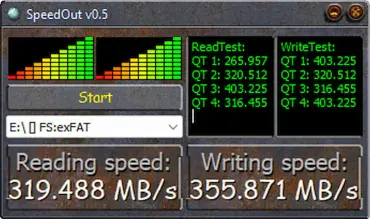
Speedout USB Speed Test

SpeedOut is a small, free program that lets you see how fast your USB flash drives really are. It checks both read and write speeds, so you know exactly what kind of performance you're getting.

If you've used tools like CrystalDiskMark, and the no longer USB Flash Benchmark, this USB speed tester should feel familiar. It's quick, easy to use, and you don't even have to install anything. Just run it, and you get a clear picture of your USB drive's speed without any hassle. It makes for a simple and portable solution for quick USB benchmarking.
HDBench: Free Benchmark Software Utility

HDBench - Free Benchmark Software Utility

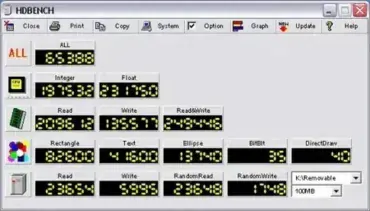
Another nice little Portable and Free Benchmarking Software Tool is HDBench. It can be used to quickly test and benchmark CPU, memory, video, and disk drive performance. Also, it works great for benchmarking USB flash drives. Although English language support is minimal, the Benchmarking Tool appears to work well and provides valuable insights into a system's overall performance.

Free Benchmark Software CrystalDiskMark

Free Benchmark Software CrystalDiskMark

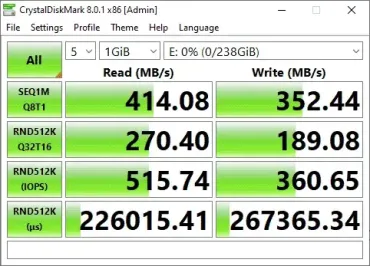
CrystalDiskMark is a popular, free tool for Windows that checks how fast your storage devices are-whether you've got a USB stick, SSD, HDD, NVMe, or even a network drive. Tons of people rely on it, from tech experts to regular folks, because it's fast, straightforward, and pretty much everyone trusts the results.

Quick answer: Here's a quick way to use CrystalDiskMark: Open the program, pick the drive you want to test from the dropdown menu, then hit "All" to start the full benchmark. Pay close attention to the 4K random read and write numbers-those tell you how snappy your system feels with everyday tasks. The sequential read and write numbers matter more if you're moving big files around. Everything shows up in MB/s. Right now, version 9.0.3 is the latest (as of May 2026).
