file comparison tool

WinMerge: File and Folder Comparison Tool
WinMerge

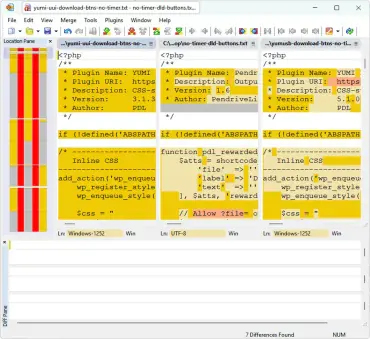
WinMerge is a free and open source file and folder comparison and merging tool for Windows. This powerful portable differencing utility allows users to visually compare files and directories, clearly highlighting what has changed, been added, or removed. Once differences are identified, the file comparing tool can merge, copy, or synchronize changes efficiently, making it an essential utility for managing file revisions.

It is especially useful for developers, system administrators, translators, and power users who need to analyze file changes, track revisions, or synchronize folders across systems without relying on complex version control software.
ExamDiff - File Comparison

File Comparison with ExamDiff

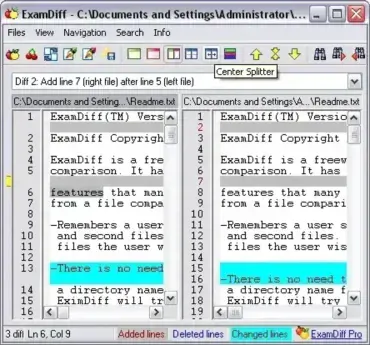
ExamDiff is a Portable and Free File Comparison Tool that can be used to compare files to see if they are identical. It is a freeware visual file comparing application that features browse and drag and drop file comparison, can automatically detect file changes, and provides plenty of customizable display options.

TextDiff - File Comparison Tool

TextDiff Free File Comparison

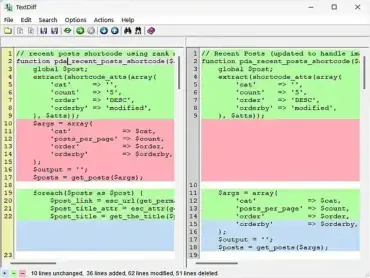
If you're a developer, writer, editor, or anyone who regularly works with text files, TextDiff is an invaluable tool for comparing file content and tracking changes over time. Whether you're updating documents, writing code, or collaborating with multiple contributors, this free, portable file comparison tool helps you efficiently spot differences between versions, ensuring accuracy and consistency in your work.

FreeFileSync - File Compare and Sync Tool

portable-file-comparison-freefilesync

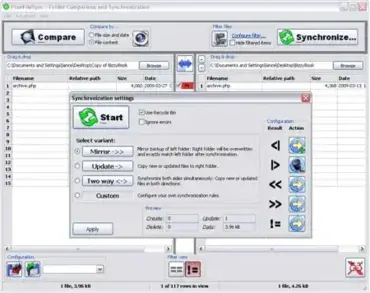
FreeFileSync is a free, open source file synchronization and folder backup tool for Windows that helps you compare, synchronize, mirror, and back up files between folders, hard drives, SSDs, USB flash drives, NAS devices, and network shares. Before copying any data, FreeFileSync intelligently compares files using timestamps, file sizes, or binary content to accurately detect changes and synchronize only what is needed.

Unlike basic copy utilities, it is designed for speed, reliability, and large data sets. It supports automation, batch jobs, versioning, real-time synchronization, and portable operation, making it an excellent choice for home users, IT professionals, photographers, developers, and anyone who needs dependable file synchronization.