
USB Disk Ejector is a lightweight, free portable utility that allows users to safely eject USB flash drives, external hard drives, memory cards, and other removable storage devices from Windows. Designed to simplify the "Safely Remove Hardware" process, this tool can quickly disconnect USB devices through a simple graphical interface or command-line options.
USB Disk Ejector | Safely Remove USB Devices in Windows
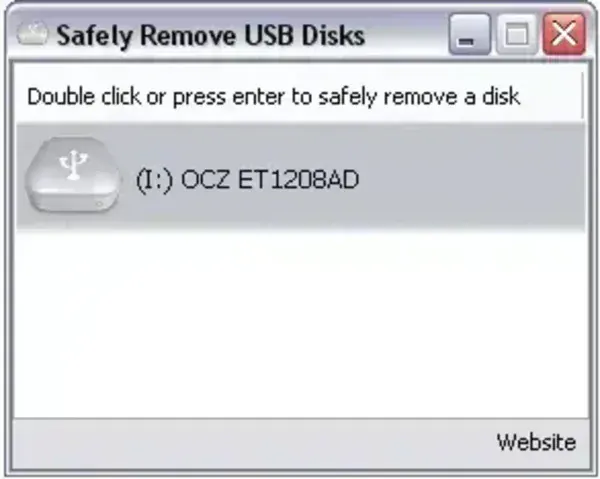
USB Disk Ejector is a portable freeware application created to make removing USB storage devices faster and more reliable than using the standard Windows "Safely Remove Hardware" feature. With a single click, users can disconnect USB flash drives, external hard drives, card readers, and other removable media before physically unplugging them.
The utility is especially useful for users who frequently work with portable storage devices and want a quicker way to ensure that all pending write operations have completed before disconnecting hardware.
Key Features
- Safe USB Device Removal: Eject USB drives and other removable storage devices with a single click.
- Portable Application: Runs without installation and can be carried on a USB flash drive.
- Command-Line Support: Includes command-line options for scripting and automation tasks.
- Simple User Interface: Clean and easy-to-use interface that lists currently connected removable devices.
- Quick Device Identification: Displays connected USB storage devices for easy selection.
- Lightweight Utility: Requires very little storage space and system resources.
Why Use USB Disk Ejector?
Removing a USB device without properly ejecting it can sometimes result in incomplete file transfers or data corruption. USB Disk Ejector provides a convenient way to safely disconnect removable storage devices before unplugging them.
Its portable nature makes it particularly useful for technicians, IT professionals, and users who regularly work with USB flash drives across multiple computers.
Common Uses
- Safely remove USB flash drives before disconnecting them.
- Eject external hard drives and SSDs connected via USB.
- Automate device removal using command-line scripts.
- Manage multiple removable storage devices quickly.
- Carry a portable USB management tool on your flash drive.
Specifications and Download
- Developer: Quick and Easy Software
- Official Website: Project Page
- License: Freeware
- Extracted Size: Approximately 500 KB
- Supported Operating Systems: Windows XP, Vista, 7, 8, 10, and 11
- Category: USB Utilities, System Tools
- Editor's Rating: ★★★★☆
- Download: Download USB Disk Ejector
Frequently Asked Questions
What does USB Disk Ejector do?
It safely disconnects USB storage devices from Windows so they can be removed without using the built-in Safely Remove Hardware option.
Can it eject external hard drives?
Yes. It can eject many USB-connected storage devices, including flash drives, memory card readers, and external hard drives.
Does USB Disk Ejector require installation?
No. It is a portable application that can run directly from a USB flash drive or local folder.
Can it be used from the command line?
Yes. The utility includes command-line support, making it useful for scripts and automated workflows.
Final Thoughts
USB Disk Ejector remains a useful portable utility for anyone who frequently works with removable storage devices. Its lightweight design, command-line support, and ability to safely disconnect USB hardware make it a handy addition to any USB toolkit.
If you're looking for a simple way to safely remove USB drives without navigating Windows menus, USB Disk Ejector offers a fast and reliable solution.
