
Totally Free Burner is a free CD and DVD burning application for Windows that can create audio CDs, video CDs, data discs, and bootable media. It supports popular audio formats including MP3, WAV, OGG, and WMA, while also allowing users to burn ISO and BIN image files directly to disc.
Although it was not originally designed as a portable application, the program can easily be run from a USB flash drive after installation.
Totally Free Burner | Free CD & DVD Burning Software
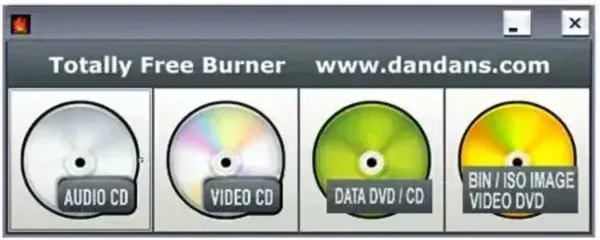
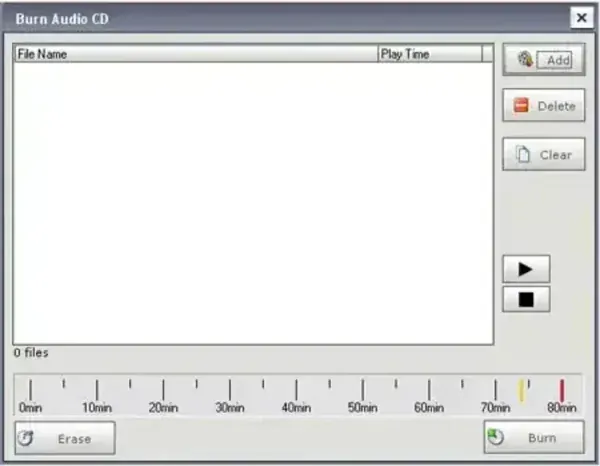
What Can Totally Free Burner Do?
This portable cd dvd buring software focuses on the basics most users still need from disc burning software without adding unnecessary complexity. The interface is lightweight and straightforward, making it easy to quickly create or burn different types of optical media.
- Create Audio CDs from MP3, WAV, OGG, and WMA music files
- Burn Data CDs or DVDs for backups, documents, software, or media storage
- Create Video CDs and DVDs using compatible video files
- Burn ISO and BIN images directly to optical media
- Create bootable discs for recovery or installation tasks
- Use multisession support for adding files to existing discs
- Verify burned data automatically after writing completes
The software also works with most common optical drive interfaces including USB, SATA, IDE, SCSI, and FireWire devices.
Using Totally Free Burner as a Portable App
One useful aspect of this software is that it can be manually converted into a portable application. Once copied to a USB flash drive, it can be carried between systems and launched without reinstalling it each time.
This can be especially helpful when:
- Working on systems without built-in burning software
- Creating quick backups or boot discs on the go
- Using locked-down workstations where software installation is restricted
- Keeping a lightweight emergency toolkit on a USB drive
How to Make Totally Free Burner Portable
- Download and install Totally Free Burner.
- After installation, open:
C:\Program Files (x86)\Totally Free Burner - Copy the entire Totally Free Burner folder to your USB flash drive.
- Launch the program directly using the included executable file.
Tip: Once copied to your USB device, the software can usually continue running independently from the portable folder.
Specifications | Official Site | Download
- Author's Website: Project Page
- License: Freeware
- Supported OS: Windows
- Category: CD/DVD Burning Software
- Rating: 4 Star
Frequently Asked Questions
Can Totally Free Burner create Audio CDs?
Yes. It supports creating standard Audio CDs using MP3, WAV, OGG, and WMA audio files.
Can it burn ISO image files?
Yes. The software supports burning both ISO and BIN image formats directly to CD or DVD media.
Does Totally Free Burner support portable use?
There is no official portable edition, but the installed program folder can be copied to a USB flash drive and launched manually.
Can it create bootable discs?
Yes. Totally Free Burner supports creating bootable CD and DVD media.
Final Thoughts
Totally Free Burner keeps things simple while still covering the most common disc burning tasks. Whether you need to create an Audio CD, burn an ISO image, or make a quick backup disc, it gets the job done without requiring a large software suite.
Its lightweight footprint and ability to run from a USB flash drive also make it a practical addition to a portable toolkit for older systems or occasional optical media work.
