file renaming tool

Rename Multiple Files with Rename Master
Renaming Many Files with Rename Master

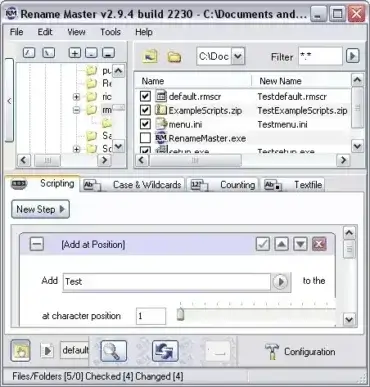
Rename Master is a Portable and Free Multiple File Renaming Tool. Created by JoeJoeSoft, Rename Master can rename multiple files (Batch Rename many files) within seconds. Features include the ability to replace, append or remove parts of the filename of all selected files. In addition advanced features allow for MP3 tag, JPEG JFIF and EXIF tag renaming.

Bulk File Rename Utility

bulk-file-rename-utility

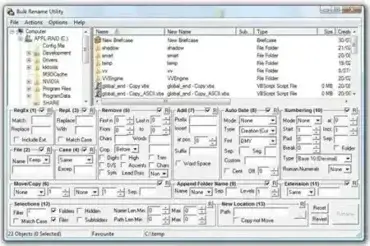
Bulk File Rename Utility is a powerful and free portable bulk file renamer for Windows. It allows users to rename multiple files and folders at once using an extensive range of flexible and highly customizable rules. From simple text replacement to advanced metadata based renaming, this tool is designed for anyone who needs precise control over file names.

Unlike basic renaming tools, Bulk Rename Utility supports case conversion, numbering, extension changes, MP3 ID tag renaming, EXIF metadata extraction, and complex pattern matching. Whether you are organizing photos, music collections, documents, or large datasets, it provides professional grade renaming capabilities in a portable package.

ReNamer - File Rename Tool

renamer

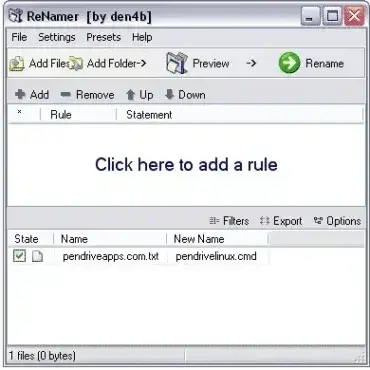
ReNamer is a free file rename tool that can be stored and run from a USB device. Like many other file renaming utilities provides users with the ability to rename prefixes, suffixes, change case, string replacements, change file extensions and much more. Advanced users can even program their own renaming rules. A variety of meta tags, I.E: ID3v1, ID3v2, EXIF, OLE, AVI, MD5, CRC32, and SHA1 are also supported.

Ken Rename - File Renaming Tool

ken-rename-file-rename

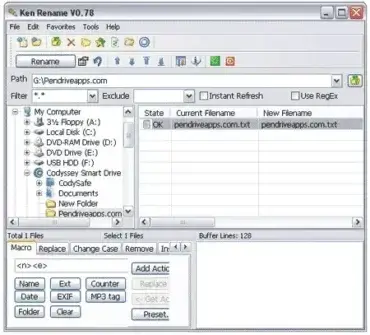
Ken Rename is a powerful and Free File Rename utility that can be stored and run from a USB device, making it a completely portable file renaming tool. This lightweight batch renamer enables users to quickly and easily rename files in bulk, saving time when managing large collections of documents, photos, videos, or music files.