
Portable Webcam is a free and lightweight webcam viewer that lets you instantly access and test any webcam connected to a Windows computer. Designed as a true portable application, it runs directly from a USB flash drive or local folder without installation, making it ideal for technicians, troubleshooting toolkits, and users who simply want quick access to their camera.
Portable Webcam | Free Webcam Viewer Software
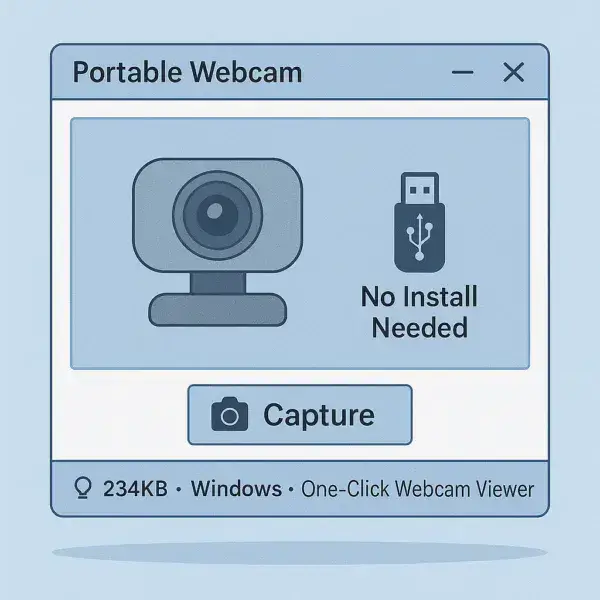
Unlike many webcam applications that require installation or include unnecessary features, Portable Webcam focuses on one task: providing instant access to your camera with virtually no setup required.
Simply launch the executable and your webcam feed appears automatically.
What is Portable Webcam?
Portable Webcam is a standalone webcam viewing utility for Windows. The entire application consists of a single executable file, making it easy to carry on a USB flash drive and use on multiple computers.
There are no installation wizards, background services, registry modifications, or complicated settings. This minimalist approach keeps the application fast, lightweight, and easy to use.
Because it leaves virtually no footprint on the host system, it is especially useful for users who value portability and privacy.
Key Features
- Instant Webcam Access: Automatically detects and displays supported webcams.
- Portable Application: No installation required. Run directly from a USB drive or folder.
- Ultra Lightweight: Small footprint with minimal system resource usage.
- Single Click Snapshot Capture: Click within the application window to capture an image.
- Simple Interface: No unnecessary menus or configuration screens.
- Fast Startup: Launches almost instantly.
Common Uses
- Testing newly installed webcams
- Troubleshooting camera hardware issues
- Verifying webcam functionality on shared computers
- Taking quick snapshots without installing software
- Adding a lightweight camera utility to a USB toolkit
How to Use Portable Webcam
- Download and extract the application files.
- Launch portable-webcam.exe.
- The program automatically detects and activates your webcam.
- Click anywhere within the application window to capture a photo.
The software is intentionally minimal and requires no configuration, making it one of the fastest ways to verify webcam functionality.
Pros and Cons
Pros
- Extremely lightweight
- No installation required
- Simple and easy to use
- Fast startup time
- Perfect for USB toolkits
Cons
- Limited functionality compared to full-featured webcam suites
- No video recording features
- No image editing tools
- Minimal configuration options
Frequently Asked Questions
Is Portable Webcam free?
Yes. The software is completely free to download and use.
Does it require installation?
No. Portable Webcam runs directly from its executable file and does not require installation.
Can I run it from a USB flash drive?
Yes. It was specifically designed to work as a portable application and can be launched directly from a USB device.
Can I take pictures with Portable Webcam?
Yes. Clicking within the application window captures a snapshot from the active webcam.
Does it support video recording?
No. The software is designed primarily for webcam viewing and simple snapshot capture.
Which operating systems are supported?
The application is designed for Microsoft Windows systems.
Specifications | Official Site | Download
- Extracted Size: 234 KB
- Author's Website: Project Page
- License: GNU General Public License v2.0 (GPLv2)
- Supported Operating Systems: Windows
- Category: Webcam Utilities
- Editor's Rating: ★★★★☆ (4 Star)
- Download: Download Portable Webcam
Final Thoughts
Portable Webcam is a straightforward webcam viewer that does exactly what it promises. Its tiny size, instant startup, and true portability make it a useful addition to any USB toolkit.
Whether you need to test webcam hardware, verify camera functionality, or quickly capture a snapshot without installing additional software, Portable Webcam provides a fast and lightweight solution that gets the job done.
