
DNS Jumper is a free portable DNS switching tool that allows users to quickly change DNS servers without manually modifying network settings in Windows. It simplifies the process of switching to faster, safer, or custom DNS providers with just a few clicks.
This lightweight stand alone utility that lets you switch DNS servers instantly to improve browsing speed, enhance privacy, and access restricted content.
DNS Jumper | Portable DNS Switcher
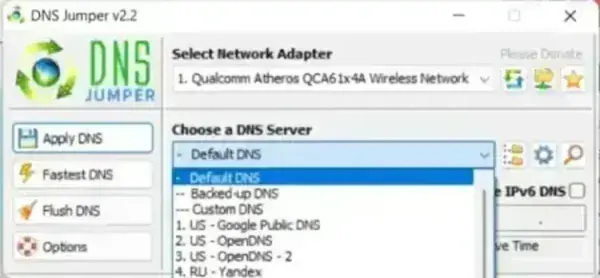
This tool provides an easy way to manage DNS settings without navigating through Windows network configuration menus. It includes a built-in list of popular public DNS servers and allows users to add custom entries as needed.
Because it is portable, it can be run from a USB drive without installation, making it ideal for troubleshooting or quick network adjustments on multiple systems.
Why Change Your DNS Server?
Switching DNS servers can improve both performance and security while browsing the internet. Different providers offer varying levels of speed, filtering, and privacy protection.
- Improve website loading speed with faster DNS resolution
- Enhance privacy by using secure DNS providers
- Access blocked or restricted websites
- Block unwanted or inappropriate content using family-safe DNS
- Increase reliability compared to default ISP DNS servers
How It Works
The software changes your system’s DNS settings automatically, allowing you to switch between servers without manual configuration.
- Select a DNS server from the list
- Optionally test server speed
- Apply the new DNS with one click
- Restore previous settings if needed
Key Features
- Preloaded with popular public DNS servers
- Supports custom DNS server entries
- Built-in DNS speed testing tool
- One-click DNS switching
- Backup and restore DNS settings
- Fully portable, no installation required
- Multilingual interface
Common Use Cases
- Speeding up slow internet browsing
- Bypassing DNS-based restrictions
- Setting up parental controls with safe DNS providers
- Troubleshooting connectivity issues
- Switching between DNS providers for testing
DNS Jumper Specs | Official Site | Download
- Author Website: Official Project Page
- License: Open Source
- File Size: Approximately 1 MB
- Platform: Windows
- Supported Systems: Windows 11, 10, 8, 7, Vista, XP
- Download:
Download DNS Jumper
