SNAP: Legacy Active Window and Region Screen Capture Tool
SNAP is a small Windows screen-capture utility originally designed to copy screenshots to the clipboard. It can capture the active window or a selected area of the desktop, after which the image can be opened in an image editor or pasted into another application. Its simple workflow was useful for quick documentation and sharing, but the original download is discontinued and current Windows compatibility has not been verified.
Capture an Active Window or Selected Area
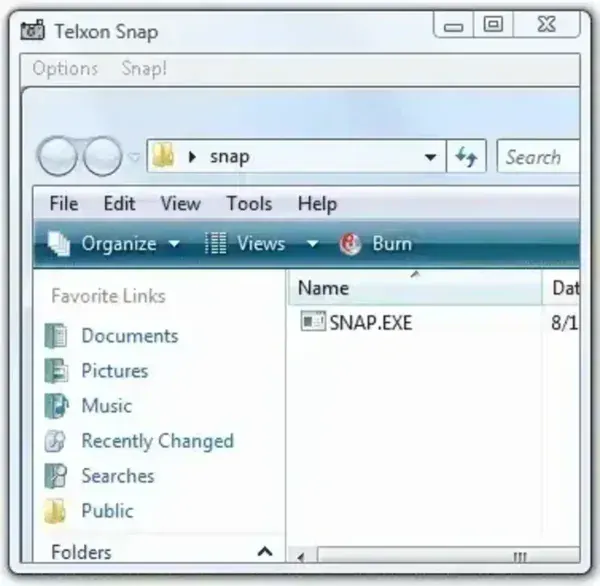
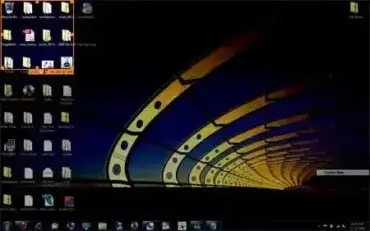
SNAP's workflow is intentionally simple. Select the active window or mark an area of the desktop, then use the capture command to copy the resulting screenshot to the Windows clipboard. From there, paste it into an image editor, document, email, or other program that accepts images. This makes the tool suitable for short instructions, error reports, and visual notes where a full screen-recording suite would be unnecessary.
Clipboard output also means that the capture is not necessarily saved as a file automatically. Paste the image into an editor or document and save it in the format you need. If you are collecting several screenshots, give each one a descriptive filename so the images remain easy to identify later.
What the Original Utility Does Not Provide
The original listing does not establish advanced features such as scrolling capture, annotation, OCR, timed screenshots, video recording, or automatic cloud sharing. Those should not be assumed. SNAP is best understood as a basic still-image capture utility, not a modern documentation or screen-recording platform.
Before sharing a screenshot, check it for private information such as email addresses, account names, open browser tabs, notifications, or documents visible in the background. Crop or redact sensitive details before sending the image to someone else.
Portable Use and Availability
SNAP was distributed as freeware and described as portable. The developer's original website is no longer available, and the link retained here is an archived copy of the old project page rather than a supported download location. The original download is discontinued. Avoid downloading executables from unrelated mirror sites unless you can independently verify their origin and integrity.
SNAP Specifications
- Developer: Original developer site archived
- License: Freeware (original listing)
- Platform: Windows; current compatibility is unverified
- Main features: Active-window and selected-area capture, clipboard output
- Deployment: Portable application (original listing)
- Availability: Discontinued; no verified current download
- Editor's Rating: ★★★★☆ (4/5) (historical rating)
Modern Windows Screen Capture Alternative
Windows 10 and Windows 11 include Snipping Tool, which can capture a window, rectangular area, freeform selection, or the full screen. Press Windows key + Shift + S to open the capture overlay, then choose the type of snip. Captures can be annotated, saved, and shared from the Snipping Tool window. See Microsoft's Snipping Tool guide for current instructions.
Is SNAP Still Useful?
SNAP's focused capture workflow and small portable design made sense for quick screenshots on older Windows systems. Its simplicity is also its limitation: there is no verified modern support, and the original download is no longer available. Keep the four-star rating as a historical assessment of the original utility, not a claim that it is a current alternative to Snipping Tool. For supported options, browse our screen capture tools.