Portable Encryption Utilites

View Crashed Applications - AppCrashView
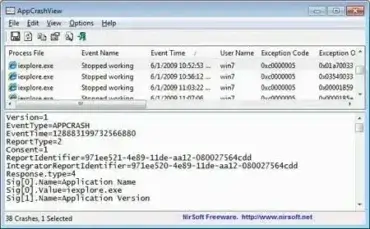
Monitor Crashed Applications - AppCrashView

AppCrashView is a Freeware Portable Utility created by NirSoft that can be used to view the crash details of all applications that have crashed on your Windows PC. The crash information is pulled from Windows Error Reporting. A must have Portable Freeware for troubleshooting Computer system crashes.
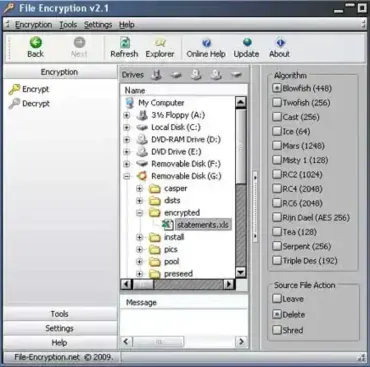
File Encryption - Portable File Encryption

portable-file-encryption

File Encryption is a free portable file encryption utility that allows you to protect your files, documents, and personal data from unauthorized access. This lightweight open source tool works by transforming your information into a scrambled, unreadable format using strong encryption methods. Anyone attempting to open your protected files without the correct password will only see encrypted, inaccessible data, making it a reliable solution for users who want a simple USB file encryption tool for secure storage on flash drives and external devices.

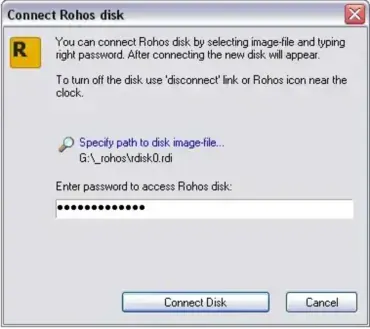
Rohos Mini Drive - Portable Partition Encryption

rohos-disk-access

Rohos Mini Drive is a free portable partition encryption tool that allows you to create a hidden, password-protected partition on your USB flash drive. It enables secure data storage on removable devices without requiring administrative privileges to access the encrypted partition, even on guest computers.

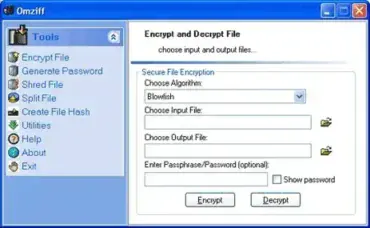
Omziff - Portable Encryption Tool

omziff-screenshot

Omziff is a Free Portable File Encryption Tool that enables you to encrypt and decrypt text-based files using a wide variety of cryptographic algorithms. This lightweight utility also features password generation, file splitting, and secure file deletion, making it a versatile tool for privacy-conscious users. No installation is required, simply run it from your USB flash drive.

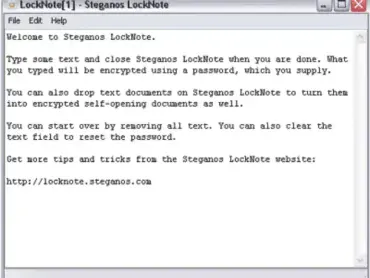
LockNote - Password Encrypted Notes

LockNote

LockNote is a simple and secure portable text editor that allows users to password-protect their notes and text files using strong AES 256-bit encryption. Whether you want to create new encrypted documents or secure existing text files by dragging and dropping them into the software, this utility makes it easy to keep your sensitive information safe and private.

Ideal for storing confidential information such as passwords, personal notes, or private messages, it combines the convenience of a lightweight notepad with powerful encryption technology. Its straightforward interface requires no installation, making it perfect for use on USB drives or as a portable app.