
change drive letter

DriveLetterView | Easily Change Drive Letters
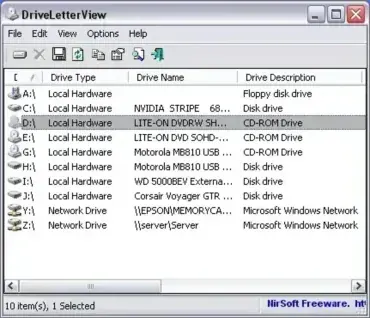
DriveLetterView - Change or Delete Drive Letters

DriveLetterView is a free and portable drive letter editing utility. This tool can be used to view drive letter assignments of all local drives, remote network drives, CD/DVD drives, and USB devices that are or have been attached to a machine. Cool features include the ability to change a drive letter of a USB drive or even a network device as well as delete or remove USB devices that are no longer plugged in.
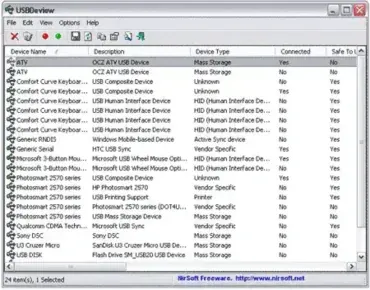

USB Device Information Tool: USBDeview

USBDevView

USBDeview is a free, portable USB diagnostics utility from NirSoft that lets you view and manage every USB device that has ever connected to your Windows system - currently connected or not. It displays detailed information including device names, serial numbers, Vendor and Product IDs, device type, drive letter, connection status, and exact timestamps for first and last connection. Whether you are troubleshooting a USB problem, auditing device usage, or cleaning up leftover registry entries, it is one of the most capable free tools available for the job.

Quick answer: Download USBDeview, extract the ZIP, and run USBDeview.exe - no installation required. The tool immediately displays every USB device connected to the system, past and present. Right-click any entry to disable, uninstall, run a speed test, or export device details. The current version is 3.10.