
RockXP is a legacy Windows utility historically described as a tool for displaying Windows product keys and other locally stored account or connection information. The program dates from an era of older Windows releases, and its current developer status, source code, licensing, compatibility, and download authenticity could not be verified. Because it can expose sensitive credentials, we do not recommend running an unverified copy on a current computer.
RockXP Windows Product-Key Utility
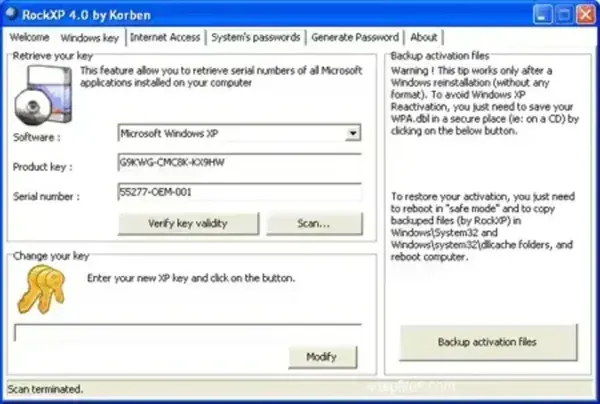
What Was RockXP?
Historical descriptions of RockXP say it could display certain Windows product keys and retrieve some locally stored credentials or connection details. These capabilities should be treated as historical claims rather than verified features of a current, supported product. There is no verified current release or reliable compatibility information for modern Windows versions.
Why Caution Is Important
A utility that reads product keys or saved passwords can expose sensitive information to anyone who runs it with access to the relevant Windows account. Antivirus alerts should not automatically be dismissed as false positives simply because an older listing describes a tool as a product-key finder. The file's origin, integrity, behavior, and reputation must be independently established.
- Current support: Not verified.
- Modern Windows compatibility: Not verified; do not assume Windows 10 or Windows 11 support.
- Current license: Could not be confirmed from a maintained primary source.
- Download integrity: No current, authenticated developer download could be verified for this page.
- Credential handling: Avoid running it on a system containing personal, work, or other sensitive accounts.
We have removed the direct download link because we cannot verify the file's provenance or safety. We also cannot substantiate older claims that it is safe, reliable, or compatible with current Windows releases.
Safer Ways to Find Product Keys
Start with the operating-system or software vendor's account, purchase record, device documentation, or official licensing portal. For Windows, activation status and the digital license can often be checked in Windows Settings; a full product key is not always available or needed. For organization-managed devices, contact the administrator or licensing team. Do not use credential-recovery utilities to access accounts or systems without authorization.
Alternatives and Related Reading
If you are trying to identify a Windows installation or resolve activation, use Microsoft's official activation guidance and account records rather than an unverified legacy key extractor. For a third-party key-finder alternative, see our Magical Jelly Bean Keyfinder article, and verify the current developer, supported products, license, and download before using it.
Frequently Asked Questions
Is RockXP safe to download today?
We could not verify a current authenticated developer download, supported release, or current security status. We therefore do not recommend downloading or running an unverified copy.
Does RockXP work on Windows 10 or Windows 11?
Current compatibility could not be verified. Historical claims about older Windows versions are not evidence that the program works safely on modern systems.
Should I dismiss antivirus warnings about RockXP?
No. Do not assume warnings are false positives. Avoid running the file unless its origin and behavior can be independently verified and you have a legitimate, authorized reason to use it.
Final Thoughts
RockXP is best treated as a historical Windows utility, not a recommended modern recovery tool. Its ability to expose sensitive system data makes provenance and trust especially important. Use official vendor records and supported Windows activation tools instead of relying on an unverified executable.
