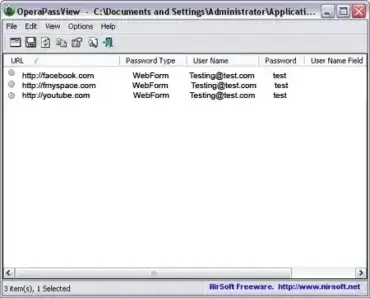
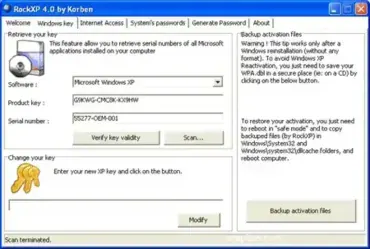
Asterisk Logger - Password Recovery
Asterisk Logger is an older NirSoft utility for revealing passwords hidden behind asterisks in certain Windows password fields. It has been superseded by BulletsPassView, which adds support for newer legacy Windows versions and Internet Explorer password boxes. Neither tool is a general browser-password recovery utility, and both work only with applications that expose password text through the standard Windows password control.
Asterisk Logger | Reveal Passwords
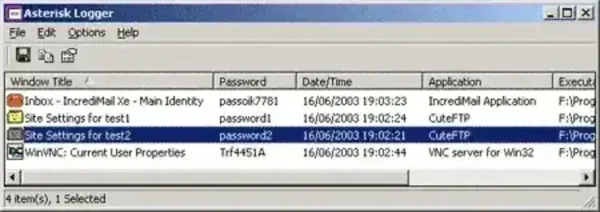
BulletsPassView is the recommended successor for this old Asterisk Logger article. It reads passwords from compatible standard Windows password text boxes and displays the recovered values in its own window. The original password field continues to show its masking characters. It is useful only when the target application stores the password in a control that the utility can read; many modern applications deliberately avoid this behavior.
How to Use BulletsPassView
Use this tool only to inspect credentials in applications and accounts you own or are authorized to administer. It does not crack passwords or decrypt browser password databases. To check a compatible password field:
- Download and extract the matching 32-bit or 64-bit BulletsPassView ZIP package.
- Run
BulletsPassView.exe. If the application containing the password field is running with elevated privileges, run BulletsPassView with the same level of permissions. - Open the compatible application window that contains the masked password. BulletsPassView scans open password boxes and lists any values it can read in its own main window.
- Use Refresh (or press F5) to scan again if the password field was opened after the initial scan. Copy or export only the information you need, then protect and remove any temporary credential files.
The scan is automatic, but results are limited to compatible password controls. If an application stores the password in a protected or custom control, the utility may not be able to read it.
Specifications and Where to Download
- Original Utility: Asterisk Logger (superseded)
- Recommended Successor: BulletsPassView 1.32
- Developer: NirSoft
- License: Freeware; NirSoft permits home and company use, but commercial password-recovery services require permission.
- Format: Standalone ZIP utility; no installation required.
- Supported OS: Windows 2000 through Windows 7 / Windows Server 2008, according to the developer. Windows 10 and 11 are not listed.
- Limitations: Does not reveal passwords stored by Chrome, Firefox, or Opera, or Windows dial-up and network passwords.
- Editor's Rating: ★★★★½ (4.5/5)
- Download: BulletsPassView ZIP download
Final Thoughts
Asterisk Logger is a legacy utility, and BulletsPassView is its more capable successor for compatible password fields on older Windows systems. It can be useful when you have forgotten a password that is still displayed in a supported application's masked text box, but it cannot reveal passwords stored in modern browser password managers or applications that protect their credentials differently. The developer's documented operating-system support ends at Windows 7 / Server 2008, so do not assume it works on Windows 10 or 11. Use it only with authorization, and treat any revealed or exported password as sensitive information.