
LC ISO Creator is a free portable ISO creation tool for Windows that lets you create ISO image files directly from CDs and DVDs. Lightweight and easy to use, this standalone utility is designed for quickly backing up optical discs without installing a large disc burning suite. Whether you're archiving software discs, preserving game media, or creating images for virtual machines, LC ISO Creator provides a simple solution.
LC ISO Creator | Free Portable ISO Maker for Windows
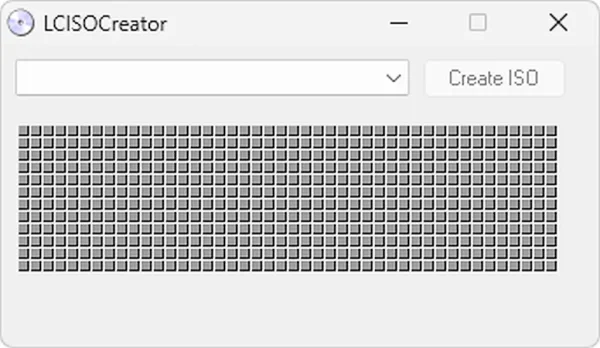
LC ISO Creator creates ISO image files from physical CDs and DVDs installed in your computer's optical drive. An ISO file is an exact digital copy of a disc, preserving its file structure and contents in a single archive that can be stored, transferred, mounted, or burned back to physical media later.
Because the program runs without installation, it can be carried on a USB flash drive and launched on virtually any Windows PC. Its small footprint and straightforward interface make it particularly useful for technicians, retro computing enthusiasts, archivists, and anyone who still works with optical media.
Key Features
- Create ISO Images from CDs and DVDs: Generate complete ISO backups of optical discs.
- Portable Operation: Run directly from a USB flash drive without installation.
- Lightweight Utility: Small download size with minimal system requirements.
- Simple Interface: Select a drive, choose a destination, and create an ISO in just a few clicks.
- Disc Preservation: Archive aging software, recovery, game, and driver discs before they deteriorate.
- Broad Windows Compatibility: Works on both older and newer versions of Windows.
Common Uses for LC ISO Creator
- Backing up software installation discs
- Creating ISO images for virtual machines
- Archiving game CDs and DVDs
- Preserving recovery and driver discs
- Digitizing physical media collections
- Maintaining technician toolkits
LC ISO Creator vs ImgBurn vs Folder2ISO
| Feature | LC ISO Creator | ImgBurn | Folder2ISO |
|---|---|---|---|
| Create ISO from Disc | Yes | Yes | No |
| Create ISO from Folder | Limited | Yes | Yes |
| Burn ISO to Disc | No | Yes | No |
| Portable | Yes | Portable versions available | Yes |
| Ease of Use | Very Simple | Advanced | Very Simple |
| Best For | Quick ISO creation | Disc imaging and burning | Folder to ISO creation |
How to Create an ISO from a CD or DVD
Note: Your computer must have a physical CD/DVD drive to create an ISO from optical media.
- Download and extract LC ISO Creator.
- Insert the CD or DVD you want to back up.
- Launch LCISOCreator.exe.
- Select your optical drive.
- Choose a destination for the ISO image.
- Click Create ISO.
- Wait for the image creation process to complete.
Limitations
LC ISO Creator focuses solely on creating ISO images and does not include advanced disc management features.
It cannot:
- Burn ISO files back to discs
- Edit existing ISO images
- Create bootable ISOs from folders
- Rip audio CDs to MP3 or WAV
- Convert image formats
Users requiring advanced functionality may prefer ImgBurn or similar disc authoring tools.
Specifications | Official Site | Download
- Developer: Lucersoft
- License: Freeware
- Supported Operating Systems: Windows
- Category: Disc Imaging Utilities
- Portable: Yes
- Editor's Rating: ★★★★☆ (4 Star)
- Author's Website: Archived Project Page
- Download: Download LC ISO Creator
Frequently Asked Questions (FAQ)
Is LC ISO Creator free?
Yes. LC ISO Creator is completely free to use.
Can LC ISO Creator create ISO files from DVDs?
Yes. It can create ISO images from both CDs and DVDs.
Does LC ISO Creator require installation?
No. It is a portable application that runs without installation.
Can I burn ISO files using LC ISO Creator?
No. The software only creates ISO images and does not include disc burning functionality.
Can I create ISO images from folders?
LC ISO Creator is primarily intended for creating ISO images from optical media. Dedicated tools such as Folder2ISO are better suited for folder-based ISO creation.
Why should I create ISO backups of discs?
ISO images help preserve software, games, drivers, and recovery media while protecting original discs from damage, scratches, and deterioration.
Final Thoughts
LC ISO Creator remains a useful utility for anyone who needs a quick and uncomplicated way to create ISO images from CDs and DVDs. Its lightweight portable design, ease of use, and focus on a single task make it a practical addition to any USB technician toolkit.
If your goal is simply to archive optical media or create ISO backups without installing a larger disc burning application, this tool continues to be one of the simplest solutions available.
