Portable Opera - USB Web Browser
This Portable Opera listing refers to a legacy build from the era when Opera included an integrated email client, IRC chat, and widgets. Those features identify it as an older Opera generation, not the current Opera browser. The exact version of the archived package is not confirmed, and its security support and compatibility with modern Windows have not been established. It should be treated as a historical browser, not a safe everyday option.
Portable Opera: A Legacy Windows Browser
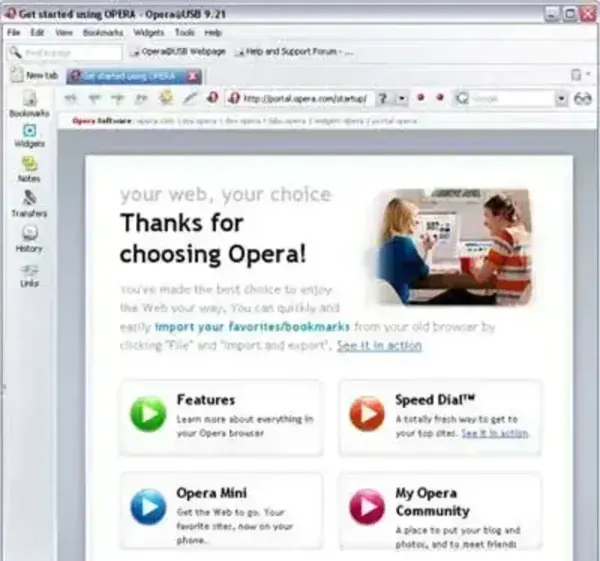
Older Opera releases combined web browsing with features that were later separated or discontinued. Depending on the specific build, the browser could include Opera Mail, an IRC chat client, RSS feeds, pop-up controls, widgets, and an extension system. These functions made Opera a distinctive all-in-one browser at the time, but they should not be assumed to exist in every archived package.
Historical Features
- Web browsing: A tabbed browser with the interface and rendering engine of its original Opera generation.
- Opera Mail: Older releases included an integrated email client for managing supported mail accounts.
- IRC chat: Some legacy builds included an IRC client for connecting to chat servers.
- RSS feeds: The browser could subscribe to feeds and display updates from supported websites.
- Widgets and extensions: Older Opera releases offered add-ons that extended the browser's functions.
- Pop-up controls: Built-in settings could block or manage certain pop-up windows.
These are historical capabilities, not a statement that the old package can still connect to modern email providers, websites, or add-on services. Many online services have changed their security requirements, and old browser engines may not support current web standards.
Portability and Profile Data
The package was described as a portable browser intended to run from a USB drive. However, the exact build and its profile configuration are not available for verification, so we cannot guarantee that bookmarks, browsing history, cookies, or settings remain entirely within the USB folder. Portable execution also does not prevent Windows or other software from recording activity on the host computer.
If you are examining an archived copy for historical interest, use a non-sensitive test profile and avoid signing in to personal accounts. Do not use it for banking, shopping, email, password management, or other tasks involving private information. An old browser can expose saved credentials and browsing data, and it may not receive fixes for newly discovered security issues.
Security and Modern Compatibility
The archived build is not a current security-supported browser. Its exact version is unknown, and compatibility with Windows 10 and Windows 11 has not been verified. It may fail to load modern sites, use obsolete encryption settings, or display pages incorrectly. Even if it launches successfully, that does not make it safe for internet-connected daily use.
For current browsing, download a maintained browser from its official publisher. Opera's current portable information page describes installation options for modern Opera builds, but it does not provide the legacy package described in this article.
Portable Opera Specifications
- Application: Legacy Opera browser package
- Developer: Opera Software
- Version: Exact archived build not verified
- License: Proprietary freeware for the historical browser release; exact package terms should be checked
- Platform: Windows; current compatibility unverified
- Historical features: Web browsing, Opera Mail, IRC, RSS, widgets, and extensions in applicable legacy releases
- Deployment: Described as a portable package; profile isolation not independently verified
- Development status: Legacy build; not recommended for secure everyday browsing
- Editor's Rating: ★★★★☆ (4/5) for historical interest and its original feature set
- Current Opera information: Opera's current portable browser information (not the legacy package described here)
Frequently Asked Questions
Is this the current Opera browser?
No. The references to Opera Mail and IRC identify the package as a legacy Opera build. The current Opera browser is a different, maintained product.
Can I use this old Opera build for everyday browsing?
No. Its exact version and security status are unknown, and it is not a current supported browser. Use a maintained browser for websites, email, banking, and other sensitive activity.
Does the portable version keep all browsing data on the USB drive?
That behavior has not been verified for the specific archived build. Do not assume that bookmarks, cookies, history, and temporary files remain only on the USB drive.
Does Opera's current portable page offer this older build?
No. The current Opera page describes modern portable installation options. It does not provide the legacy package described in this article.
Is Portable Opera Still Worth Using?
This older Opera package is mainly of interest to users exploring the history of Windows browsers and the period when Opera combined browsing, email, IRC, and RSS in one application. Its unknown version, outdated browser engine, and unverified profile behavior make it unsuitable for current internet use. Keep it as a historical reference and choose a maintained browser for everyday tasks.