
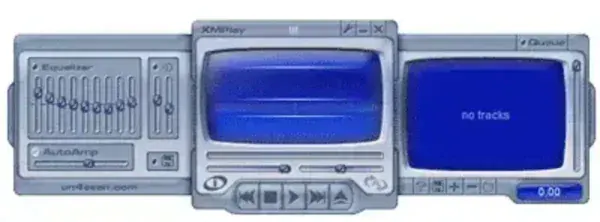
XMPlay is a lightweight portable audio player for Windows that was originally introduced in 1998 to support the XM audio module format. Over the years, it has evolved into a highly capable music player that supports a wide range of modern and legacy audio formats while maintaining an extremely small footprint.
Similar in philosophy to classic players like Winamp, it focuses on speed, simplicity, and efficiency. It runs as a standalone executable, making it ideal for use from a USB flash drive or other portable storage device. Even on older or low resource systems, the audio media player delivers smooth playback with minimal memory usage.
XMPlay | Portable Audio Player
Supported Audio Formats
XMPlay supports an impressive range of audio formats out of the box, with additional formats available through optional plugins.
- Common Formats: MP1, MP2, MP3, WMA, WAV, OGG
- Module Formats: XM, MOD, IT, S3M, MTM, MO3, UMX
- Disc Audio: CDA
This broad compatibility makes this stand alone audio player especially appealing to users with large or mixed music libraries that include both modern audio files and classic tracker modules.
Playlist and Streaming Support
XMPlay recognises many popular playlist formats, allowing users to organize and manage music collections with ease.
- ASX
- M3U
- PLS
- WAX
The player also supports internet radio streams, further extending its usefulness beyond local audio playback.
Plugin Architecture
One of XMPlay’s strengths is its plugin system. Users can expand format support and add additional playback capabilities without bloating the core application.
This modular design helps it remain fast and responsive while still offering flexibility for advanced users.
Portable Design
XMPlay is fully portable and does not require installation. All files and settings can be stored in a single folder, making it easy to carry your music player and configuration between computers.
- Runs directly from a USB flash drive
- No registry dependency required
- Minimal storage and memory usage
- Fast startup even on older hardware
Installing XMPlay to a USB Device
- Create a new folder named XMPlay on your USB device
- Download XMPlay
- Extract the contents of the ZIP file into the folder
- Launch the player by double clicking XMPlay.exe
System Requirements and Details
- Developer: Un4seen Developments
- License: Freeware
- Platform: Windows
- Category: Multimedia, Audio Players
- Official Website: www.un4seen.com
Final Thoughts
XMPlay remains a favorite among users who value speed, portability, and broad format support. Its ability to handle everything from modern MP3 files to classic tracker modules makes it a versatile choice for both casual listeners and retro audio enthusiasts.
With its tiny size, plugin extensibility, and true portable operation, it is an excellent audio player to keep on a USB flash drive for listening to music anywhere without installation or system clutter.
