
Boot Sector Explorer is a free, portable, low-level disk editor for Windows. This powerful utility allows you to read and write to the boot sectors of your logical drives (such as PhysicalDrive0) and the Master Boot Records (MBRs) of physical drives like C:, D:, etc. It also works seamlessly with USB sticks, external drives, CD-ROMs, and DVDs, making it a versatile tool for advanced disk management and recovery tasks.
Ultimately, Boot Sector Explorer can be used to create MBR or Boot Sector backups and restore them in the event of corruption, malware infection, or accidental modifications. This ensures your critical boot records are protected and can be quickly restored when needed. If you are looking for additional functionality in managing your MBRs, we also recommend checking out MBRWizard - MBR Manager, another excellent freeware tool for advanced MBR manipulation.
Boot Sector Explorer: Portable MBR and Boot Sector Utility
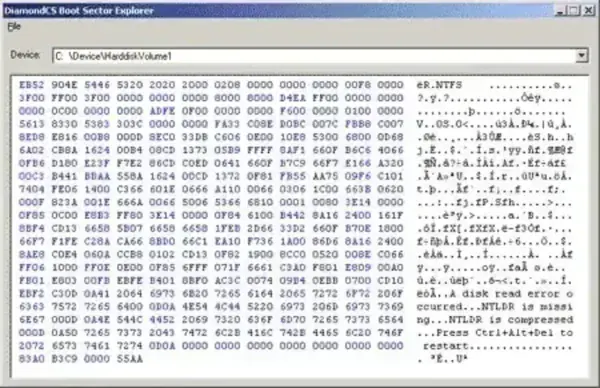
With Boot Sector Explorer, you can perform the following tasks:
- Read and Edit Boot Sectors: Directly access and modify boot sectors of logical drives or physical disks.
- Create Backups: Save MBR and boot sector contents to a safe location for later recovery.
- Restore Boot Records: Reapply saved backups to recover from system failures or malware attacks.
- Support for Removable Media: Works with USB drives, external hard drives, CD-ROMs, and DVDs, providing a portable solution for recovery on any system.
- Standalone & Portable: Requires no installation; run directly from your USB drive.
Why Use Boot Sector Explorer?
Boot Sector Explorer is ideal for system administrators, IT professionals, and advanced users who need precise control over their disk boot sectors. Unlike generic disk utilities, it allows low-level access, making it possible to:
- Diagnose boot issues caused by corrupted MBRs.
- Recover drives after malware attacks targeting boot sectors.
- Safely backup and restore boot records for critical systems.
- Work alongside other utilities such as MBRWizard, a MBR Manager for extended MBR editing and repair options.
Boot Sector Explorer Specs | Official Site | Download
- Authors Website: DiamondCS – it appears the author has abandoned this project
- License: Freeware
- Supported OS: Windows (All versions)
- Extracted Size: 348 KB
- Downloading: You can get this free Boot Sector modifying tool here:
Boot Sector Explorer Download
Final Thoughts
Boot Sector Explorer is a compact, portable, and highly practical tool for anyone needing to manage or recover disk boot records. While it provides robust functionality for backing up and restoring MBRs and boot sectors, pairing it with MBRWizard can give you additional advanced options for editing, repairing, and safeguarding your master boot records. Whether you’re an IT professional, tech enthusiast, or someone dealing with corrupted drives, Boot Sector Explorer is an indispensable tool in your portable software collection.