
Shotcut Portable is a free, open source video editor that can be run portably from a USB flash drive without installation. It is designed for users who need a powerful yet flexible video editing solution that supports modern video formats, resolutions, and codecs. Unlike many lightweight editors, Shotcut provides professional grade features while remaining accessible to beginners.
Because it runs entirely offline and does not rely on cloud services or subscriptions, it is an excellent choice for portable video editing on the go.
Shotcut Portable | Free Video Editor
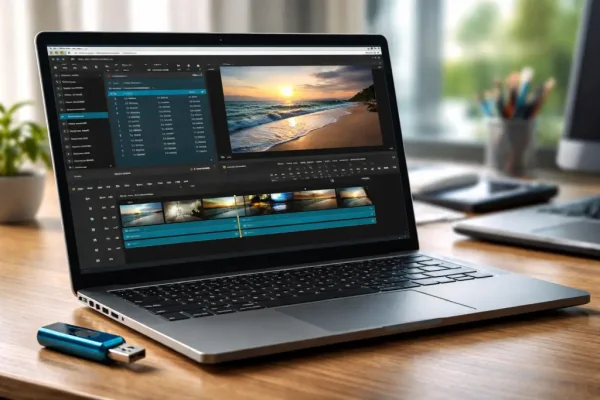
Shotcut is a cross platform, non linear video editor built on top of FFmpeg. It supports hundreds of audio and video formats natively, meaning files can be opened directly without conversion. This makes the video editor especially useful when working from removable storage where speed and flexibility matter.
The Shotcut portable version can be extracted to a USB drive and launched on compatible systems without leaving behind registry entries or system files.
Key Features
- Wide Format Support: Supports MP4, MKV, AVI, MOV, WebM, ProRes, DNxHD, and many more formats via FFmpeg.
- Non Linear Video Editing: Multi track timeline with unlimited video and audio tracks.
- Video Rotation and Flip: Easily rotate videos 90, 180, or 270 degrees and flip horizontally or vertically.
- Advanced Filters: Includes color correction, chroma key (green screen), blur, sharpening, transitions, and audio filters.
- High Resolution Support: Handles HD, 4K, and even 8K video projects.
- Frame Accurate Editing: Precise trimming and cutting without re encoding when possible.
- Audio Editing Tools: Volume control, waveform display, audio filters, and mixing support.
- No Watermarks: Completely free with no output restrictions.
Why Shotcut Works Well as a Portable Video Editor
Shotcut does not require installation and stores its configuration files locally within its folder. This makes it ideal for portable use on USB drives or external SSDs. Editors can carry their projects, presets, and export profiles with them and continue editing on different machines.
Because it does not rely on proprietary codecs or licensing servers, it remains fully functional even in offline environments.
Common Use Cases
- Fixing rotated or flipped videos recorded on phones or action cameras.
- Editing YouTube, tutorial, and screencast videos.
- Basic to intermediate video editing without paid software.
- Portable video editing for students, creators, and travelers.
- Converting and exporting videos to modern formats.
How to Use Shotcut Portably
- Download the portable Shotcut archive.
- Extract the folder directly to your USB drive.
- Launch shotcut.exe from the extracted directory.
- Import your video files and begin editing.
All project files and cache data can be kept within the same folder or saved alongside your media, making it easy to move between systems.
Shotcut Specifications | Official Site | Download
- Official Website: Project Page
- Developer: Community Driven
- License: Open Source (GNU GPL)
- Supported Operating Systems: Windows, Linux, macOS
- Portable Support: Yes
- Downloading: Shotcut Download
Shotcut vs Other Portable Video Editors
Compared to simpler tools like X2X Free Video Flip and Rotate, Shotcut offers far more control and format support. While basic utilities are useful for quick orientation fixes, it excels when you need precision editing, multiple filters, and modern export options.
Unlike some commercial editors, it also does not require activation, login, or internet access.
Frequently Asked Questions
Is Shotcut really free?
Yes. it is completely free and open source with no limitations or watermarks.
Can it rotate or flip videos?
Absolutely. It includes video filters for rotation, flipping, and mirroring with real time preview.
Does it require installation?
No. The portable version can be run directly from a USB drive.
Is it good for beginners?
While powerful, it does have a learning curve. However, basic tasks like cutting, rotating, and exporting videos are easy to learn.
Final Thoughts
Shotcut Portable is one of the best free portable video editors available today. Its combination of professional level features, wide format support, and true portability makes it an excellent choice for anyone who needs a capable video editor without relying on paid software or internet access.
For users looking to replace abandoned tools like X2X Free Video Flip and Rotate with a modern, actively maintained solution, this is a clear upgrade and a strong addition to any portable USB software collection.