
RealWorld Paint is a powerful portable image editor and free photo editing application for Windows. Designed as a lightweight alternative to heavyweight editors like Photoshop, this freeware graphics tool provides advanced features such as layered editing, per layer effects, and precise visual previews while remaining fully portable.
RealWorld Paint is especially well suited for users who need a capable image editor that can run directly from a USB flash drive or portable storage device. It requires no installation and offers a clean, intuitive interface that works well for both beginners and experienced graphic designers.
Portable Image Editor | RealWorld Paint
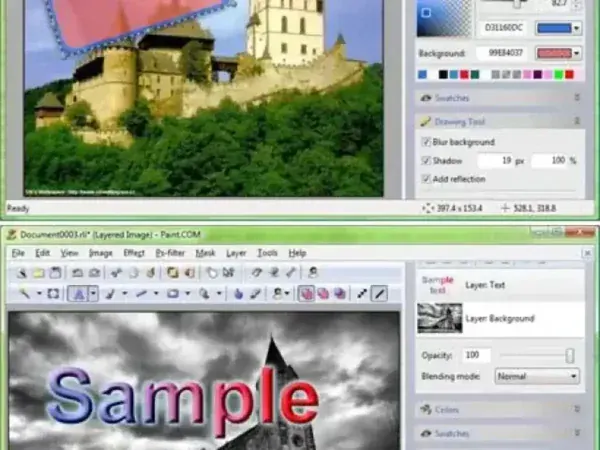
Layer Based Image Editing
Much like professional image editing software, RealWorld Paint allows users to work with multiple layers. Each layer can be independently edited and customized, providing flexibility for complex image compositions.
- Add text layers with customizable fonts and styles
- Apply transparency and opacity settings per layer
- Use 3D bevel and shadow effects
- Assign custom visual effects to individual layers
This layered workflow makes it suitable for photo editing, icon design, web graphics, and other creative projects.
Accurate Preview and User Interface
One standout feature of RealWorld Paint is its always accurate preview system. Shapes and effects are displayed at true 100 percent scale regardless of zoom level, allowing precise editing without visual distortion.
The user interface includes helpful tooltips throughout the application, making it easier to understand tools and settings without referring to external documentation.
Portable and Lightweight Design
RealWorld Paint is fully portable and can be run directly from a USB drive without modifying the host system. This makes it ideal for graphic work on shared or public computers.
- No installation required
- No registry dependency
- Runs from USB flash drives and external storage
- Fast startup and low system resource usage
Supported Use Cases
RealWorld Paint can be used for a wide range of image editing tasks, including:
- Photo retouching and enhancement
- Creating icons and interface graphics
- Designing web images and banners
- Adding text, effects, and overlays to images
RealWorld Paint Specs | Official Site | Download
- Author's Website: Project Page
- License: Freeware
- Supported OS: Windows
- Category: Graphics, Image Editors
- Rating: 4 Star
- Downloading: You can get the free portable image editor here:
RealWorld Paint Download
Final Thoughts
RealWorld Paint is an excellent choice for users who need a capable image editor without the size, complexity, or system impact of commercial alternatives. Its support for layered editing, visual effects, and precise previews places it well above basic image viewers and editors.
For anyone looking to carry a full featured image editing solution on a USB flash drive, it delivers a strong balance of power, portability, and ease of use.
