
Gnumeric Portable is a portable wrapper for the free and open source Gnumeric free spreadsheet software. It provides many of the same core spreadsheet functions found in Microsoft Excel and can be used to both open and edit Excel created files. It well known for its mathematical accuracy and is often cited as being more precise than some proprietary spreadsheet programs.
Gnumeric Portable | Free Spreadsheet Software App
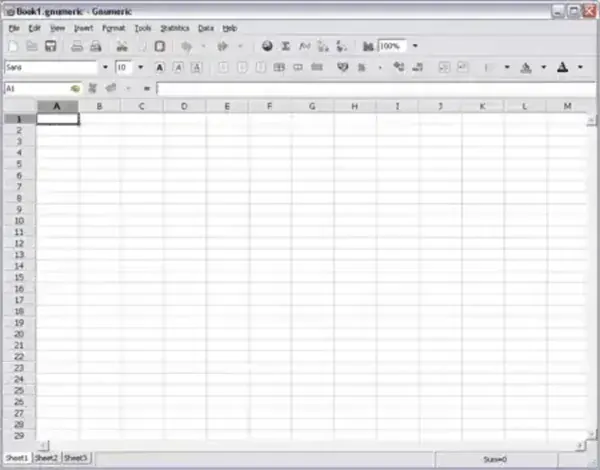
Gnumeric is an open source free spreadsheet program that originated as part of the GNOME desktop environment. It can be used in place of Excel and was designed from the ground up to focus on accuracy, performance, and standards compliance rather than visual compatibility alone. This makes it especially appealing to users who rely on precise calculations, statistical analysis, or scientific data processing.
The project was originally created by Miguel de Icaza, a well known figure in the free software community and a co founder of the GNOME project. Gnumeric was first released in 1998 and has remained actively developed by the open source community ever since.
Why Use Gnumeric Portable?
Gnumeric Portable allows you to run a full featured spreadsheet program directly from a USB flash drive without installing anything on the host computer. This makes it ideal for technicians, students, researchers, and anyone who needs a reliable spreadsheet tool while on the move.
Because this free spreadsheet software runs stand alone in portable form, it leaves no files behind on the system and does not modify the Windows registry. Simply plug in your USB drive, launch the application, and begin working.
Key Features
- High Accuracy Calculations: Designed with a strong focus on numerical precision, making it suitable for scientific, statistical, and financial analysis.
- Excel Compatibility: Can open, edit, and save Microsoft Excel spreadsheets, including XLS and XLSX formats.
- Multiple File Formats: Supports OpenDocument Format (ODS), CSV, HTML tables, and many other spreadsheet formats.
- Advanced Formula Support: Includes a wide range of built in mathematical, statistical, and financial functions.
- Charts and Graphs: Create bar charts, line graphs, pie charts, scatter plots, and more for data visualization.
- Solver and Goal Seek: Built in tools for optimization problems and scenario analysis.
- Multiple Sheet Workbooks: Organize complex data across multiple sheets within a single file.
- Plugin Support: Extend functionality through optional plugins and add ons.
- Lightweight Performance: Faster startup and lower memory usage compared to larger office suites.
Portable Spreadsheet Use Cases
Gnumeric Portable works well for:
- Editing Excel files on locked down or shared computers
- Performing accurate calculations in academic or scientific environments
- Carrying a reliable spreadsheet tool on a USB toolkit
- Users who prefer a lightweight alternative to large office suites
Gnumeric and Microsoft Excel are both capable spreadsheet applications, but they serve very different audiences and use cases. Gnumeric is a free, lightweight spreadsheet application focused on calculation accuracy and statistical analysis, while Excel is a feature rich commercial solution designed for business workflows, collaboration, and compatibility.
Below is a practical comparison to help you choose the right spreadsheet tool for your needs.
Gnumeric vs Excel Comparison Chart
| Feature | Gnumeric | Microsoft Excel |
|---|---|---|
| License | Free and Open Source | Commercial (Paid) |
| Primary Focus | Accurate calculations and statistical analysis | Business productivity and collaboration |
| Calculation Accuracy | Excellent, avoids common floating-point and snap-to-zero errors | Generally good, but known accuracy issues in edge cases |
| Statistical Functions | Extensive, includes many functions not found in Excel | Strong, but fewer advanced statistical functions |
| Performance | Fast startup and responsive with large datasets | Can be slower with complex or very large workbooks |
| Resource Usage | Lightweight, low system requirements | Heavier, higher memory and CPU usage |
| Macros | No VBA support | Full VBA macro support |
| PivotTables | Not supported natively | Fully supported with advanced features |
| File Format Support | Supports many formats, .xlsx compatibility may vary | Native and best support for .xlsx |
| Platform Support | Linux and UNIX-based systems | Windows, macOS, Web, Mobile |
| User Base | Scientific, engineering, and technical users | Business, education, and general users |
Key Strengths
Gnumeric
- High-precision calculations suitable for scientific and technical work
- Large set of statistical and mathematical functions
- Lightweight and fast, even on older systems
- Completely free and open source
Microsoft Excel
- Industry-standard spreadsheet format
- Advanced features like PivotTables, VBA macros, and Power Query
- Excellent compatibility in corporate environments
- Large ecosystem of templates, tutorials, and third-party tools
Which Should You Use?
Choose Gnumeric if calculation accuracy is critical, you work on Linux, or you need a fast, free spreadsheet tool for statistical or scientific analysis. Choose Excel if you require broad compatibility, business oriented features like PivotTables and macros, or seamless collaboration in corporate environments.
Specifications | Official Site | Where to Download
- Extracted Size: 59.9 MB
- Authors Website: Project Page
- Developer: Miguel de Icaza (portable wrapper by John T Haller)
- First Released: 1998
- License: Open Source
- Supported Operating Systems: Linux, BSD, macOS, Windows
- Editor's Rating: 4 Star
- Downloading: You can get this free portable spreadsheet program here:
Gnumeric Portable Download
Final Take on this Free Spreadsheet App
Gnumeric Portable remains one of the most accurate and capable free spreadsheet apps available in portable form. While it may not aim to perfectly replicate every visual detail of Microsoft Excel, its strong standards compliance, calculation accuracy, and lightweight design make it an excellent choice for serious spreadsheet work.
If you are looking for a dependable portable spreadsheet program that can read and edit Excel files while offering superior numerical precision, this is well worth adding to your USB software collection.