UltraFileSearch - File Search Utility
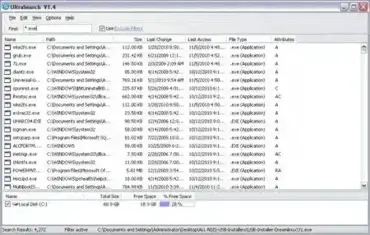
UltraFileSearch is a Windows file search utility that can locate files, folders, and text across local drives, network locations, optical discs, and USB storage. Unlike search tools that depend on a background index, UltraFileSearch scans the locations you select when you start a search. This means it does not need to build or maintain a separate file index, although the time required depends on the number of files, the search filters, and the speed of the storage device.
You can search by one or more filenames, use wildcard patterns, and narrow results by location, file size, date, and other properties. UltraFileSearch can also search for words or phrases inside supported text files. Search results can be sorted, selected, opened in their containing folders, and exported to a range of formats. The program is useful when you need to search several drives or removable devices without setting up a permanent indexing service.
The developer, Stegisoft, offers two editions: Lite, which is freeware for personal non-commercial use and nonprofit organizations, and Standard, which is shareware. Both editions are available in portable packages. The current version listed by the developer is 7.9.0.26271, released in September 2026. The portable package can be copied to a removable drive, but the developer notes that the portable edition cannot be launched from the Windows Explorer context menu.
UltraFileSearch File Search Utility
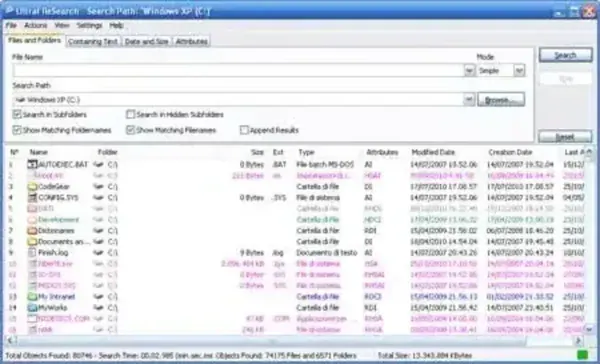
UltraFileSearch Features
- File and folder search: Search for files, folders, or both across selected drives and directories.
- Multiple search locations: Include several local drives, network folders, optical discs, and USB storage devices in one search.
- Filename patterns: Search by one or more filenames and use wildcard patterns to match groups of files.
- Text search: Find words and phrases inside supported plain-text and binary files. More advanced document text filters are available in the Standard edition.
- Date and size filters: Narrow results by file size, creation date, modification date, and last-access date.
- Result management: Sort results, open files, open their containing folders, and perform supported file operations.
- Export results: Save search results in supported text, HTML, CSV, XML, and other formats. Available export formats vary by edition.
- No background indexing: Searches are performed against the selected locations without maintaining a separate search index.
- Portable packages: Both Lite and Standard editions are offered in portable versions for removable storage.
UltraFileSearch Lite vs. Standard
UltraFileSearch Lite is the free edition and includes the core file and folder search functions. It can search by name, location, text, date, and size, and it supports portable use. Some advanced filters, document text extraction options, and additional result tools are reserved for the Standard edition.
The Standard edition is shareware. The developer provides a 30-day trial, after which a registration key is required for continued use. The Lite edition is free only for personal use at home for activities that do not generate income, or for nonprofit organizations. Commercial or income-generating use requires the Standard edition and an appropriate license.
How to Search for Files
- Open UltraFileSearch and select the starting drive or folder.
- Enter one or more filenames or wildcard patterns.
- Use the available tabs to narrow the search by text, date, size, or other supported properties.
- Start the search and sort the results by filename, path, size, or date as needed.
- Open a result or its containing folder, or export the list for later reference.
Because UltraFileSearch does not use background indexing, a search of a large drive may take longer than a search tool that maintains an index. Limiting the starting folders and adding useful filters can reduce the amount of data that must be examined.
Using UltraFileSearch Portably
Download the portable ZIP package for the Lite or Standard edition and extract it to a folder on your USB flash drive. Launch the executable from that folder. The developer describes the portable editions as suitable for removable storage and notes that they do not leave the same application traces as a conventional installation, although Windows itself still records information about programs that have been executed.
The portable edition cannot be launched from the Windows Explorer context menu. Start it directly from the USB drive instead. Search results depend on the drives and folders accessible on the computer where the program is running.
Specifications and Download
- Current version: 7.9.0.26271, released September 2026.
- Developer: Stegisoft.
- Free edition: Lite, for personal non-commercial use at home or nonprofit organizations.
- Paid edition: Standard, with a 30-day trial and additional features.
- Supported Windows: Windows 11, 10, 8.1, 8, 7, Vista, and XP.
- Editor's Rating: ★★★★☆ (4/5)
- Official website: UltraFileSearch.
- Download: UltraFileSearch downloads. Choose the Lite portable ZIP for free personal use.