
BurnCDCC is a CD DVD ISO to CD Recorder or CD Burner. This tool allows users to easily create a CD or DVD from an ISO file (burn ISO to CD). By storing this utility on your portable device such as a USB flash drive, you are able to bring it with you. Run the software from USB on any computer that has a CD/DVD burner installed.
BurnCDCC | Portable ISO to CD Burner
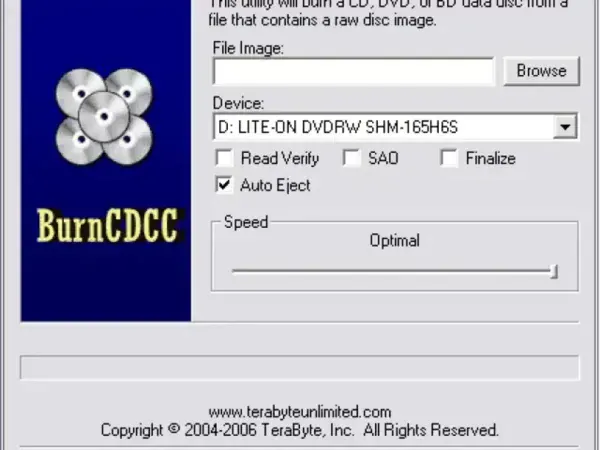
BurnCDCC (Burn CDCC.exe) is a simple and straightforward utility designed for burning ISO files to CDs or DVDs. Its primary purpose is to create a bootable disc from an ISO image. Users commonly employ such discs for operating system installations, system recovery, or other similar purposes.
Here are some of its features:
- Functionality: Specifically designed for the burning of ISO images to CDs or DVDs.
- Ease of Use: The software is user friendly, providing a simple interface for users to select an ISO file and burn it to a disc.
- Stand Alone Executable: Available as a single stand alone executable file. This means it doesn't require installation and can be used by simply running the executable.
This makes for a nice portable and free alternative to poor CD/DVD recording software.
BurnCDCC Specifications | Official Site | Download Link
- Authors Website: Project Page
- Developer: Terabyte Unlimited
- License: Freeware
- Supported OS: Windows
- Downloading: You can grab this free CD burner here:
BurnCDCC Download
What BurnCDCC Is Useful For
BurnCDCC is intended for writing an ISO image to a recordable CD or DVD. It is not a tool for creating a bootable USB flash drive. You also need a compatible optical drive and writable disc, which many newer laptops and desktops no longer include.
Before burning, confirm that the ISO file is complete and that the disc contains nothing you need to keep. If your goal is to install or test an operating system from USB, compare our ImgBurn review for optical-disc image writing only if you need a CD/DVD, or explore Universal USB Installer for supported bootable USB workflows. These tools perform different jobs, so choose based on the target media.
BurnCDCC is an older utility. Check the developer's current download page and your Windows version before using it, especially on a PC without an optical drive or with newer device drivers.
