
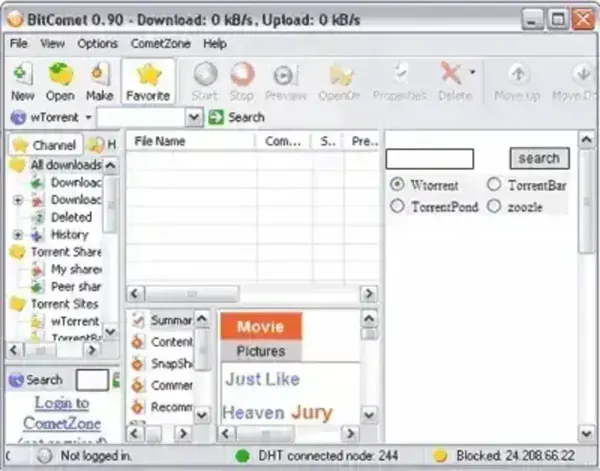
BitComet Portable is a free BitTorrent client that can be run directly from a USB flash drive or other removable storage without installation. This portable torrent client offers a wide range of advanced features while remaining easy to use, making it suitable for both beginners and experienced users who want a flexible torrenting solution on the go.
BitComet supports download queuing, upload and download speed limits, simultaneous downloads, media preview during downloads, multi section downloading, multi peer transfers, multi mirror sources, and full Unicode support.
BitComet Portable Torrent Client
Key Features
- Portable Operation: Runs entirely from a USB flash drive with no installation required.
- Download Queue: Easily manage multiple torrents at once.
- Speed Controls: Set upload and download limits to control bandwidth usage.
- Resume Support: Continue interrupted downloads without restarting.
- Preview While Downloading: View video and media files before completion.
- Multi Section Downloading: Splits files into multiple parts for faster transfers.
- Multi Peer and Multi Mirror Support: Improves reliability and download speeds.
- Unicode Support: Properly handles international file names.
Why Use BitComet Portable?
BitComet Portable is ideal for users who need a powerful BitTorrent client without installing software on the host system. It is especially useful on shared or restricted computers where installation is not permitted. Because it runs from removable media, all settings, downloads, and session data remain fully portable.
Ease of Use
The BitComet interface is clean and straightforward. Torrent management, file selection, and bandwidth controls are easy to access, making it approachable for new users while still offering advanced options for experienced torrent users.
How to Make BitComet Portable
- Create a BitComet folder on your USB flash drive.
- Download the BitComet ZIP archive.
- Extract the contents of the ZIP file into the folder on your USB device.
- Launch BitComet.exe directly from the USB drive.
BitComet Portable Specifications
- Authors Website: BitComet Project Page
- License: Freeware for personal use
- Supported OS: Windows
- Category: BitTorrent Client, Portable Networking Tools
Final Thoughts
BitComet Portable delivers a feature rich BitTorrent experience in a fully portable format. With advanced download handling, preview support, and flexible speed controls, it remains a solid choice for users who want a dependable stand alone torrent client that can travel with them on a USB flash drive.
