
ProcessKO is a Freeware Portable Task Management tool designed to quickly terminate stubborn or unresponsive Windows processes. This lightweight process killer is especially useful when applications freeze, hang, or refuse to close using the standard Microsoft Windows Task Manager. With its simple interface and forceful termination capabilities, it serves as a reliable alternative when built in tools fall short.
Kill Running Processes | ProcessKO
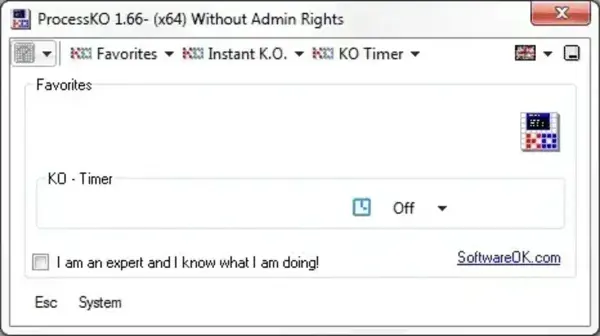
ProcessKO focuses on one task and does it extremely well: stopping problematic processes instantly. Instead of navigating through multiple menus or waiting for Windows to respond, this utility allows users to drag and drop a running program directly onto its window or select it from a list to terminate it immediately.
Key Features of ProcessKO
- Force Kill Processes: Terminates applications that are frozen, stuck, or unresponsive.
- Portable Execution: No installation required. Can be run directly from a USB flash drive.
- Drag and Drop Support: Simply drag a running program onto the ProcessKO window to end it.
- Hotkey Termination: Assign keyboard shortcuts to quickly kill selected processes.
- Low Resource Usage: Extremely small footprint with minimal CPU and memory usage.
- Immediate Response: Designed to act instantly without waiting for system delays.
Why Use ProcessKO Instead of Task Manager?
While Windows Task Manager is sufficient for most situations, it can sometimes fail to end hung processes or respond slowly under heavy system load. ProcessKO offers a faster and more aggressive approach, making it ideal for:
- Ending frozen programs that will not close
- Quickly killing resource hogging processes
- Handling system slowdowns caused by unresponsive apps
- Technicians and power users managing problem systems
How to Use This Portable Process Killer
- Download ProcessKO from the official SoftwareOK website.
- Extract the executable file to any folder or USB drive.
- Launch the program.
- Select a running process from the list or drag the target application onto the window.
- Confirm to instantly terminate the process.
Use Cases and Practical Scenarios
ProcessKO is commonly used in troubleshooting environments where speed matters. IT technicians, system administrators, and advanced users often keep it on a portable toolkit for emergency process termination. It is also useful on older or resource constrained systems where Task Manager may struggle to respond.
Specifications | Official Site | Download
- Developer: Nenad Hrg
- Authors Website: Project Page
- Extracted Size: 351 KB
- License: Freeware
- Supported OS: Windows
- Application Category: Process Management Utility
- Rating: 4 Star
- Downloading: You can get this free Windows process killer utility here:
Download ProcessKO
Final Thoughts
ProcessKO is a must have portable utility for quickly killing stubborn Windows processes. Its simplicity, speed, and minimal size make it ideal for both everyday users and professionals who need immediate control over running applications.
If you regularly encounter frozen programs or need a faster alternative to Task Manager, this portable process terminator is a practical and dependable solution.
