
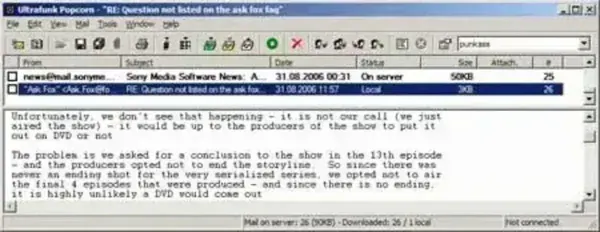
Popcorn is a free, standalone, text only email client with SMTP and POP3 support that can be run entirely as a portable application. Unlike most modern email clients, Popcorn does not render HTML emails or display inline images. This design choice significantly reduces exposure to malicious scripts, embedded tracking, trojans, and many common email based exploits.
Popcorn Portable Text Email Client
What is Popcorn?
Popcorn is a minimalistic email client created with security and simplicity in mind. By stripping away HTML rendering, embedded images, and advanced formatting, Popcorn focuses entirely on plain text email communication. This makes it especially useful for users who prioritize security, speed, and portability over visual presentation.
Because it runs as a standalone executable and requires no installation, it is well suited for use on USB flash drives, external storage devices, or locked down systems where installing software is not permitted.
Security Focused Design
One of this email apps defining characteristics is its immunity to a wide range of email based threats. Since it does not process HTML or scripts, many common attack vectors simply do not apply.
- No HTML rendering
- No embedded images
- No active scripting
- Reduced exposure to tracking pixels and malicious payloads
This makes Popcorn a practical tool for safely reviewing suspicious inboxes or cleaning compromised email accounts.
Email Protocol and Account Support
Despite its small size, it includes support for essential email standards:
- POP3 email retrieval
- SMTP for sending mail
- SSL encrypted connections
- APOP authentication
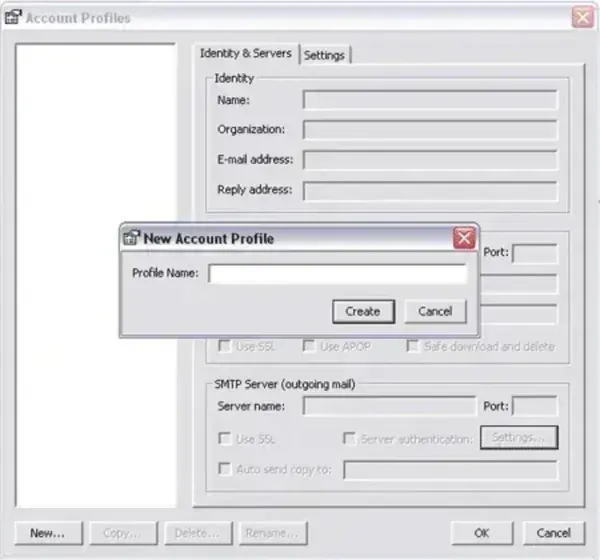
- Multiple email account support
Users can configure multiple accounts and switch between them easily, making it useful as a lightweight multi account email manager.
Attachments and Mail Management
While Popcorn does not display HTML content, it does support file attachments. Attachments can be downloaded and saved locally without rendering them inline, further reducing risk.
Popcorn can also be used as a utility to:
- Import existing email
- Remove spam and junk mail
- Strip large or unwanted attachments
- Clean inboxes before migrating to another client
Portability and System Footprint
Popcorn requires approximately 448 KB of disk space for a complete standalone portable setup. This extremely small footprint makes it one of the lightest portable email clients ever released and ideal for older systems or very limited storage devices.
All configuration data is stored locally, allowing users to carry their email environment without leaving traces behind on host machines.
Development Status
It appears that Popcorn is no longer actively developed, and the original author has abandoned the project. As a result:
- No ongoing security updates
- Potential incompatibility with modern email providers
- Limited support for newer authentication methods
Because of this, it is best suited for legacy systems, testing, forensic review, or low risk email usage rather than modern primary email accounts.
Specifications | Official Site | Download
- Authors Website: ultrafunk.com/popcorn
- License: Freeware
- Extracted File Size: Approximately 448 KB
- Supported Operating Systems: Windows
- Downloading: The original download link is no longer available
Final Thoughts
Popcorn remains an interesting example of a security first email client built around simplicity and portability. While its lack of HTML support limits usability for everyday communication, that same limitation is what makes it valuable for safely handling untrusted email. For users who need a tiny, text only portable email client with minimal attack surface, Popcorn still holds historical and practical value despite its abandoned status.
