
IPNetInfo is a small but powerful free IP address lookup and network information tool that allows users to retrieve detailed information about any IPv4 address. Developed by NirSoft, this lightweight utility functions much like a portable WHOIS lookup tool, making it ideal for network administrators, security researchers, and power users who need fast IP intelligence without relying on online services.
With IPNetInfo, you can quickly view important details such as the IP address owner, country and region, IP range, and available contact information including address, phone, fax, and email (when provided by the registry). Because it runs as a standalone executable, it can be stored and launched directly from a USB flash drive, leaving no installation footprint on the host system.
IPNetInfo | IP Address Lookup Tool
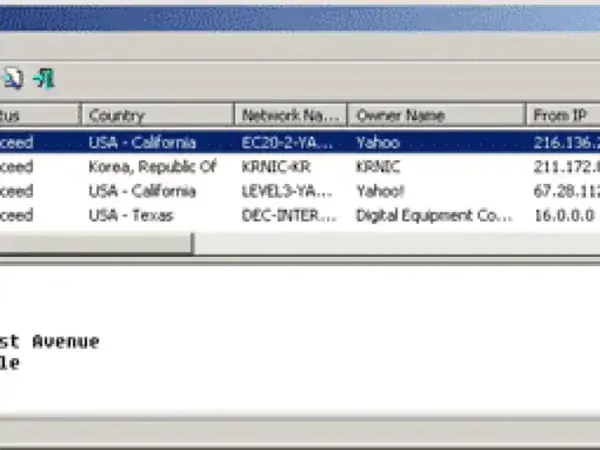
In addition to basic IP lookups, IPNetInfo is especially useful for investigating the origin of unsolicited or suspicious email messages. By copying and pasting full email headers into the application, IPNetInfo automatically extracts all IP addresses involved in the message delivery process and displays detailed information for each hop. This makes it a handy tool for tracing spam, phishing attempts, or misconfigured mail servers.
What Is IPNetInfo?
IPNetInfo is a free Windows utility created by Nir Sofer of NirSoft that retrieves WHOIS and network-related information for IP addresses. Unlike web-based IP lookup services, IPNetInfo performs queries locally using registry servers, providing fast results without needing to upload IP data to third-party websites.
The tool supports multiple regional internet registries (RIRs), allowing it to retrieve ownership and allocation details from sources such as ARIN, RIPE, APNIC, LACNIC, and AFRINIC.
Key Features
- IP Address Information Lookup: Displays detailed data for a given IP address, including IP range owner (ISP or organization), country, state/region, and registry source.
- WHOIS Contact Details: Shows available administrative and technical contact information such as organization name, address, phone number, fax, and email.
- Email Header Analysis: Extracts IP addresses from pasted email headers and provides lookup results for each mail server hop.
- Historical WHOIS Data: Can display historical WHOIS records where available, helping track changes in IP ownership over time.
- Traceroute Capability: Includes a traceroute feature to map the network path between your system and the target IP address.
- Command-Line Support: Can be executed from the command line or integrated into scripts and external tools for automation.
- Simple and Lightweight Interface: Clean, no-frills UI that launches instantly and requires no configuration.
Common Use Cases
- Investigating the source of suspicious or spam email messages
- Performing quick WHOIS lookups without using online services
- Identifying IP address ownership and geographic allocation
- Basic network troubleshooting and diagnostics
- Portable toolkit use for system administrators and IT professionals
Portability and Privacy
IPNetInfo is completely portable. It does not require installation, does not write to the Windows registry, and can be run directly from removable media such as a USB flash drive. This makes it a good fit for forensic work, incident response, or use on locked-down systems where installing software is not permitted.
IPNetInfo Specifications | Official Site | Download
- Author’s Website: NirSoft IPNetInfo
- Developer: NirSoft
- License: Freeware
- Supported Operating Systems: Microsoft Windows
- File Type: Standalone Portable Executable
- Download: Get this free IP lookup tool here: IPNetInfo Download
Final Thoughts
IPNetInfo remains one of the most useful small utilities in the NirSoft lineup. Its ability to quickly retrieve WHOIS data, analyze email headers, and perform traceroutes (all without installation) makes it a valuable addition to any portable network or security toolkit.
While it doesn’t provide flashy visuals or modern dashboards, its speed, simplicity, and portability are exactly what make it effective. If you need a reliable, no-nonsense IP address lookup tool that you can carry anywhere, this is still an excellent choice.
