
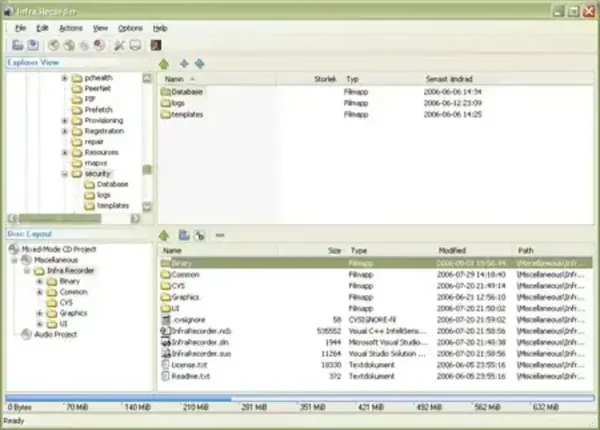
Infra Recorder is a powerful open source portable CD and DVD burning utility for Windows. It allows users to create audio discs, data discs, and mixed mode projects, either by writing directly to physical media or by generating ISO image files for later use.
Designed with simplicity and reliability in mind, Infra Recorder provides a clean graphical interface for disc recording tasks that would otherwise require complex command line tools. The portable edition can be stored and run directly from a USB flash drive, making it ideal for technicians, legacy systems, or shared computers where installing software is not an option.
Infra Recorder Portable
Core Disc Burning Capabilities
Infra Recorder supports a wide range of optical disc tasks commonly required for backups, media creation, and archival purposes. Projects can be recorded directly to CD or DVD media or saved as ISO images for later burning.
- Data Discs: Create standard data CDs and DVDs for file storage and backups.
- Audio CDs: Burn audio discs playable in standalone CD players.
- Mixed Mode Discs: Combine audio and data tracks on a single disc.
- ISO Image Creation: Generate ISO files from existing files or discs.
- Disc Copying: Copy CDs or DVDs directly or create backup images.
Rewritable Disc Erasing Options
Infra Recorder can erase rewritable media such as CD-RW and DVD-RW using multiple methods. This flexibility allows users to choose between speed and thoroughness depending on their needs.
- Quick erase for fast reuse
- Full erase for improved compatibility
- Multiple erase strategies depending on media type
Why Use Infra Recorder as a Portable Tool?
Although optical media is less common today, Infra Recorder remains valuable for users who still rely on CDs and DVDs. Its portable design makes it especially useful in environments where lightweight, dependable tools are required.
- Run from a USB drive without installation
- Ideal for older systems and legacy workflows
- Useful for technicians and IT toolkits
- No background services or system modifications
Making Infra Recorder Fully Portable
By default, Infra Recorder may write a log file to the host system. To ensure fully portable, no trace operation, follow these steps:
- Launch Infra Recorder
- Navigate to Options > Configuration
- Select the Advanced tab
- Uncheck the option labeled Enable program log
This ensures that no log files or traces are written to the host machine.
Limitations to Keep in Mind
Infra Recorder focuses on CD and DVD media and does not support Blu Ray discs. Development has slowed in recent years, but the application remains stable and functional for its intended use cases.
Download and Specifications
- Project Website: Infra Recorder Project Page
- License: Open Source
- Platform: Windows
- Category: Disc Burning, System Utilities
- Rating: 4 Star
- Portable Download: Infra Recorder Portable ZIP
Alternative Portable Disc Burners
If you are exploring similar tools, you may also want to look at Powerlaser Express, another lightweight portable CD and DVD recording utility.
Final Thoughts
Infra Recorder Portable remains a dependable solution for CD and DVD burning tasks, especially on systems where lightweight, open source, and installation free tools are preferred. Its clean interface, solid feature set, and true portability make it a useful addition to any USB toolkit.
If you still work with optical media and need a straightforward portable burner, Infra Recorder continues to get the job done.
