
ClipCube is a lightweight Windows clipboard history utility that records text you copy so you can retrieve it later. The original program was designed to run in the background from the system tray and can be carried on a USB drive when its files and configuration are kept together. Its simple interface focuses on collecting copied text rather than managing images or a broader range of clipboard formats.
Important status note: ClipCube is legacy software, not a currently maintained recommendation. The project's SourceForge listing identifies it as beta and shows its files were last updated in 2014. The developer also announced in 2010 that the project was moving away from SourceForge. Compatibility with current Windows versions has not been verified here, and the archived download may not receive updates or support.
ClipCube - Portable Clipboard Capture Tool
What ClipCube Does
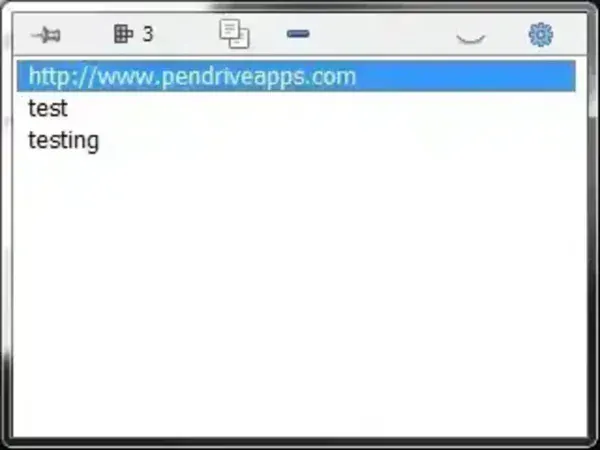
After launch, ClipCube resides in the Windows system tray and keeps a history of text copied to the clipboard. This can be useful when you need to retrieve a snippet you copied earlier instead of switching back to the original application. The program was described as a minimalist clipboard recorder with a straightforward interface.
The original project was listed for Windows and marked as beta. Do not assume that it supports every current Windows release, modern clipboard formats, synchronization, or secure storage. Those capabilities have not been verified for this legacy version.
Portability and Download Status
ClipCube was distributed as a small Windows utility and was presented as portable. Actual portability can depend on where the program stores its settings and history, so test it with non-sensitive sample text before relying on it from removable storage.
The original project is no longer actively maintained according to available project records. You can review the project's historical information at ClipCube on SourceForge. The old developer website referenced by this listing is no longer confirmed as an active download source.
Archived download: View the archived ClipCube download page. This is an archived link, not a guarantee that the file is safe, intact, or compatible with your system. Scan any downloaded file with reputable security software and do not run it if its origin or integrity is uncertain.
Privacy Considerations
Clipboard history tools can capture whatever text you copy, which may include passwords, recovery codes, personal details, or confidential work information. Avoid using ClipCube on shared or untrusted computers, and do not copy sensitive information while a clipboard recorder is running. Because this is legacy software, do not rely on it to provide encryption, automatic deletion, or other privacy protections unless you can verify those features independently.
ClipCube Details
- Category: Clipboard history and text capture
- Platform: Windows (current compatibility unverified)
- Project status: Legacy / no longer actively maintained
- Historical license information: SourceForge lists GPL-3.0, but confirm the license for the specific archived build before redistribution.
- Portability: Previously described as portable; verify behavior on your own system
