
cdrtools frontend (cdrtfe) is a graphical user interface for the well known cdrtools disc burning suite, offering portable CD, DVD, and Blu Ray recording capabilities for Windows users. Designed to run without installation, this lightweight frontend can be stored and launched directly from a USB flash drive or other portable storage device.
Built on top of powerful command line tools like cdrecord, mkisofs, and readcd, cdrtfe provides an accessible way to perform advanced disc burning tasks without needing to memorize terminal commands. It supports data discs, audio CDs, ISO image creation, disc copying, and multisession recording.
cdrtools Frontend | Portable CD, DVD, Blu Ray Recording
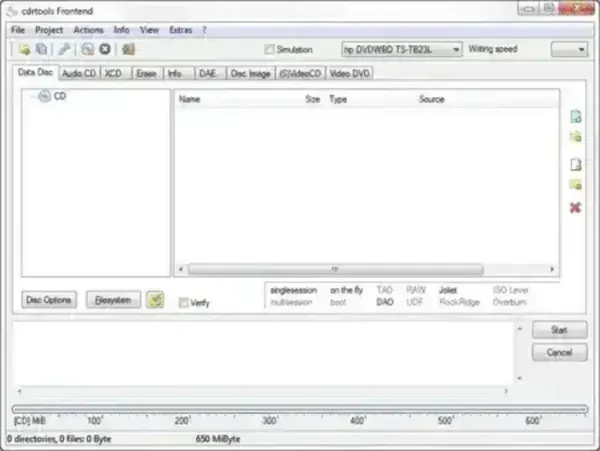
Advanced Disc Creation and Overburning Support
One standout feature of cdrtfe is its support for Mode2CDMaker functionality. This allows advanced users to create discs that exceed standard capacity limits using overburning techniques.
With compatible hardware and media, users can:
- Create a 738 MB CD instead of the standard 650 MB
- Create a 795 MB CD instead of the standard 700 MB
This feature is especially useful for archival data, legacy backups, or specialized disc formats where squeezing additional space onto physical media is required.
Key Features
- Portable Operation: Runs directly from USB with no installation required.
- CD, DVD, Blu Ray Support: Burn and manage multiple optical disc formats.
- ISO Image Creation: Create and burn ISO files for backups or distribution.
- Audio CD Burning: Supports standard audio CD creation.
- Multisession Discs: Add data to discs over multiple sessions.
- Overburning Capabilities: Extend disc capacity using Mode2 techniques.
- Based on cdrtools: Leverages proven, battle tested command line utilities.
Why Use a Portable Disc Burning Tool?
While optical media is less common today, portable disc burning software still has important use cases. cdrtfe is ideal for technicians, archivists, and power users who need reliable disc recording without installing software on every machine.
- Burn discs on locked down or shared computers
- Carry a trusted burning tool on a technician USB toolkit
- Create legacy backups or recovery media
- Work with older systems that still rely on optical drives
Important Notes
Overburning may not be supported by all drives or media and can reduce disc reliability. Always test with non critical data first.
Administrator privileges may be required on some systems to access optical drives.
Download and Specifications
- Project Website: Project Page
- Extracted Size: Approximately 13.3 MB
- License: Open Source
- Platform: Windows
- Category: Disc Burning, System Utilities
- Download: Download cdrtfe Portable
Final Thoughts
cdrtools frontend remains a capable and efficient solution for users who still rely on optical media. Its portable design, advanced burning options, and access to powerful cd recording tools functionality make it a solid choice for both everyday disc creation and specialized use cases like overburning.
If you need a no nonsense, open source, portable CD, DVD, and Blu Ray recording tool, cdrtfe is well worth keeping on your USB toolkit.