
Alarm is a simple and Free Portable Alarm Clock for Windows. The digital alarm clock comes in a variety of colors and synchronizes automatically with your computer's clock. The alarm can be set in one hour, one minute, or even one second increments, making it highly flexible for reminders, tasks, or timed breaks. Alarm is easy to use and to the point; simply set your alarm and wait. That's all there is to it.
Alarm - Portable Alarm Clock for PC
Authors Website: Archived Home Page
License: Freeware
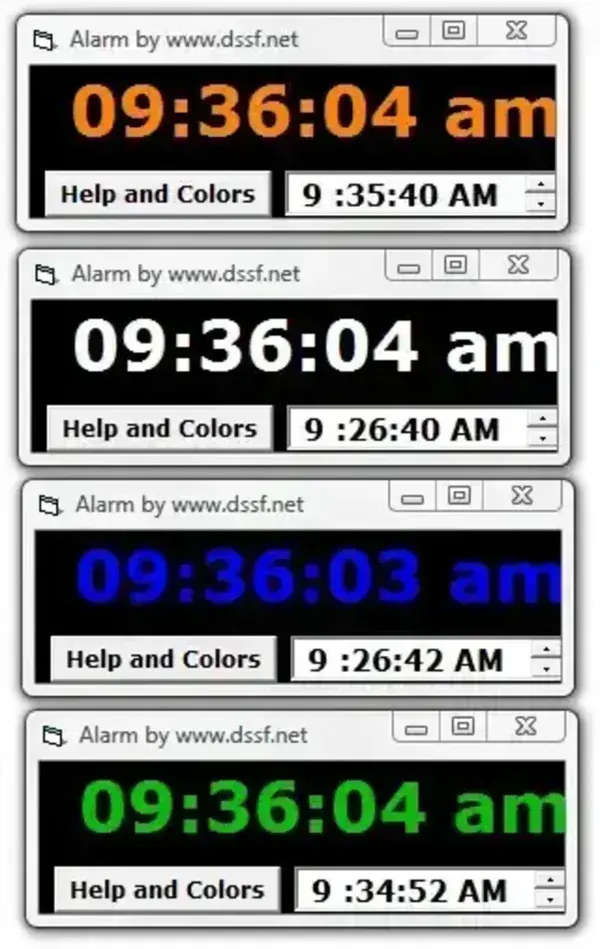
This Portable Alarm is available in various colors as seen below:
white green pink grey red orange yellow blue
Key Features
- Portable Alarm Clock for PC: Runs on Windows based computers.
- Multiple Colors: Personalize your alarm clock with your favorite color.
- Flexible Alarm Settings: Set alarms by the second, minute, or hour.
- Accurate Time: Synchronizes automatically with your PC clock.
- Simple Interface: Quick to set up and easy to use.
- Lightweight: Minimal system resources required.
How to Use Alarm Portable Clock
- Download and extract the alarm software to your PC or USB drive.
- Run Alarm.exe to launch the program.
- Select your preferred color for the alarm interface.
- Set the desired alarm time using hours, minutes, or seconds.
- Click "Start" and wait for the alarm to ring at the scheduled time.
Final Thoughts
Alarm Portable is a lightweight, easy to use alarm clock for PC that is ideal for reminders, timed tasks, and simple notifications. Its portability, color customization, and flexible alarm increments make it a practical choice for users who want a no-fuss alarm clock they can run from any Windows based PC.