Portable Text and Speech Translator: QTranslate
QTranslate is a desktop translation utility that lets you translate selected text without switching to a browser. The original Windows application was developed by QuestSoft and became popular for its global hotkeys, pop-up translations, dictionary lookups, text-to-speech, and support for multiple online translation services. The original QuestSoft release is no longer maintained, so its archived 6.10.0 download should be treated as legacy software.
A new open-source project named QTranslate has since rebuilt the application from scratch. Maintained by Ahmed Hatem, this modern version restores the familiar workflow and adds a plugin-based translation system, document translation, OCR, text-to-speech, spell checking, and comparison of multiple translation providers. The current release is version 1.5.0, dated September 29, 2026. It is a separate codebase from the old QuestSoft program, so do not assume that old settings, plugins, or configuration files are compatible.
The modern QTranslate project provides a self-contained Windows x64 ZIP package that includes its Java runtime, so Windows users do not need to install Java separately. The package can be extracted to a folder or USB drive and launched directly. The project also offers portable packages for macOS and Linux, which require Java 17 or later.
QTranslate Portable Text and Speech Translator
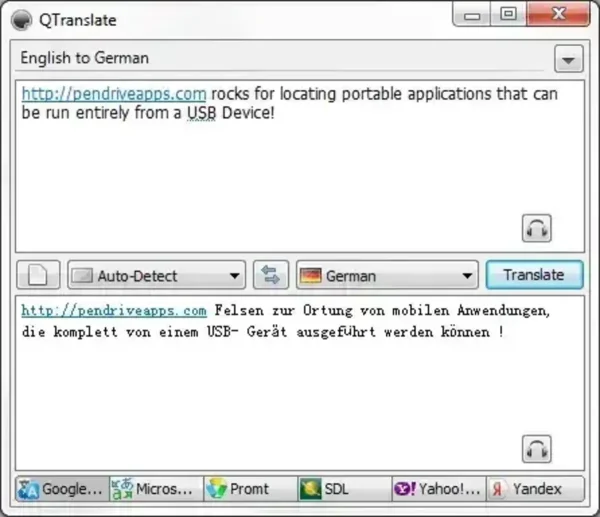
The original QTranslate interface shown below is from the legacy QuestSoft release. The current open-source rebuild has a redesigned interface and additional features.
QTranslate Features
- Translate selected text: Select text in another application and use a configurable hotkey to open a translation.
- Multiple translation services: The modern project supports a plugin system for services such as Google, Bing, DeepL, LibreTranslate, MyMemory, Reverso, and other providers.
- Compare translations: Display results from multiple translation providers together to compare wording and choose the most suitable result.
- Document translation: Translate supported document and subtitle formats, including DOCX, PDF, TXT, SRT, and VTT.
- Screen OCR: Capture text from a selected area of the screen or from an image and translate the recognized text.
- Text-to-speech: Listen to source text or translated text using supported speech services or operating-system speech features.
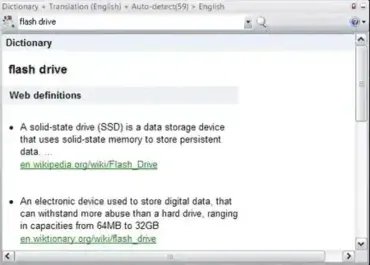
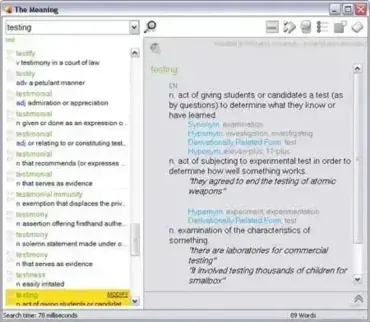
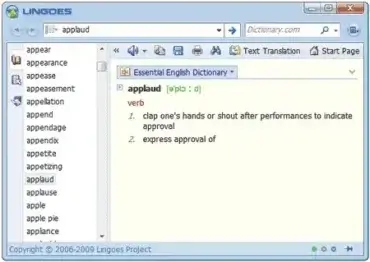
- Dictionary lookup: Look up definitions and reference information for individual words.
- Spell checking: Use supported system or plugin-based spell-checking services.
- Portable operation: Extract the Windows ZIP package and run QTranslate.exe without a conventional installation.
How to Translate Selected Text
Start QTranslate and configure the translation services and languages you want to use. Select text in another application and press the configured translation hotkey. The translation appears in the QTranslate window or its quick-translation interface. You can also paste text into the main window, choose source and target languages, and compare results from multiple services when the comparison layout is enabled.
Translation quality varies by language pair and provider. For important legal, medical, financial, or technical material, treat machine translation as a draft and have a qualified person review it before relying on the result.
OCR and Text-to-Speech
The modern QTranslate release can recognize text from a selected screen area or image and send the extracted text for translation. Its speech features can read the source or translated text aloud. On Windows, the application can use supported system services for OCR and speech, while other translation providers may require an internet connection or their own API credentials.
Using QTranslate Portably on Windows
- Open the modern QTranslate project release page.
- Download the Windows x64 ZIP package for the current release.
- Extract the archive to a writable folder on your USB flash drive.
- Run
QTranslate.exefrom the extracted folder.
The Windows package includes its own Java runtime, so a separate Java installation is not required. The project states that the portable package keeps its bundled plugins, language files, and themes with the application folder. Online translation services still need a working internet connection, and some providers may require account details or API keys.
Original QuestSoft Release vs. the Modern Rebuild
The original QuestSoft QTranslate 6.10.0 is archived and no longer maintained. The modern QTranslate project is a from-scratch rebuild that continues the general desktop translation concept, but it is not a drop-in update for the old executable. Use the current project for new installations and keep the archived original only if you need to document or revisit the older release.
Specifications and Download
- Editor's Rating: ★★★☆☆ (3/5)
- Modern release: QTranslate 1.5.0, released September 29, 2026.
- Modern developer: Ahmed Hatem.
- Modern license: Mozilla Public License 2.0 (MPL-2.0).
- Modern platforms: Windows 10 or later (x64), macOS, and Linux.
- Windows portable package: Includes the Java runtime and bundled plugins.
- Modern project website: QTranslate project.
- Current downloads: QTranslate releases on GitHub.
- Original archived project: QuestSoft QTranslate archive.
- Original archived download: QTranslate 6.10.0. This is a legacy release, not the current version.
- Original article rating: 5/5 for the legacy QuestSoft release.