
Miranda NG is a modern, open source, and portable instant messaging client. Like the original Miranda IM, it supports multiple chat networks including AIM, ICQ, IRC, MSN, XMPP (Jabber), Yahoo, and more. It has an active development community and a plugin system, allowing users to extend functionality with features such as file transfers, message logging, RSS feed readers, and extra utilities.
This portable version can be run directly from a USB drive or other removable media, making it ideal for users who need their instant messaging setup on the go.
Miranda NG Portable Instant Messenger
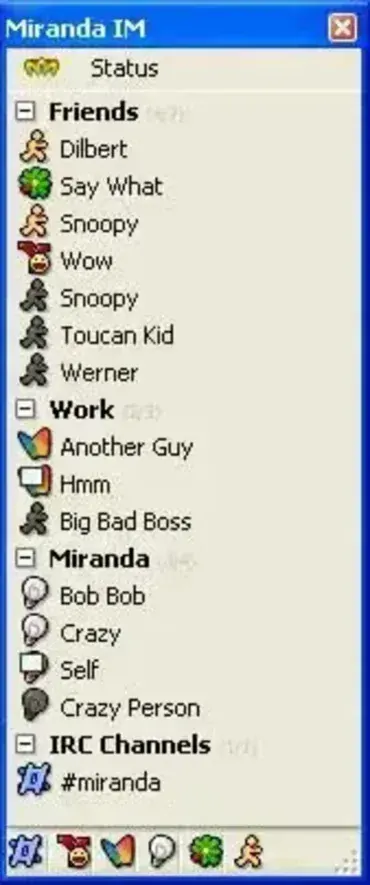
What is Miranda NG and How Does It Work?
Miranda NG connects to multiple instant messaging protocols simultaneously, allowing you to chat with friends across networks without running multiple clients. Its lightweight design ensures fast performance, and the plugin system enables users to customize the application to their exact needs. The software can handle messaging, logging, notifications, and file transfers, all from a portable environment.
Key Features
- Multi-Network Support: AIM, ICQ, IRC, MSN, XMPP (Jabber), Yahoo, and more via plugins.
- Portable: Run directly from a USB drive with no installation required.
- Plugin System: Extend functionality with plugins for logging, notifications, RSS feeds, and more.
- Lightweight: Small footprint and low resource usage for fast performance.
- Modern Updates: Actively maintained fork of Miranda IM with bug fixes and protocol improvements.
- Customizable Interface: Skins, themes, and flexible layouts.
- Security: Optional encrypted messaging plugins and support for secure connections.
How to Use Miranda NG Portable
- Download the portable version from the official site.
- Extract the files to a folder on your USB drive.
- Run miranda32.exe (or miranda64.exe for 64-bit systems).
- Set up your accounts and start chatting across networks immediately.
Specifications | Official Site | Download
- Authors Website: Official Project Page
- Developer: Miranda NG Team
- License: Open Source
- Supported OS: Windows 7, 8, 10, 11
- Extracted Size: ~30 MB (varies with plugins)
- Downloading: Get the portable version here: Miranda NG Portable Download
Final Thoughts
Miranda NG Portable is one of the most flexible and lightweight instant messaging clients available. With support for multiple networks, active development, and a robust plugin system, it’s ideal for users who want a portable IM solution that adapts to their needs. Run it from a USB drive for on the go messaging without leaving traces on host computers.
