
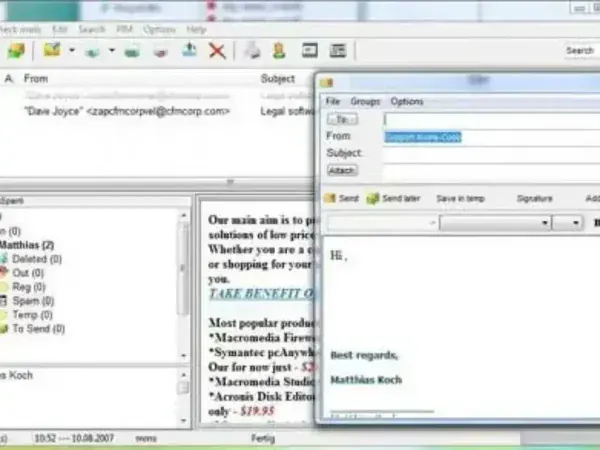
Koma Mail is a free and fully portable email client designed for users who want to manage their email directly from a USB flash drive or other removable media. This lightweight portable email application supports multiple accounts and a wide range of modern mail protocols, making it a flexible solution for users on the move.
Koma Mail Portable eMail
What is Koma Mail?
Koma Mail is a standalone portable email client developed by Matthias Koch. Unlike traditional email programs that require installation and system integration, Koma Mail can be run entirely from a removable device. All configuration data, accounts, and messages remain within the application folder, helping preserve privacy and portability.
At its peak, Koma Mail was considered one of the better portable alternatives to full desktop email clients due to its balance of features and small footprint.
Supported Email Protocols and Technologies
Koma Mail offers broad protocol support for a portable application, including:
- POP3 email retrieval
- IMAP email synchronization
- SMAP support
- WebDAV access
- SSL encryption for secure connections
This makes it compatible with many standard mail servers, provided modern authentication requirements are met.
Key Features
Koma portable e-Mail includes a surprisingly rich feature set for a compact portable email client:
- Multiple Account Support: Manage several email accounts from one interface
- SSL Encryption: Secure mail transmission
- Spam Filter: Basic filtering to reduce unwanted mail
- Built In RSS Reader: Read feeds directly within the application
- Calendar: Simple scheduling and date tracking
- HTML Editor: Compose rich text emails
- Inline Images and Attachments: Full email composition support
- Contact Manager: Store and organize address book entries
Language Support and System Requirements
It is made available in 17 different languages and requires approximately 5.44 MB of disk space. This minimal footprint made it especially appealing for older systems and smaller USB flash drives.
Portability and Privacy
All user data, including emails and account settings, are stored locally within the Koma Mail directory. This design allows users to carry their email environment with them and helps avoid leaving personal data behind on shared or public computers.
Development Status and Security Considerations
It is important to note that Koma Mail is no longer actively developed. The author has discontinued updates, which means:
- No security patches
- Possible incompatibility with modern email providers
- Potential risks when used with sensitive accounts
For these reasons, Koma Mail is best suited for legacy use, testing, or non critical email accounts rather than modern production environments.
Specifications | Official Site | Download Link
- Authors Website: Project Page
- Developer: Matthias Koch
- License: Freeware
- Extracted File Size: 5.44 MB
- Supported Operating Systems: Windows
- Downloading: You can get this free and portable email software here:
Koma Mail Portable Download
Final Thoughts
Koma Mail was once a strong contender in the portable email client space, offering an impressive range of features in a very small package. While its lack of ongoing development limits its usefulness today, it remains a noteworthy example of how full featured email functionality was successfully delivered in a portable format.
