
IcoFX is a Windows icon and cursor editor used to create, edit, convert, and extract icons. It can turn images into icon files, work with transparent icons, create static or animated cursors, and extract icons from supported executable and library files. The current IcoFX product is commercial software with a trial, so it should not be confused with older freeware-era versions that may appear in archived downloads or older reviews.
Version and licensing note: This PendriveApps listing describes an older release and its historical portable use. IcoFX's official website now presents the product as a professional icon editor and offers trial and paid licensing. Check the current license terms before using it, especially for commercial work or when downloading an old build from an archive.
IcoFX - Icon Extractor, Editor and Creator
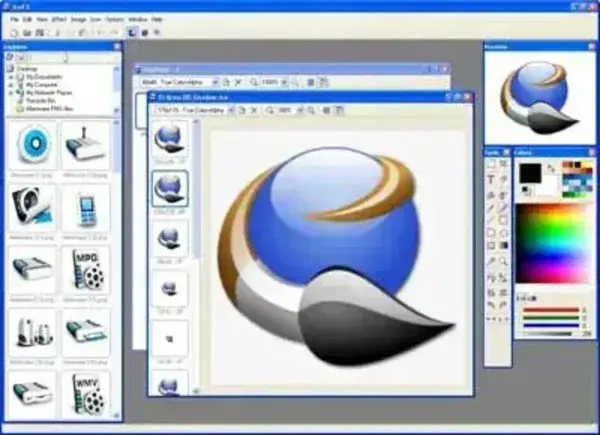
Icon Creation and Editing
IcoFX includes tools for creating icons from scratch or converting existing images into icon files. Its editor is designed for small graphics, where pixel-level editing, transparency, resizing, and color adjustments matter. The official feature list describes image editing tools, effects, and support for common image formats such as SVG, PNG, JPEG, BMP, GIF, and TIFF.
It can also work with cursor files and create animated cursors. Depending on the license, additional tools may be available for batch processing, icon libraries, resource editing, and toolbar image strips. Check the current edition comparison before relying on a particular feature.
Extract Icons from EXE and DLL Files
IcoFX can extract icons from supported Windows executable and library files, which can help when you need to inspect or reuse an existing application's icon. It also supports creating and editing icon libraries. Always respect the software license and copyright terms that apply to any icons or application resources you extract or redistribute.
Portable Use and Compatibility
The IcoFX FAQ says the application has a portable version and that the installed version can be made portable through its preferences. This does not mean every historical release has the same portability options. Consult the official help for your version and test settings behavior before carrying the application on a USB drive.
Older PendriveApps screenshots and descriptions refer to Windows XP and Vista-era icon support. The current official product information should be used for present-day requirements, download options, and feature availability. Do not assume an archived release is compatible with current Windows versions or receives security and compatibility updates.
Download and Licensing
Visit the official IcoFX download page to review the current trial and download options. The official site also explains licensing and the differences between home and business editions. Older builds found elsewhere may have different terms, so confirm the license attached to the exact version you use.
IcoFX Details
- Purpose: Create, edit, convert, and extract icons and cursors
- Platform: Windows
- License: Current product is commercial software with a trial; historical versions may have different terms
- Portability: Official FAQ describes a portable version and a preference to make the installed version portable
- Common uses: Application icons, cursor files, image-to-icon conversion, and icon extraction
- Download source: Official IcoFX website
